
Weebly vs Wix: Why Wix Is the Better Solution for Growing Your Business Online
Many business owners struggle to choose a website builder that not only looks good but actually drives leads and revenue.
As Steve Jobs once said,
“Design is not just what it looks like and feels like. Design is how it works.”
The same holds for website design, looks attract, but usability converts.
With 81% of consumers researching online before making a purchase, your website must be clear, fast, and optimized.
A slow-loading or poorly optimized site can cause potential customers to drop off before they even click “Contact.”
That’s why understanding the real differences between Weebly vs Wix matters.
In this blog, we’ll explore how each platform handles design flexibility, SEO tools, and e-commerce capabilities to help you build a site that grows with your business.
Key Takeaways:
|
The Role of Website Builders in Business Success
A website builder does more than help you launch a site; it shapes how your business is seen, found, and trusted online.
As Peter Drucker said,
|
The aim of marketing is to know and understand the customer so well that the product or service fits them and sells itself. |
Your website is often that first interaction, and with 71% of small businesses now owning a website, building one that’s fast, professional, and easy to navigate can determine whether visitors stay, convert, or move on.
How the Right Platform Impacts Growth Potential
The right platform equips businesses with the tools to design professional websites, manage sales, and perform well in search results.
Modern website builders offer capabilities such as:
- Drag-and-drop editors for easy, no-code customization
- Built-in marketing and analytics tools to manage campaigns and measure performance
- SEO optimization features that help improve search engine visibility
According to a U.S. Chamber of Commerce study, ninety-three percent of small businesses believe digital tools directly contribute to their success, highlighting the importance of choosing the right platform.
Among the most recognized solutions, Weebly and Wix stand out for their accessibility and business-focused features, offering entrepreneurs a path to build, market, and grow without the need for complex web development.
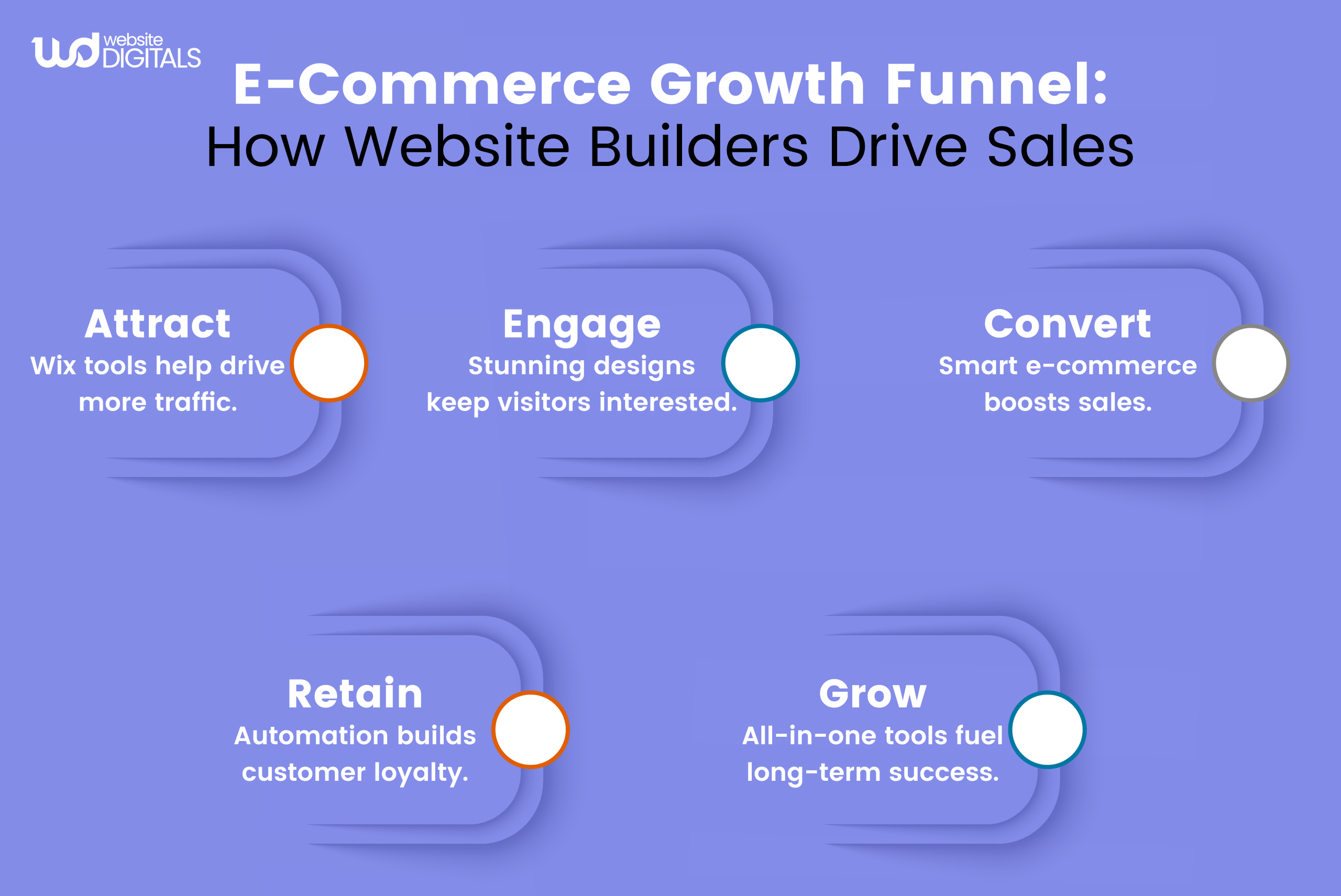
Weebly vs Wix: Which Website Builder is Better for Growing Businesses
Weebly Key Features
1. Easy Drag-and-Drop Editor
Weebly provides a user-friendly drag-and-drop website builder ideal for beginners and small business owners.
Its structured grid layout ensures clean design alignment and an intuitive setup for quick website creation without technical web development skills.
Note:
|
While it lacks the design flexibility of Wix, Weebly’s simplicity and guided interface make it a strong choice for non-technical users. |
2. Built-In E-Commerce Website Tools
Weebly integrates directly with Square, allowing easy setup of secure online stores.
It supports product management, inventory tracking, and checkout functionality, perfect for small business websites.
3. Pre-Designed Templates
Weebly offers a curated selection of mobile-responsive templates that prioritize performance and usability.
While limited compared to Wix vs Drupal, the pre-built designs help users launch visually consistent websites without complex customization.
4. Integrated Marketing Tools
Weebly includes email marketing, social media integration, and lead generation tools for small business promotion.
Though not as extensive as Wix Ascend, it supports basic campaigns and automation, making it a suitable entry-level solution for website digital marketing.
5. SEO Essentials
Weebly provides essential SEO features like editable meta titles, descriptions, and image alt tags, plus automatic XML sitemap generation.
Users can connect Google Analytics for traffic monitoring and optimization.
6. App Center
The Weebly App Center offers roughly 60 apps for forms, chat, and analytics integrations.
Though smaller than the Wix App Market, it covers the essentials most small websites need. Its limited ecosystem simplifies management, reducing potential conflicts or technical issues.
7. Free SSL Security
Every Weebly site includes a free SSL certificate, ensuring data encryption and secure transactions.
SSL also enhances trust signals and positively impacts Google rankings, a key factor for any website builder aiming for credibility.
8. Reliable Hosting and Analytics
Hosting is included across all Weebly plans, with stable uptime and performance monitoring. Integration with Google Analytics provides visibility into user behavior and engagement metrics.
For small businesses, this all-in-one hosting solution ensures consistency without extra maintenance costs.
9. Customer Support
Weebly offers customer support through email, chat, and a self-help knowledge base. The active community forum assists users with real-world troubleshooting.
While it doesn’t offer 24/7 phone support like Wix, the available channels are dependable for most small business needs.
Summary
Weebly is a practical, secure, and affordable website builder ideal for beginners and small business owners. It excels in simplicity, reliability, and Square integration, though it trails Wix, WordPress, and Drupal in scalability, SEO, and advanced customization.
For those seeking a straightforward solution to build a professional site quickly, Weebly remains a trustworthy choice.
Wix Key Features
1. Flexible Drag-and-Drop Editor
Wix offers one of the most advanced drag-and-drop editors, letting users freely position elements and design pages without coding.
For professionals in web development, it provides full creative control while maintaining usability.
Its intuitive interface suits both beginners and designers seeking precision.
2. Wix ADI (Artificial Design Intelligence)
Wix ADI uses artificial intelligence to build a personalized website within minutes based on your business type and design preferences.
Note:
|
This feature sets Wix apart from older CMS platforms like Drupal, removing the need for manual configuration or code. |
3. 500+ Designer-Made Templates
With more than 500 industry-specific templates, Wix offers extensive design options across sectors like retail, fitness, and creative portfolios.
Each layout is mobile responsive, SEO-optimized, and easy to brand with custom colors, fonts, and media. Businesses can take this further through a Wix template customization service, ensuring every element aligns with their visual identity and conversion goals.
4. Advanced E-Commerce Capabilities
Wix provides a complete e-commerce ecosystem, enabling businesses to sell products on multiple channels such as Facebook, Instagram, and Amazon.
Features like abandoned cart recovery, subscription billing, and support for PayPal, Stripe, and Square make it powerful yet easy to manage.
5. SEO and Marketing Suite (Wix SEO Wiz and Ascend)
The Wix SEO Wiz gives step-by-step guidance on content optimization and keyword placement. Ascend by Wix combines CRM, automation, and email marketing tools, helping businesses run campaigns from one dashboard.
In SEO Wix vs WordPress comparisons, Wix performs competitively due to features like structured data, 301 redirects, and custom URL control.
6. App Market and Integrations
The Wix App Market includes over 300 integrations for marketing, analytics, and automation.
Popular apps like Mailchimp, HubSpot, Zapier, and Google Ads help businesses automate workflows and expand functionality.
7. Cloud Hosting and Site Performance
Wix delivers secure cloud-based hosting with a global content delivery network (CDN) for fast loading speeds and high uptime.
It also includes automatic backups, SSL certificates, and GDPR compliance for data security.
8. Developer Tools (Velo by Wix)
Velo by Wix bridges no-code and full-code development, allowing professionals in web development to integrate APIs, add custom databases, and create dynamic content.
This makes Wix suitable for businesses that require tailored functionality beyond standard website builders.
9. 24/7 Customer Support
Wix offers round-the-clock support through chat, phone, and a robust help center. Premium users receive priority responses, ensuring issues are resolved quickly.
The platform’s extensive documentation, tutorials, and webinars also make troubleshooting easier for all experience levels.
Summary:
Wix stands out for its versatility, SEO strength, and e-commerce scalability. Its tools, from Wix ADI to Velo by Wix, make it the ideal platform for small businesses, agencies, and entrepreneurs who want creative control, strong SEO, and long-term growth potential without heavy coding or plugin dependency.
Weebly vs Wix: Business Growth and User Experience Comparison
|
Criteria |
Weebly |
Wix |
|
Ease of Use for Teams |
Limited collaboration tools; mainly single-user editing. |
Multi-user editing and role-based permissions make it suitable for teams and agencies. |
|
AI & Automation |
Basic automation for email campaigns. |
Advanced AI features (Wix ADI, automations, analytics) streamline design and marketing tasks. |
|
Third-Party Integrations |
Integrates primarily with Square and a few basic marketing tools. |
Connects with 300+ third-party apps, including HubSpot, Mailchimp, and Google Ads. |
|
Analytics Depth |
Relies on Google Analytics integration for insights. |
Built-in analytics plus deep integration with marketing tools and dashboards. |
|
Scalability |
Ideal for small websites or local businesses. |
Suitable for small to enterprise-level websites with high scalability and custom development support. |
Who’s The Better Website Builder for Small Businesses: Weebly or Wix?
For small businesses ready to grow online, Wix is the clear leader.
It combines creative freedom with powerful business tools, giving owners everything they need to design, market, and scale, all in one platform.
Its drag-and-drop editor lets you customize every detail, while built-in SEO optimization, Wix ADI, and Velo by Wix allow you to create sites that look professional and perform exceptionally without writing a single line of code.
With over 8 million live websites built on Wix, the platform’s credibility speaks for itself.
From marketing automation and e-commerce management to analytics and customer engagement tools, Wix helps small businesses do more with less, reducing the need for third-party plugins or developers.
In short, Wix isn’t just a website builder; it’s a complete growth ecosystem designed to turn your online presence into a revenue-driving asset.
Real-World Example
|
NTT TownPage, partnered with Wix to help small businesses establish a stronger online presence. The collaboration led to consistent growth in websites delivered, demonstrating how scalable platforms like Wix enable agencies and SMBs to expand efficiently. |
Wrap Up!
Your website isn’t just your online presence but your growth engine.
The insights from the Weebly vs Wix comparison highlight how choosing the right platform can shape your digital success.
If you want to build a site that performs as strongly as your business, connect with the experts at Website Digitals. Get in touch at info@websitedigitals.com or call (646)-222-3598 to start building a smarter digital foundation.
FAQs
What makes Website Digitals different from other web development agencies?
Website Digitals focuses on building growth-driven websites that balance design, performance, and SEO. Our team customizes each project to align with business goals, ensuring every site not only looks great but also drives measurable results.
How can Website Digitals help me choose between Weebly and Wix?
Our experts analyze your business needs, budget, and long-term goals to recommend the right platform. Whether you need simplicity or scalability, Website Digitals ensures your website builder supports your overall digital strategy.
What are the key features in a Weebly vs Wix comparison?
Wix offers greater design flexibility, advanced SEO tools, and an extensive app market. Weebly, on the other hand, provides simplicity and seamless Square integration for smaller stores.
What are the main differences between Weebly and Wix?
Weebly focuses on ease of use and affordability, while Wix emphasizes creative control, marketing tools, and scalability for growing businesses.
Which is better for SEO, Wix or Weebly?
Wix generally performs better for SEO thanks to built-in tools like structured data, meta-tag control, and its SEO Wiz assistant, features that help improve visibility faster.
How do Weebly and Wix compare for beginners?
Weebly is slightly easier for first-time users, while Wix offers a quick start with its ADI (AI-driven website builder) and more room to grow as users gain experience.
What's the Weebly vs Wix pricing for 2025?
Wix plans are expected to remain slightly higher but offer more value through built-in features, while Weebly's pricing continues to cater to small businesses and entry-level users.
Which platform has better customization, Weebly or Wix?
Wix wins for customization; it lets you control layouts, animations, and integrations freely, unlike Weebly's more structured design framework.
What is the best website builder, Wix or Weebly?
For long-term business growth, Wix stands out as the best overall website builder due to its balance of design flexibility, e-commerce capabilities, and SEO performance.






