
Best Wix Photography Websites Examples to Inspire Your Next Web Project

Many photographers lose potential clients because their website fails to highlight their portfolio effectively.
Even award-winning work can go unnoticed if the site isn’t strategically designed.
Browsing “Wix photography websites examples” reveals how top sites are polished, intentional, and built to engage visitors.
As photographer Ansel Adams once said,
“You don’t take a photograph, you make it.”
Just like your photography, your website should be crafted with strategy and intention.
A HubSpot study found 38% of users abandon sites with an unattractive layout or visuals.
For photography businesses, this can mean lost bookings and missed revenue opportunities.
In this blog, you’ll explore standout Wix-built examples and gain insights to build a portfolio that not only shows your craft but converts curious visitors into booked clients.
Key Takeaways
|
Why Use Wix for Photography Websites
Wix has become a popular choice for photographers across the US due to its combination of flexibility, visual design tools, and professional features.
Some reasons Wix works well for photographers include:
-
High-Resolution Galleries
A key feature of any photography portfolio website is image quality.
With Wix Pro Gallery, photographers can showcase high-resolution images without slowing down their site, ensuring clients see every detail.
-
Drag-and-Drop Customization
Wix’s drag-and-drop website builder allows photographers to design pages easily without coding.
Galleries, text, and layouts can be arranged to match your brand style, ensuring your photography portfolio website feels unique and user-friendly.
-
SEO and Mobile Optimization
Every Wix photography website is mobile-friendly and SEO-optimized.
By including alt text for images, keyword-rich headings, and a responsive layout, your portfolio not only attracts organic traffic but also converts visitors into clients efficiently.
-
E-Commerce Tools
Photographers can sell prints, digital downloads, or packages directly by adding e-commerce functionality to their Wix photography websites, creating a professional platform that generates revenue while showcasing their work.
-
Booking Systems to Manage Appointments
Wix’s integrated booking systems allow clients to schedule sessions directly on your site, reducing back-and-forth emails.
Incorporating this feature in your website improves user experience and makes your portfolio more conversion-focused.
What Makes a Photography Website Truly Stand Out
A professional photography website is more than just a collection of images. Certain elements differentiate a website that captures clients from one that simply displays work.
Key characteristics include:
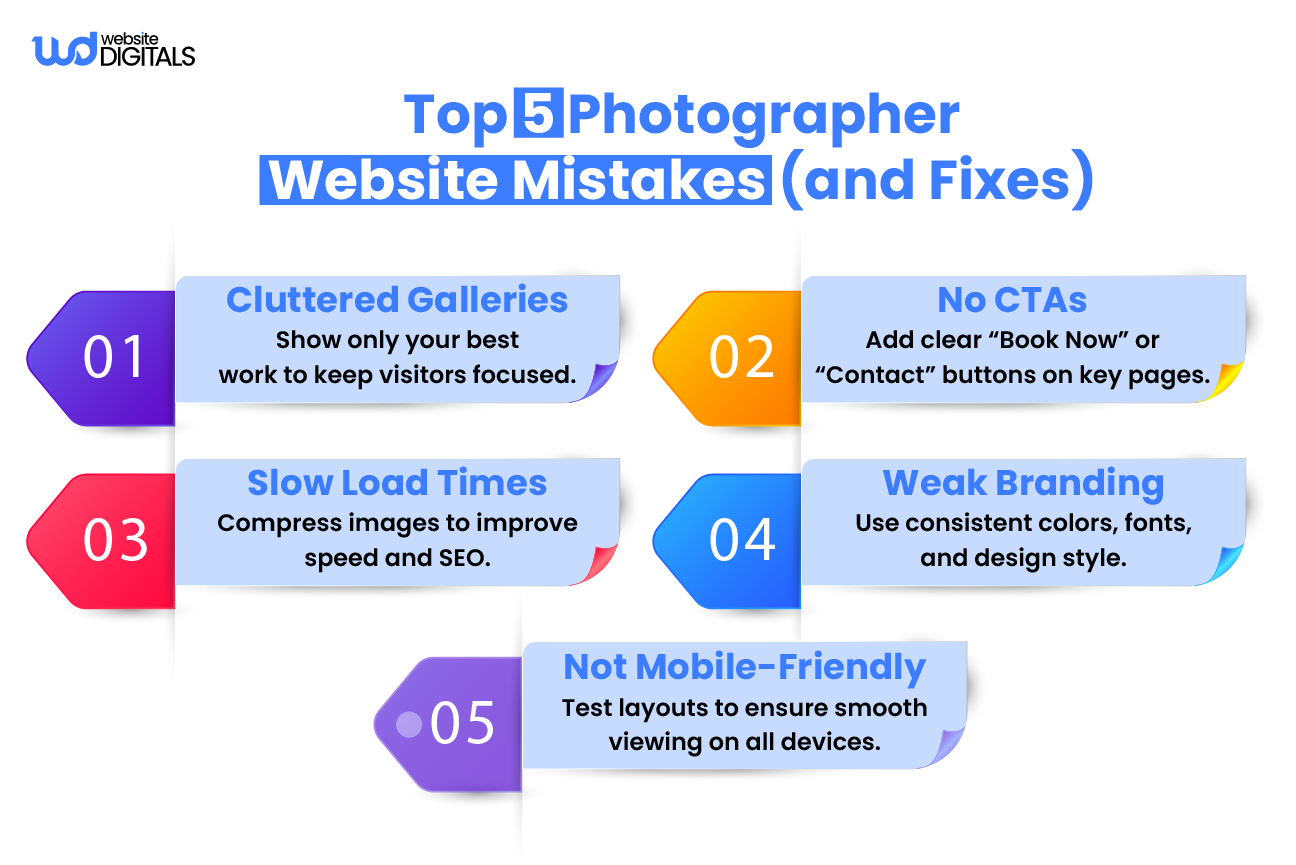
Visitors should be able to browse galleries without distractions. Clear menus, logical categorization, and smooth transitions create a positive user experience that encourages clients to explore your portfolio.
Note:
|
Avoid cluttering pages with too many images or pop-ups; simplicity improves both engagement and load times. |
-
Authentic Branding
Your website should reflect your unique style, whether through typography, color palettes, or image presentation. Authentic branding helps clients remember your work and associate it with professionalism.
Note:
|
Choose fonts and colors that complement your photography style; minimalistic sites often benefit from neutral palettes, while creative portfolios can integrate bold accent colors. |
-
High-Quality Visuals
Displaying images in full resolution is essential; over-compression can reduce impact. Features like Wix Pro Gallery allow high-quality visuals without slowing down your website.
Note:
|
Always optimize images for web performance to prevent slow load times, which can hurt both SEO and user experience. |
-
Responsive and Mobile-Friendly Design
With more users browsing on mobile devices, a responsive layout ensures that images, text, and galleries display perfectly across all screens. This improves both engagement and search engine rankings.
Must do:
|
Preview your website on multiple devices before publishing to catch layout issues. |
-
Calls-to-Action (CTAs)
Strategic CTAs like booking buttons, contact forms, and links to your Wix online store example, help convert visitors into clients. Clear CTAs make it easy for users to take the next step.
Note:
|
Use actionable text like “Book Your Session” or “View Prints” rather than generic buttons like “Click Here.” |
-
SEO Optimization
Incorporating relevant keywords and other descriptive terms in headings, titles, and content helps attract targeted traffic.
Disclaimer:
|
Use keywords naturally in your copy; avoid stuffing them, which can reduce readability and harm rankings. |
Inspire with Real-World Wix Photography Website Examples
-
Alicia Wiley Photography (Simplicity That Sells)
|
Alicia Wiley Photography proves that less is more. Her Wix-built portfolio uses a minimalist grid, soft tones, and clear navigation that keep attention on her stunning imagery. With strategically placed booking links and contact forms, her clean design doesn’t just showcase her work; it drives real client conversions. |
-
Studio Z (Branding That Builds Trust)
|
Featured on Wix’s Inspiration Gallery, Studio Z nails consistency. From typography to gallery overlays, every detail aligns with its professional brand identity. The responsive design ensures seamless browsing, proving that strong branding can turn a portfolio into a trusted business platform. |
-
Sam Hadley Photography (Storytelling That Converts)
|
Highlighted in SiteBuilderReport, Sam Hadley’s site uses bold visuals and first-person storytelling to connect with clients. Large hero images, subtle motion, and a simple booking form transform his Wix portfolio into a narrative-driven experience that inspires action. |
How to Create Your Own Photography Website on Wix (Step-by-Step Overview)
Step 1: Pick a Wix Photography Template
Select a professional template that suits your style and niche.
Focus on layouts that highlight imagery and provide intuitive navigation.
Step 2: Upload and Organize Your Photos
Add high-resolution images and categorize them clearly, weddings, portraits, and landscapes, so visitors can easily browse your portfolio.
Step 3: Add Core Pages to Build Trust
Include essential pages such as About, Portfolio, Services, and Contact.
These pages communicate your professionalism and make it simple for clients to engage with you.
Step 4: Optimize for SEO and Mobile
Use keyword-rich headings, descriptive alt text, and responsive design to ensure your website ranks well and performs seamlessly on any device.
Step 5: Connect Your Domain and Launch
Secure a domain that reflects your brand and publish your website.
A polished, live site establishes credibility and invites potential clients to engage.
Conversion-Boosting Elements for Photography Websites
|
Element |
Purpose |
How to Implement on Wix |
|
CTA Buttons |
Drive client actions |
Add “Book Now” or “Get a Quote” |
|
Testimonials |
Build credibility |
Use carousel on homepage |
|
Contact Form |
Simplify inquiries |
Integrate Wix Forms |
|
Blog/Journal |
Boost SEO & engagement |
Post recent shoots or tips |
|
Portfolio Highlights |
Focus on the best work |
Use Wix Pro Gallery filters |
Ready to Build a Photography Website That Reflects Your Vision?
Your portfolio is more than a gallery, but a business tool.
A thoughtfully designed Wix photography website can turn casual visitors into paying clients, showcase your work with confidence, and even generate revenue through print sales or bookings.
Whether you’re starting fresh or comparing Weebly vs Wix to find the best fit, Website Digitals can help you design, optimize, and scale a Wix-powered portfolio that performs as beautifully as it looks.
By drawing inspiration from real wix photography websites examples, we ensure your online presence captures both creativity and conversion potential.
From custom web development and SEO optimization to responsive design and strategic branding, we build websites that convert attention into action.
Let’s make your next project the one that gets noticed.
Reach out today at (646) 222-3598 or info@websitedigitals.com and let’s create your next Wix online site that inspires, engages, and sells.
FAQs
How can Website Digitals help me build a photography website on Wix?
Website Digitals specializes in custom web development for photographers. Our team helps you design, optimize, and scale Wix portfolios that convert visitors into clients, from layout design to SEO and performance.
Why choose Website Digitals over other agencies?
We combine creativity with strategy. Website Digitals focuses on building photography websites that not only look great but perform, integrating booking systems, ecommerce, and responsive design for measurable growth.
What are some Wix photography website examples?
Some popular Wix photography website examples include Alicia Wiley Photography, Studio Z, and Sam Hadley Photography, all known for clean layouts, visual storytelling, and conversion-focused design.
How to design a photography website on Wix?
Start with a professional template, upload your best images, and use tools like Wix Pro Gallery. Add essential pages such as About, Portfolio, and Contact, then optimize for SEO and mobile.
Why choose Wix for a photography portfolio website?
Wix is one of the most trusted website builders for photographers because it combines drag-and-drop design, mobile responsiveness, high-resolution galleries, and built-in SEO, all without requiring coding skills.






