
Is Squarespace Good for SEO When You Want Real Ranking Power and Conversions
Squarespace has earned a reputation for its elegant design and user-friendly interface, a go-to choice for web development projects where simplicity and style matter.
Yet, as many businesses discover, having a well-designed website is only part of the equation.
The real question is how well it performs in search.
It’s common to wonder, is Squarespace good for SEO, and whether its features can truly compete with more flexible platforms like WordPress or Webflow.
With search visibility responsible for driving over 53% of web traffic, optimizing your platform for search engine optimization (SEO) is no longer optional, it’s a growth necessity.
In this guide, we’ll break down how Squarespace handles SEO, where it stands against competitors, and how you can turn a good-looking website into one that gets found and converts.
Key Takeaways
|

What Squarespace Offers for SEO
-
Core SEO Features
Squarespace provides several built-in SEO tools that give users a solid foundation.
You can easily edit meta tags, title and description tags, and image alt text to communicate page relevance to Google.
Bonus Point
|
The platform automatically includes an SSL certificate for a secure website (HTTPS), improving trust and meeting Google Search Console standards. |
Its templates are also mobile-friendly, ensuring a responsive design, both essential ranking factors for modern search visibility.
-
Site Speed and Performance
Squarespace performs decently in page speed performance, though optimization options are limited compared to platforms like WordPress.
You can improve results by compressing images, limiting animations, and reducing heavy scripts.
Note:
|
Site speed directly impacts user experience (UX) and organic traffic, so every second counts. |
-
Technical Setup Essentials
Out of the box, Squarespace auto-generates an XML sitemap, helps with site indexing, and provides a clean SEO-friendly URL structure.
Why it matters?
|
These technical SEO settings make it easier for Google’s bots to crawl and index your site efficiently, crucial for ranking consistency. |
User Experience and Design – Friend or Foe?
-
How Design Affects Rankings
Squarespace is loved for its design flexibility. But beautiful doesn’t always mean optimized.
If a template isn’t structured with proper heading hierarchy (H1–H3) or logical navigation, Google may struggle to understand content relevance.
That’s why choosing SEO-friendly templates matters as much as visual appeal.
-
Structuring Pages for SEO
Each page should be built with intent: a clear topic, optimized keyword density, and internal linking that connects relevant pages.
Structuring your content like this not only helps search engines but also improves user experience, keeping visitors engaged longer and boosting dwell time.
-
Balancing Visuals and Functionality
Design should never come at the expense of SEO.
Ensure visuals are compressed, images include descriptive alt attributes, and your layout supports both scanning and reading.
Good design supports content optimization, not distracts from it.
For industries that rely on credibility and local visibility, such as Squarespace development for law firms, balancing aesthetics with SEO structure is key to attracting qualified leads.
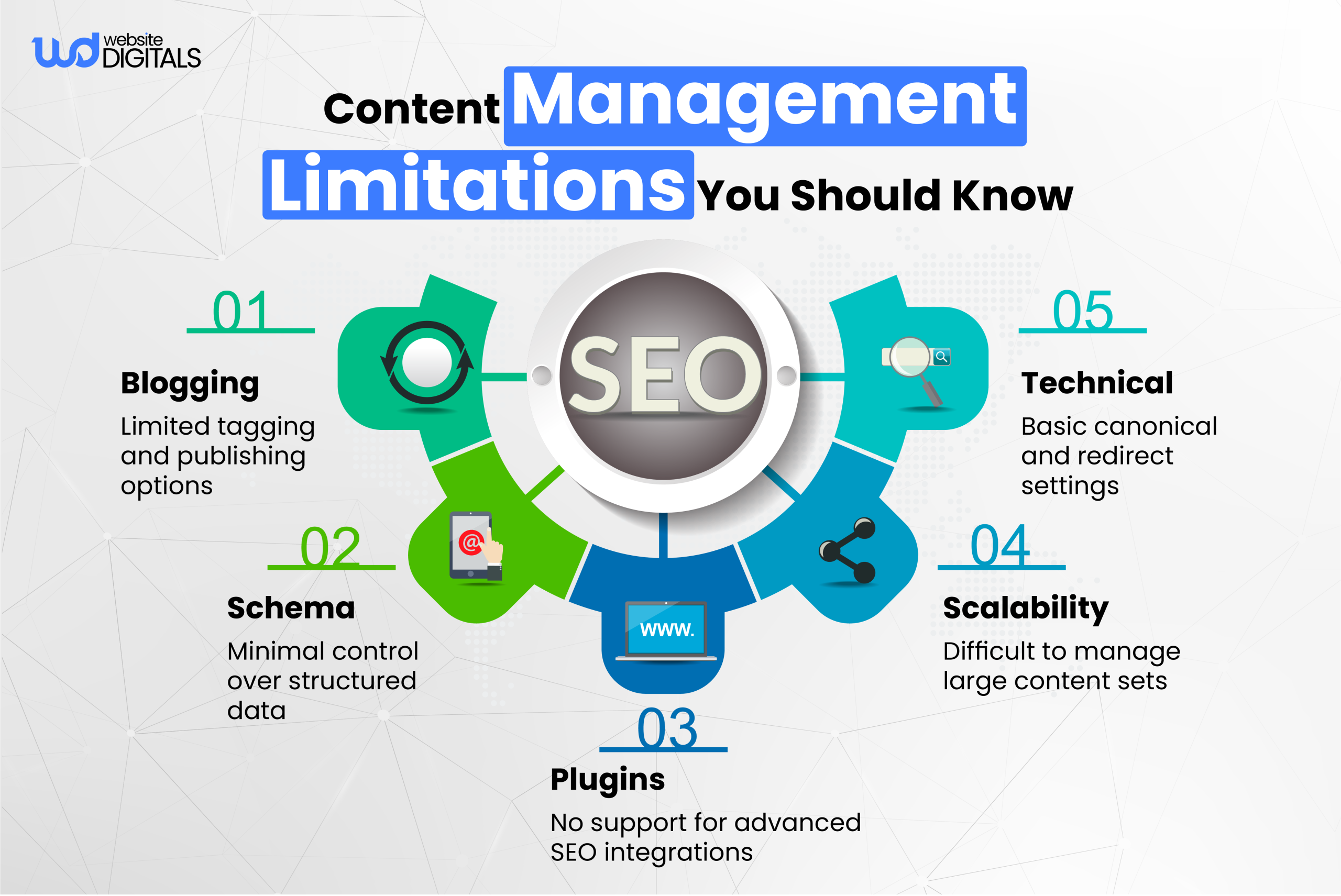
How to Make Squarespace Actually Perform in Search
-
Set a Strong SEO Foundation
Start with proper keyword research tools to identify what your audience searches for.
Configure Google Search Console and Google Analytics 4 to track SEO performance metrics and visibility trends.
Every Squarespace site should have correct canonical tags, active SSL, and verified ownership through Google.
-
Use On-Page SEO Best Practices
On-page optimization is where Squarespace can shine with the right attention to detail.
Focus on:
- Optimizing meta descriptions and page titles with target phrases.
- Using clear, SEO-friendly URL structure.
- Adding alt text images for accessibility and relevance.
- Structuring content with keyword-rich subheadings.
Together, these create a strong foundation for improved SERP ranking.
-
Improve Speed and Tracking
Monitor page load speed using tools like PageSpeed Insights and optimize images manually. Keep external scripts minimal and leverage built-in compression settings.
Use Google Analytics 4 to evaluate bounce rates, conversions, and engagement metrics regularly.
Squarespace vs. Other Platforms
A quick comparison helps highlight where Squarespace stands against leading CMS platforms.
|
Feature |
Squarespace |
WordPress |
Webflow |
Shopify |
|
Ease of Use |
Beginner-friendly |
Moderate |
Advanced |
Moderate |
|
SEO Control |
Limited but functional |
Full control via plugins |
High customization |
Average |
|
Speed & Hosting |
Managed hosting |
Depends on host |
Excellent CDN |
Variable |
|
Blog Features |
Simple setup |
Robust structure |
Flexible |
Limited |
|
Best For |
Small businesses & creatives |
SEO agencies & blogs |
Design-focused brands |
Ecommerce sites |
Squarespace is great for simplicity and visual consistency, but if your goal is advanced SEO scalability, WordPress or Webflow may offer more flexibility.
Turning Squarespace into a Real SEO Asset
Step 1: Align Site Structure with Search Intent
To make Squarespace a genuine SEO performer, align your site architecture with how users search.
Group content around themes, services, industries, or locations, to improve crawlability and relevance. Every page should serve a clear search intent, guiding users deeper into your funnel.
Step 2: Strengthen Internal Linking Strategy
Use internal linking to connect high-value pages, distribute authority, and guide users to key conversion points. Anchor links using descriptive text to improve indexability and domain reputation over time.
Step 3: Optimize for User Engagement and Conversions
SEO without conversions is wasted effort. Ensure each page includes clear CTAs, lead forms, and value-driven content.
Optimize layouts for mobile responsiveness, ensuring forms, buttons, and navigation are seamless across all devices.
Measure what works by analyzing engagement via Google Analytics 4, adjust copy, visuals, and calls to action based on real data.
Real World Case Study 1: From 0 to 100+ Leads per Week
|
After implementing targeted on-page and off-page SEO strategies on a Squarespace website, SEOSpace reported over 100 inbound leads per week for a local business. This transformation proved that, with data-driven optimization, Squarespace sites can achieve measurable growth and conversion results. Source: Squarespace SEO Case Study |
Real World Case Study 2: Travel Blog Reaches 10K+ Monthly Views
|
A Squarespace travel blog featured on Paige Brunton grew to over 10,000 monthly pageviews with just 64 posts. The growth came from focused blog SEO optimization, smart internal linking, and the use of SEO-friendly templates, proving that consistent content and solid keyword research can drive strong organic results even on a simple setup. Source: High-Traffic Travel Blog |
Conclusion: The Verdict — Is Squarespace Good for SEO?
So, is Squarespace worth it for businesses or is Squarespace good for SEO when you’re aiming for real ranking power and conversions?
Yes, if you understand how to optimize within its framework. With the right strategy, Squarespace’s built-in SEO tools, mobile-friendly design, and secure hosting can deliver impressive visibility.
But achieving real visibility requires ongoing on-page SEO optimization, smart content management, and continuous data monitoring.
If your goal is to boost visibility, increase conversions, and strengthen your brand’s authority, Website Digitals can help you get there.
Our SEO experts know how to turn a well-designed Squarespace site into a true growth engine.
Let’s talk about how we can help your business grow, reach out at info@websitedigitals.com or call (646)-222-3598 to start your Squarespace SEO journey today.
FAQs
Why should I choose Website Digitals for Squarespace SEO?
Website Digitals specializes in turning visually appealing Squarespace sites into high-ranking assets through data-driven SEO strategies, content optimization, and ongoing performance tracking.
How does Website Digitals approach long-term Squarespace SEO success?
Our team focuses on technical SEO, content structure, and conversion optimization, ensuring your Squarespace website not only ranks but also drives measurable business growth.
Is Squarespace good for SEO?
Yes, Squarespace includes essential SEO features like mobile responsiveness, SSL, and meta tag editing, but ranking power depends on proper optimization and consistent updates.
How does Squarespace handle SEO?
Squarespace automates basics such as XML sitemaps, clean URLs, and site indexing, making setup easy, but advanced customization requires strategic configuration.
What SEO tools come with Squarespace?
Squarespace provides built-in SEO tools for meta descriptions, title tags, alt text, and 301 redirects, giving users control over fundamental optimizations.
Can I hire Squarespace SEO expert to improve my site?
Absolutely. Hiring a Squarespace SEO expert helps you uncover hidden issues, enhance visibility, and develop a tailored strategy for ranking and conversions.
Are Squarespace SEO services available in the US?
Yes, several agencies, including Website Digitals, offer professional Squarespace SEO services in the US, helping businesses optimize their sites for better local and national search results.






