
The Best WordPress Plugins for SEO to Improve Your Website’s Search Visibility
If your WordPress site feels invisible on Google, you’re not alone.
Many digital agencies, SMBs, and entrepreneurs struggle to improve SEO rankings and miss out on vital search visibility.
Even strong content won’t perform without the right optimization tools, and that’s where the best WordPress plugins for SEO can shift everything.
According to Ahrefs, 96.55% of pages get zero organic traffic, showing how easy it is to get lost online. Meanwhile, BrightEdge reports that 53% of all website traffic comes from organic search.
“The best place to hide a website is page two of Google.”
With the right tools, especially the top WordPress SEO plugins, you can uncover hidden issues, strengthen on-page SEO, and finally claim the visibility your business deserves.
In this blog, you’ll discover the tools that can help you do exactly that.
Key Takeaways
|
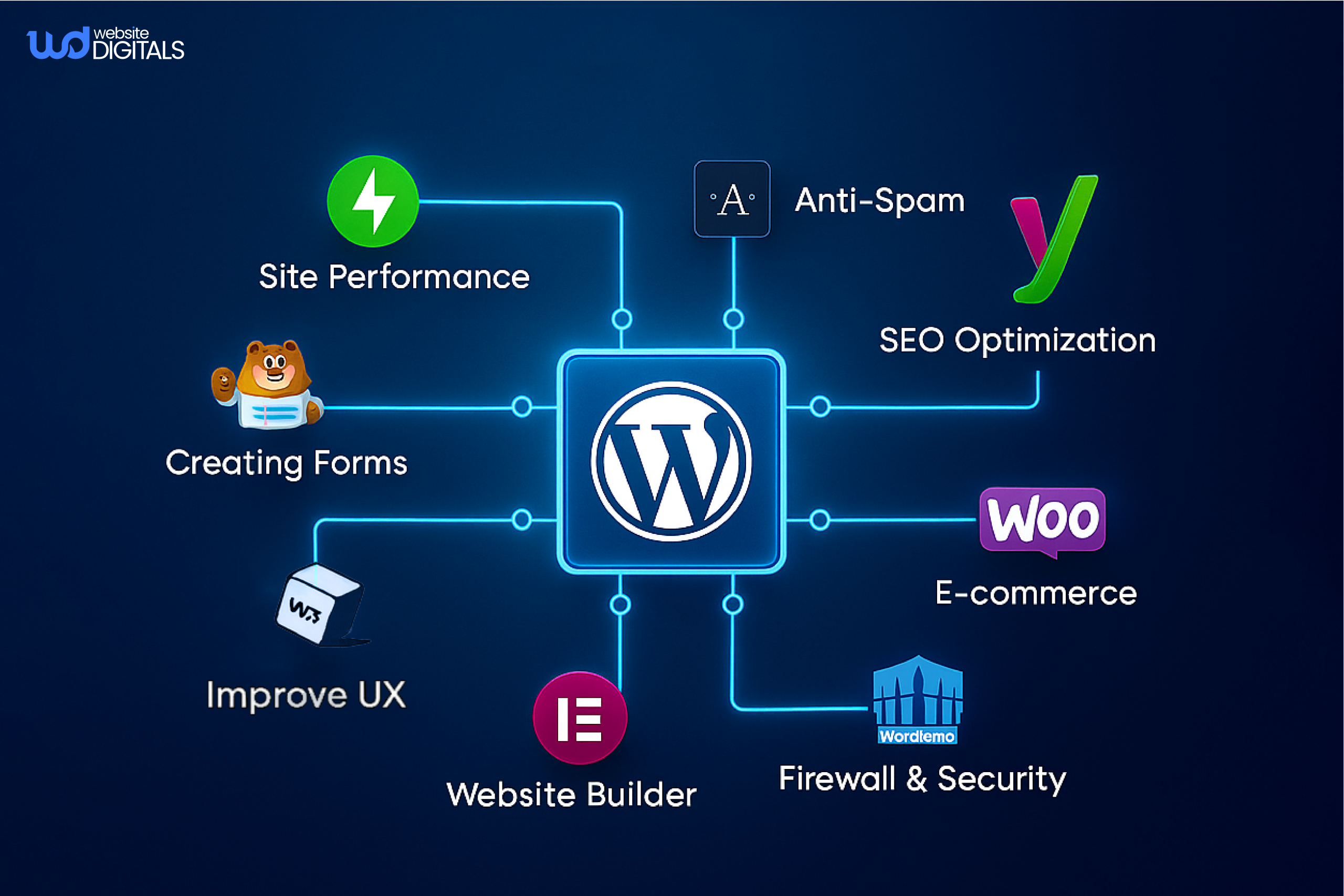
Key Features to Look for in SEO Plugins
When selecting an SEO plugin for your WordPress site, there are several key features to consider, such as:
- Keyword optimization tools
- Meta tags management (title, description, keywords)
- XML sitemap generation and submission
- Content analysis and recommendations
- Support for schema markup
- Tools for better technical SEO
- Capabilities that contribute to site speed optimization
The Best WordPress Plugins for SEO: An Overview
In the realm of WordPress SEO, plugins play a vital role in enhancing your website’s search engine ranking and overall online presence.
With the right WordPress SEO tools, you can significantly improve your site’s visibility, drive more traffic, and increase conversions.
-
Yoast SEO: The Industry Standard
When it comes to SEO plugins for WordPress, Yoast SEO is often considered the gold standard.
With its comprehensive set of tools and user-friendly interface, it’s no wonder that millions of websites rely on Yoast SEO to improve their search engine rankings.
Overview
Yoast SEO is a powerful plugin designed to help WordPress users optimize their websites for search engines.
It offers a wide range of features that simplify the SEO process, making it accessible to users of all skill levels.
Key Features
Some of the key features of Yoast SEO include:
- Keyword optimization: Target specific keywords and get real-time feedback
- Content analysis and readability scoring
- Meta tags management
- Automatic XML sitemap generation
- Strong focus on on-page SEO
Pricing
Yoast SEO offers both free and premium versions.
The free version provides essential SEO features, while the premium version, starting at $89 per year for a single site, offers additional advanced features such as internal linking suggestions and content insights.
Pros and Cons
Pros: Yoast SEO has several advantages, including its comprehensive feature set and ease of use.
Cons: Some users may find the premium version’s pricing a bit steep, especially for smaller sites or personal blogs.
But here’s where the bigger picture matters: search engine optimization has always been one of the most powerful ways to attract high-intent traffic, and its value has only grown in the age of AI-powered search.
As search engines evolve to reward clearer structure and better UX, choosing a reliable plugin like Yoast becomes crucial, especially for businesses focusing on how to secure WordPress website practices and long-term growth.
Note:
|
Simply put, the better your site is optimized, the better it will rank—and the more your audience will genuinely enjoy using it. |
Best Use Cases
Yoast SEO is ideal for a wide range of WordPress users, from beginners to advanced SEO practitioners. It’s particularly useful for:
- Bloggers looking to improve their posts’ visibility.
- E-commerce sites are aiming to optimize product pages.
- Businesses seeking to enhance their overall SEO strategy.
In conclusion, Yoast SEO is a versatile and powerful tool that can significantly improve a WordPress site’s search engine rankings.
Whether you’re just starting or are an experienced SEO professional, Yoast SEO offers the features and flexibility needed to succeed.
-
Rank Math: The Rising Star
As the SEO landscape continues to shift, Rank Math stands out as a rising star in the WordPress plugin ecosystem.
With its rich feature set and intuitive interface, it’s becoming a top choice for users seeking the best SEO plugin for WordPress.
Overview
Rank Math is an SEO plugin designed to simplify the process of optimizing your WordPress website for search engines.
It offers a wide range of tools and features that help improve your site’s visibility and ranking.
Key Features
- Keyword Optimization: Rank Math allows you to optimize your content for multiple keywords, providing detailed analysis and suggestions for improvement.
- SEO Audit: The plugin performs a comprehensive SEO audit of your website, identifying areas for improvement and providing actionable recommendations.
- Schema Markup: Rank Math simplifies the process of adding schema markup to your content, helping search engines understand your site’s structure and content.
Rank Math SEO Plugin Features
Rank Math offers a free version with comprehensive features, making it an attractive option for small businesses and individuals.
For advanced features, the premium version is available at competitive pricing.
|
Plan |
Features |
Price |
|
Free |
Basic SEO Features |
$0 |
|
Premium |
Advanced SEO Features, Schema Markup, and More |
$59/year |
Pros and Cons
Pros: User-friendly interface, comprehensive feature set, and excellent customer support.
Cons: Some users may find the number of features overwhelming, and the premium version requires a learning curve.
Best Use Cases
Rank Math is especially helpful for content-heavy websites, eCommerce stores, and businesses undergoing web development upgrades.
- Small businesses are seeking to improve their website’s search visibility.
- Bloggers and content creators are looking to optimize their posts for multiple keywords.
- E-commerce sites need advanced SEO features and schema markup.
-
All in One SEO Pack: The Comprehensive Solution
Another strong addition to the top WordPress SEO plugins list is All in One SEO. It offers a powerful toolkit for beginners and advanced users alike.
This plugin is designed to provide users with a comprehensive set of tools to optimize their website for search engines, making it a strong fit for those following practical WordPress website optimization tips.
Overview
All in One SEO Pack is a versatile plugin that caters to both beginners and advanced users.
It offers a wide range of features to improve your site’s SEO.
Key Features
- XML sitemap support
- Advanced canonical URLs
- SEO for custom post types
- Google Analytics integration
- Support for technical SEO improvements
Pricing
All in One SEO Pack offers a free version with essential features.
For more advanced functionalities, the premium version is available, offering additional support and updates.
Pros and Cons
The plugin’s strengths include its comprehensive feature set and user-friendly interface. However, some users may find the multitude of options overwhelming.
Pros: Comprehensive feature set, user-friendly interface, and compatibility with various themes.
Cons: Can be overwhelming for beginners; some features require additional setup.
Best Use Cases
All in One SEO Pack is ideal for WordPress users looking for an all-in-one SEO solution. It’s particularly beneficial for those with e-commerce sites or complex content structures.
-
SEOPress: The Lightweight Alternative
SEOPress stands out for its simplicity and effectiveness.
It’s designed to provide a comprehensive SEO solution without overwhelming users with too many features.
Overview
SEOPress is a versatile and lightweight SEO plugin that aims to enhance your WordPress site’s search visibility. It offers a range of features to help optimize your content, meta tags, and more.
Key Features
- Meta title & description editing
- XML sitemap generation
- Social media integration
- Content analysis for on-page SEO
Pricing
SEOPress offers a free version with essential features, as well as premium plans starting at $49 per year for a single site, which include additional features and support.
Pros and Cons
Pros: The pros of SEOPress include its lightweight nature, ease of use, and comprehensive feature set.
Cons: Some users may find that certain advanced features are only available in the premium version.
Best Use Cases
SEOPress is ideal for WordPress users who want a straightforward SEO solution that doesn’t bog down their site. It’s particularly suited for bloggers, small businesses, and those new to SEO.
Real World Example:
|
Kinsta reported a 107% increase in organic traffic after restructuring their WordPress content architecture, improving internal linking, and implementing clean schema markup. |
Additional Powerful SEO Plugins Worth Considering
Beyond the most popular names, here are other noteworthy WordPress SEO tools:
-
The SEO Framework: For Developers and Agencies
The SEO Framework is a lightweight and fast SEO plugin designed with developers and agencies in mind.
It offers a simple yet powerful interface for managing SEO tasks, making it an excellent choice for those who need a straightforward SEO solution without the clutter of unnecessary features.
Key Features: Fast and lightweight, simple interface, extensive documentation for developers.
-
WP Meta SEO: Visual SEO Management
WP Meta SEO is designed to help you manage your site’s SEO visually. It offers a bulk editing feature for meta titles and descriptions, making it easier to optimize multiple pages at once.
The plugin also includes a broken link checker, enhancing your site’s overall health.
Key Benefits: Visual management of SEO elements, bulk editing capabilities, and broken link detection.
-
Premium SEO Pack: All-in-One Solution
Premium SEO Pack is an all-in-one SEO solution that includes a range of features to help optimize your WordPress site.
From XML sitemaps to social metadata, this plugin covers various aspects of SEO to improve your site’s visibility and ranking.
Notable Features: XML sitemap generation, social metadata integration, and SEO audit capabilities.
-
Squirrly SEO: AI-Powered Optimization
Squirrly SEO utilizes AI to help optimize your content for search engines.
It offers real-time SEO analysis and suggestions for improvement, making it a valuable tool for content creators looking to enhance their SEO efforts.
AI-Driven Features:
|
Real-time SEO analysis, personalized optimization suggestions, and content performance tracking. |
These additional SEO plugins offer a range of features and benefits that can help take your WordPress site’s SEO to the next level. Whether you’re a developer, agency, or content creator, there’s a plugin on this list that can meet your SEO needs.
A Practical Look at SEO Improvements in Action
Imagine an events company, SparkWave Events, struggling with slow pages and low visibility for its workshops and conferences. Instead of rebuilding everything, their team focused on strengthening SEO foundations to support smoother content publishing and better search performance.
They prioritized a few quick wins:
- Running a lightweight SEO audit to fix metadata gaps
- Replacing heavy plugins to improve Core Web Vitals
- Organizing content structure so that event pages and registrations were easier to index
- Standardizing recurring event templates for faster and error-free publishing
These improvements paid off when they later collaborated with an agency specializing in WordPress development for event management company websites, ensuring both performance and SEO worked hand in hand.
This kind of streamlined enhancement shows how even small, intentional SEO updates can create long-term visibility and efficiency.
SEO Enhancements That Improve CMS Development Quality
|
Enhancement |
CMS Development Benefit |
SEO Benefit |
|
Structured Permalinks |
Cleaner and more scalable URLs |
Better indexing and crawlability |
|
Lightweight Theme Framework |
Faster development and fewer conflicts |
Improved load speed and Core Web Vitals |
|
Optimized Media Library |
Reduced storage bloat and easier asset management |
Faster rendering and better user experience |
|
Modular Plugin Setup |
Streamlined CMS workflow and reduced maintenance |
Fewer plugin conflicts and cleaner metadata |
|
Sitemap Hierarchy |
Clear structure for developers managing content types |
Better crawl paths and improved SERP presence |
Conclusion: Selecting the Right SEO Plugin for Your WordPress Site
Choosing the right SEO plugin is essential for improving your WordPress site’s visibility and overall CMS performance.
Focusing on the best WordPress plugins for SEO, such as Yoast SEO, Rank Math, and All in One SEO Pack, helps ensure you’re using tools that enhance optimization, support clean site structure, and strengthen long-term organic growth.
By selecting a plugin that aligns with your site’s needs and theme compatibility, you can boost rankings, improve speed, and make your CMS work smarter.
If you’re looking to elevate your WordPress SEO and enhance your CMS development foundation, our experts at Website Digitals are ready to help. Reach us at info@websitedigitals.com or call (646)-222-3598 to get started.
FAQs
How does Website Digitals help businesses choose the best WordPress plugins for SEO?
Website Digitals analyzes your website’s structure, industry, and goals to recommend the best WordPress plugins for SEO that maximize visibility, speed, and content performance. We ensure every plugin aligns with your long-term digital strategy.
Can Website Digitals configure and optimize SEO plugins for my WordPress site?
Yes. Website Digitals handles complete plugin setup, from keyword optimization tools to XML sitemaps, schema markup, and speed-boosting add-ons, ensuring your WordPress SEO plugins work perfectly from day one.
What are the best WordPress plugins for SEO?
The best WordPress plugins for SEO include Yoast SEO, Rank Math, All in One SEO, and SEOPress. Each offers strong optimization tools, schema markup, XML sitemaps, and content analysis features.
How can I improve WordPress SEO with plugins?
You can improve WordPress SEO by using plugins that optimize keywords, generate sitemaps, enhance metadata, add schema markup, and improve site speed. Yoast, Rank Math, and SEOPress are excellent choices.
Which SEO plugin is better, Yoast or Rank Math?
Both are strong options. Yoast is known for simplicity and reliability, while Rank Math offers more advanced features and multi-keyword optimization. The better choice depends on your SEO needs and experience level.
What plugins improve site speed for SEO?
Plugins like WP Rocket, W3 Total Cache, NitroPack, and Smush improve site speed, an essential factor for SEO performance and user experience.
How do I configure SEO plugins on WordPress?
Install your chosen plugin, connect Google services if needed, set up XML sitemaps, configure schema settings, add focus keywords, and follow the plugin’s optimization checklist or setup wizard.






