
How Much Does a Content Management System Cost for SMBs and Startups
Before you can grow your business online, you need the right foundation that begins with a Content Management System (CMS) that fits both your goals and your budget.
It’s no surprise that one of the first questions most startups ask is:
How Much Does a Content Management System Cost?
Most small and medium businesses are navigating budgets tight enough to let uncertainty over tech costs stall growth, especially as many report rising operational expenses as their number-one challenge.
You need a CMS that won’t drain your resources but still allows you to publish, scale, and adapt quickly.
This blog breaks down the real cost drivers behind CMS development for SMBs, helping you understand what to expect, where to invest, and how to choose a system that supports both your current needs and future growth.
Key Takeaways:
|
Average Cost of a CMS in the US
For most U.S. businesses, CMS pricing typically falls into three tiers.
-
Entry-Level CMS ($0 – $1,000):
Free open-source CMS options such as WordPress or Drupal offer the lowest initial investment. Costs mainly come from hosting ($3 – $25/month), premium themes, and plugins.
-
Mid-Range CMS ($1,000 – $10,000):
Small-to-medium businesses often choose systems like HubSpot CMS or Shopify, which include SEO tools and integrations.
Their subscription pricing plans balance affordability with professional features.
-
Enterprise CMS ($10,000 +):
Large organizations turn to Adobe Experience Manager, Sitecore, or Contentful. These advanced systems include marketing automation, personalization, and dedicated support.
Key Factors That Influence CMS Pricing
1. Platform Type and Licensing
Different CMS models affect both upfront and recurring costs.
- Open-source CMS: Free to use but requires paid hosting costs, customization, and ongoing maintenance and support.
- Proprietary CMS: Platforms like Adobe Experience Manager or Sitecore use annual license fees and renewal costs.
- SaaS CMS: Cloud-based systems such as Wix, Squarespace, and Webflow use predictable subscription pricing, covering updates and hosting in one fee.
2. Hosting and Deployment Model
The hosting environment significantly impacts cost.
A cloud-based CMS uses a SaaS deployment structure, billed monthly or annually, and includes automatic upgrades, security compliance, and scaling resources.
An on-premises CMS demands a higher upfront implementation cost and technical expertise for server management.
While it offers control, it incurs ongoing expenses for maintenance, storage, and hardware.
3. Customization and Development Needs
The more customized your CMS, the higher your costs.
Tailoring templates, plugins, and system integrations can cost anywhere from $5,000 to $50,000.
Businesses that require unique branding or specialized functionality should factor custom development into their budgets.
4. Maintenance, Updates, and Support
Even after launch, every CMS requires upkeep.
Annual support contracts covering updates, bug fixes, and performance checks typically range between $500 and $5,000.
Skipping maintenance may lead to downtime or vulnerabilities, so this should be treated as a fixed expense.
5. Security and Compliance
Regulatory frameworks like GDPR, CCPA, and accessibility compliance introduce extra costs.
Compliance plugins, audits, and monitoring tools often add $1,000 to $10,000 annually.
Enterprise vendors usually include these services, while smaller businesses handle them through third-party tools.
6. Training and Onboarding Costs
Effective CMS adoption requires employee training.
For small teams, training and onboarding can cost around $1,000; for larger organizations, this rises to $10,000 or more. Investing in structured onboarding ensures efficient content workflow and faster ROI.
Cloud-Based vs On-Premises CMS: Cost Comparison
-
Cloud-Based CMS
A cloud-based CMS offers predictable expenses with flexible scalability.
Monthly pricing usually falls between $15 and $300, depending on traffic, users, and data storage.
Vendors manage security and compliance, freeing internal teams from maintenance tasks.
-
On-Premises CMS
An on-premises CMS involves a larger upfront outlay, often exceeding $10,000, due to server setup, internal IT support, and infrastructure management.
However, it provides more control over data and customization.
The trade-off is higher operational complexity and slower deployment speed.
Real World Case Study
|
Politico adopted Brightspot CMS to streamline publishing and reduce costs. The switch to a cloud-based CMS cut editorial production time and lowered maintenance expenses, proving how smart platform choices can drive both efficiency and scalability. |
Cost Breakdown by Popular CMS Platforms
|
Platform |
Type |
Starting Cost |
Key Feature |
|
WordPress |
Open-Source |
Free + hosting ($3 – 25/mo) |
Customizable, community support |
|
Shopify |
SaaS |
$29 – $299/mo |
Built-in e-commerce, low setup cost |
|
Squarespace |
SaaS |
$14 – $40/mo |
Sleek templates, simple editing |
|
HubSpot CMS |
Proprietary |
From $45/mo |
Integrated marketing & CRM |
|
Contentful |
Headless |
Custom |
API-first headless architecture |
|
Adobe Experience Manager |
Enterprise |
Custom |
Enterprise-grade personalization |
|
Sitecore |
Enterprise |
Custom |
Strong analytics & enterprise architecture |

Wrap Up – Making a Cost-Effective CMS Investment
Understanding How Much Does a Content Management System Cost is essential for businesses planning long-term digital growth.
The smartest approach to CMS development is choosing a platform that balances cost, scalability, and functionality while aligning with your business goals.
If you’re ready to develop or optimize your CMS, our experts at Website Digitals can help you build a scalable, secure, and affordable solution tailored to your needs.
Reach out today at info@websitedigitals.com or call (646)-222-3598 to get a customized quote and start your CMS journey.
FAQs
Why choose Website Digitals for CMS development?
At Website Digitals, we build scalable, secure, and cost-efficient CMS solutions tailored to your goals. Whether you need a SaaS CMS, headless CMS, or enterprise CMS, our experts ensure every solution delivers measurable results and long-term ROI.
How does Website Digitals ensure cost transparency in CMS projects?
Website Digitals follows a transparent pricing model, providing a detailed cost breakdown for every CMS project. From planning and implementation to maintenance and support, we help you manage your budget confidently with no hidden fees.
What is the cost of a CMS?
The cost of a content management system (CMS) typically ranges from $0 to over $50,000, depending on your business needs, platform type, and level of customization. Open-source systems like WordPress are free, while enterprise platforms such as Adobe Experience Manager or Sitecore involve higher licensing and support fees.
How much does an enterprise content management system cost?
An enterprise content management system generally starts around $10,000 and can exceed $100,000, depending on scalability, integrations, and required features. Solutions like Sitecore, Adobe Experience Manager, or Contentful are designed for organizations managing complex digital ecosystems.
What factors affect CMS cost for businesses?
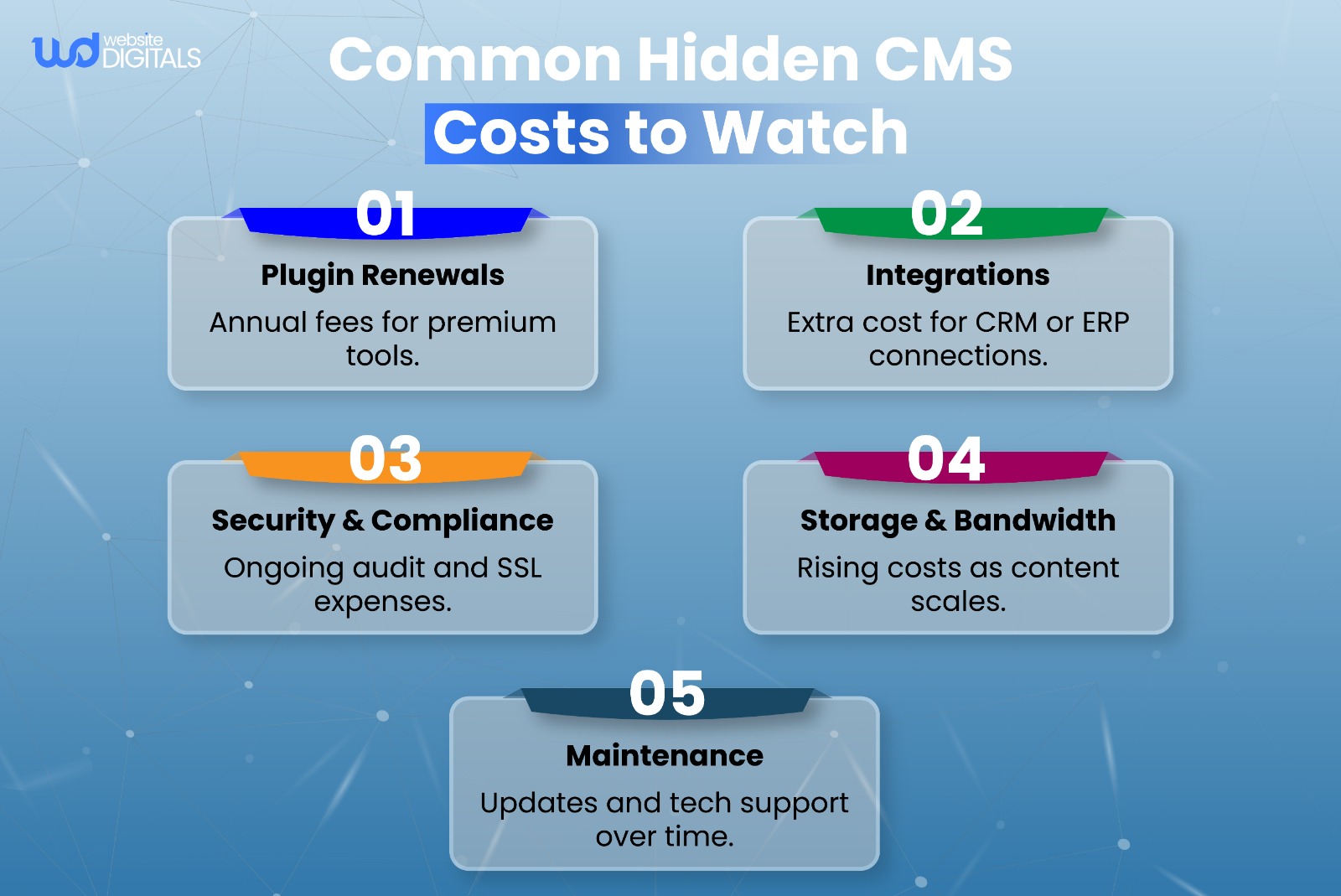
Key factors include platform type, hosting, customization, security requirements, and ongoing maintenance and support. Additional expenses may come from training, API integrations, and hidden costs like plugin renewals or bandwidth upgrades.
What is the total cost of ownership (TCO) of a CMS?
The total cost of ownership (TCO) includes not only initial setup but also long-term expenses such as hosting costs, software updates, technical support, and migration services. Considering these elements ensures a more accurate and sustainable CMS budget.
How much should you budget for a CMS implementation?
Small and medium businesses should plan between $1,000 and $10,000 for a CMS setup. Enterprises with custom development, advanced integrations, or multi-site management should budget $25,000 or more, depending on project complexity.






