
Headless CMS React Integration Best Practices for Scalable Applications
For many frontend teams, integrating a headless CMS React stack feels more complicated than it should, and it often slows teams down.
Only 25% of organizations have fully transitioned to headless CMS models, yet few achieve smooth implementation.
As Bill Gates said,
“Technology is just a tool. … the teacher is the most important.”
Think of this guide as that teacher; it explains how to align architecture, APIs, and content modelling so your developers and product teams can finally deliver scalable and high-performing digital experiences.
Key Takeaways
|
Why React Works Perfectly with Headless CMS
-
Frontend Flexibility
A headless content management system allows React developers to fully control the presentation layer while separating it from content management.
This lets teams use their preferred React framework, whether Next.js, Gatsby, or Remix, without being limited by backend templates.
This flexibility simplifies maintenance and enables faster UI experimentation.
-
Scalability
Headless architecture is built on an API-first architecture, allowing content to be fetched dynamically through REST API or GraphQL API.
This decoupled setup makes scaling effortless; you can handle thousands of requests without affecting editorial performance.
Whether your platform serves one site or multiple applications, scalability comes naturally through cloud hosting and API-driven delivery.
-
Performance
When paired with static site generation or server-side rendering,
React applications load quickly and rank better in search. Pre-rendered pages reduce time-to-first-byte, while incremental builds ensure rapid updates.
Coupled with a content delivery network (CDN) and performance optimization best practices, your digital experiences stay fast under heavy traffic.
-
SEO & Accessibility
Modern headless setups allow developers to manage structured metadata, sitemap automation, and accessibility (a11y) from within the React layer.
This control improves search visibility, supports schema markup, and helps meet accessibility standards, an essential factor for enterprise and government sites.
-
Developer Experience (DX)
The separation of concerns improves workflow. Developers focus on building React components, while content teams use an intuitive CMS interface.
Many headless platforms, such as open-source CMS options like Strapi or digital experience platform (DXP) tools like Contentful, include CLI tools, prebuilt APIs, and sandbox environments that enhance developer experience (DX) and reduce integration time, making them ideal for CMS development for local businesses aiming to scale without managing complex backends.
Real World Case Study:
|
Samsung Electronics Germany (SEG) transformed its members’ platform from a mobile-only experience into a dynamic, cross-channel solution that adapts to local market needs and drives stronger customer engagement. |

Core Concepts to Understand Before Integration
-
API-first architecture
In an API-first architecture, every piece of content is accessible via structured endpoints.
This supports better automation, testing, and modularity. APIs act as the bridge between editors, content, and front-end components.
-
REST vs GraphQL
While REST API endpoints are simple and familiar, GraphQL API queries offer efficiency by requesting only the data required.
Many modern CMS platforms now provide both, giving teams flexibility depending on complexity and data volume.
Jamstack overview
Jamstack (JavaScript, APIs, and Markup) is the architectural philosophy behind headless CMS setups.
It decouples content delivery from application logic, making deployments faster and more secure.
Key terms:
|
Understanding these principles ensures smoother collaboration between developers and product managers before integration begins.
What Is The Difference Between Headless CMS And Traditional CMS?
|
Feature |
Traditional CMS |
Headless CMS |
|
Structure |
Coupled backend & frontend |
Decoupled, API-driven |
|
Delivery |
Web only |
Multi-channel (web, mobile, IoT) |
|
Frontend |
Limited templates |
Flexible – React, Next.js, Gatsby |
|
Performance |
Slower rendering |
Faster – SSG/SSR optimized |
|
Scalability |
Monolithic, harder to scale |
API-first architecture |
|
Integration |
Restricted |
Easy via REST/GraphQL APIs |
|
Security |
Broader attack surface |
Stronger isolation & auth |
|
Developer Experience |
Rigid & template-bound |
Modern DX with SDKs & CI/CD |
Step-by-Step Integration of Headless CMS with React
Step1: Set Up React/Next.js Project
Start by initializing a React app or using Next.js CMS templates.
The create-next-app CLI sets up essential dependencies for server-side rendering and routing.
A Next.js CMS is particularly effective for enterprise projects due to its built-in performance optimization and scalability.
Step 2: Configure the CMS Connection
Choose your CMS, examples include Contentful, Strapi, Sanity, Prismic, or Hygraph. Configure your project’s .env file with API keys, endpoints, and tokens for secure authentication and authorization.
Establish the content API client via the SDKs provided by the CMS vendor.
Step 3: Model Content & Schema
Define your content modeling structure to align with your front-end components.
For instance, create “blog post,” “product,” or “case study” models with fields like title, slug, hero image, and metadata. Effective schema design supports reusability and multi-channel content delivery.
Step 4: Fetch Content via API (GraphQL or REST)
Use queries or endpoints to pull data dynamically.
For example, GraphQL queries can fetch nested fields in a single request, minimizing overfetching. Integrate your data layer within getStaticProps (for SSG) or getServerSideProps (for SSR).
Step 5: Render Components Dynamically
Bind fetched data to React components.
Each component handles specific content blocks, ensuring modularity. Use conditional rendering and lazy loading to maintain accessibility (a11y) and performance.
Step 6: Deploy on Vercel or Netlify
Both Vercel and Netlify provide optimized deployment pipelines for Jamstack sites.
They integrate with GitHub and offer real-time preview and continuous deployment (CI/CD).
Hosting on these services ensures uptime, automatic SSL, and edge-optimized delivery through global CDNs.
Pro Tip:
|
When integrating a headless CMS React setup, use incremental static regeneration (ISR) in Next.js CMS projects. This allows you to update static content instantly without rebuilding the entire site, combining the best of static performance and real-time flexibility. |
Conclusion: Making the Right Headless CMS Choice for Your React Project
The right headless CMS React setup can redefine how your team manages, delivers, and scales content.
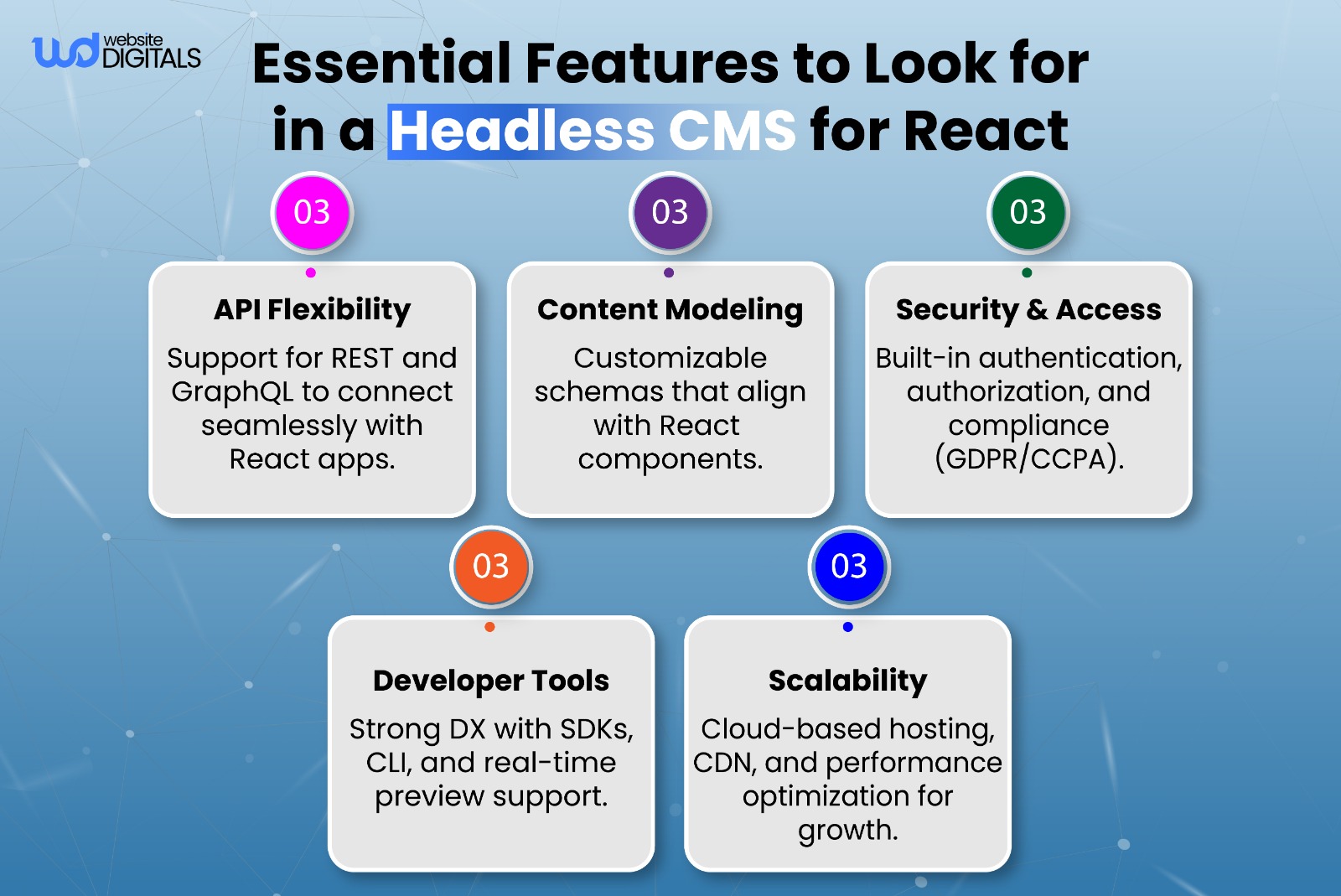
Focus on platforms that offer strong API-first architecture, flexible content modeling, and a smooth developer experience to ensure long-term success.
Start with a small proof-of-concept to validate performance before full rollout. This helps you gauge project scope, estimate how much does a content management system cost, and plan resources efficiently.
For expert guidance in building and integrating a scalable CMS, connect with our team at Website Digitals, email info@websitedigitals.com or call (646)-222-3598 to start your CMS development journey today.
FAQ
Does Website Digitals offer headless CMS development for React?
Yes, Website Digitals builds and integrates custom headless CMS React solutions for scalable, secure, and high-performing sites.
Why choose Website Digitals for CMS development?
Our team blends technical expertise with strategy to deliver tailored web development and CMS solutions that help businesses scale faster.
How to integrate React with a headless CMS?
Connect React to your CMS using REST or GraphQL APIs, fetch content, and render it through React components for dynamic delivery.
What are the benefits of using a headless CMS in a React app?
It improves scalability, performance, and workflow efficiency by separating content management from the frontend.
What’s the difference, Headless CMS vs monolithic CMS for React projects?
A monolithic CMS couples backend and frontend, while headless CMS React setups are API-first, faster, and support multi-channel delivery.
Why choose a headless CMS when building a React site?
It offers flexibility, faster loading, and better SEO optimization, giving developers and content teams full control.
How does GraphQL fit into a headless CMS React setup?
GraphQL API lets React apps fetch only needed data, boosting performance and reducing API calls compared to REST.
How to set up a headless CMS with React and Next.js in the US?
Create a Next.js project, connect your CMS via API keys, and deploy using Vercel or Netlify for reliable US hosting.
How to deploy a headless CMS React site on Netlify or Vercel?
Link your project repo, enable auto-deploy, and use CDN caching for speed and scalability.






