How Much Does a Business Website Cost and What You Should Budget as a New Business

If you’ve ever Googled “How much does a business website cost?” you already know the search results spark more anxiety than answers.
The deeper you look, the more confusing it becomes.
The real challenge isn’t the price range, it’s the fear of choosing wrong.
- Is DIY good enough?
- Will your site look professional?
- And what if you spend weeks building something only to learn it needs a complete rebuild?
Milton Glaser captured this pressure perfectly when he said,
“There are three responses to a piece of design,yes, no, and WOW.”
Every business wants the “WOW,” but not everyone knows how to get there.
This guide breaks down the true cost components so you can plan confidently and avoid second-guessing your website investment.
Key Takeaways
|
Your Structured Budgeting Blueprint: Shifting Focus from Expense to Asset
A website must be viewed as an appreciating business asset, comparable to specialized equipment or key personnel.
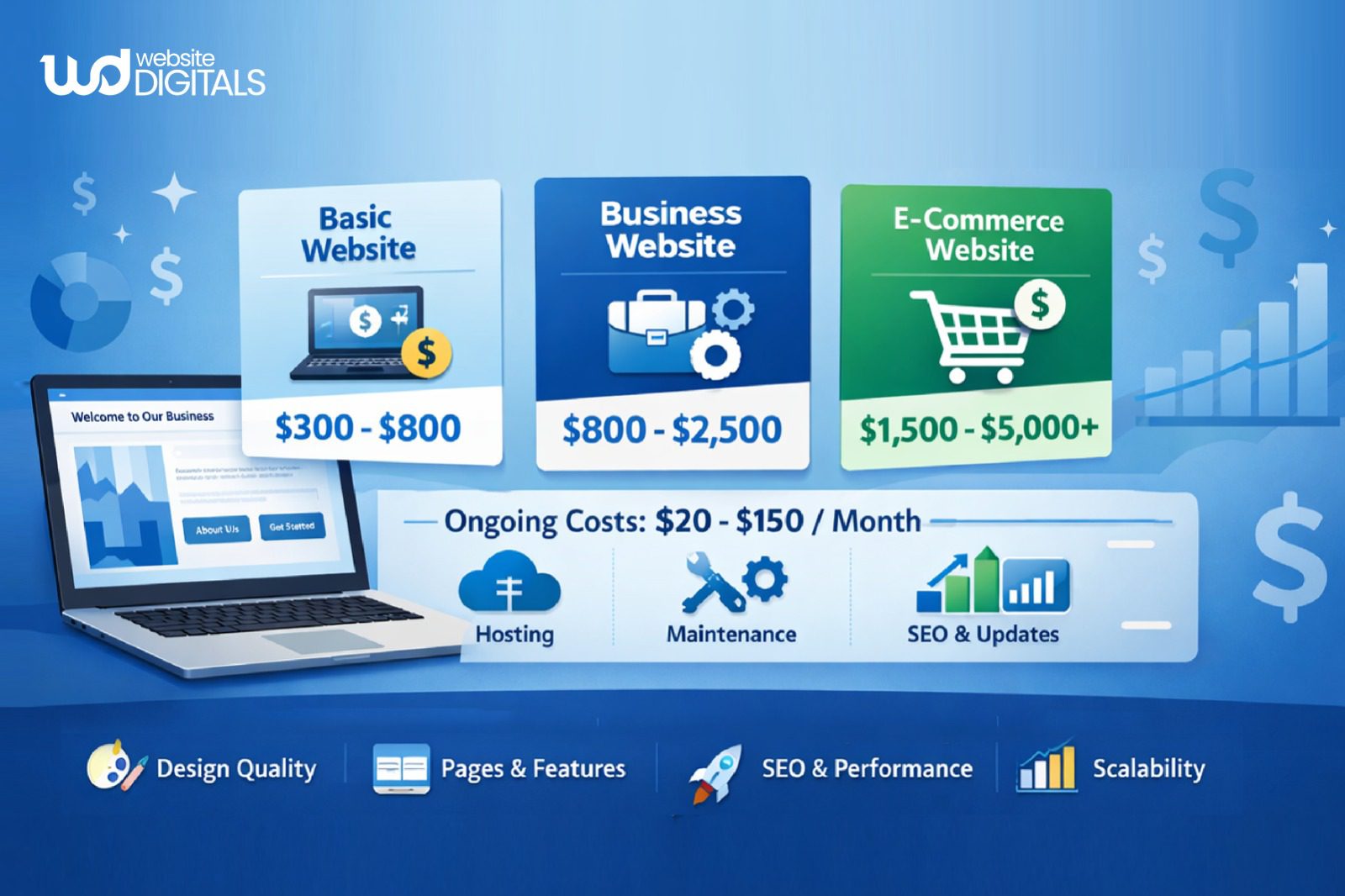
When assessing web design pricing, you should strategically allocate funds across three distinct categories:
- Fixed Initial Investment: The one-time design cost, development cost, and content creation.
- Annual Recurring Fees: Mandatory costs for web hosting, domain registration, and security.
- Future Growth & Maintenance: The necessary budget to keep the site secure, updated, and continually optimized for performance.
We categorize these costs into three distinct tiers, Low ($), Mid ($$), and High ($$$), to help you match your development fees to your definitive business goals.
What to Budget for a Serious Starter Website
Based on our experience advising startups and established small business clients, we can establish a reliable starting point.
The baseline expectation: A professional, scalable starter website that uses a modern, flexible CMS (like WordPress) and is built for effective responsive design typically requires an estimated first-year investment between $1,500 and $7,000.
This range accounts for professional setup, a well-structured informational website, foundational SEO configuration, and the necessary recurring fees for the first 12 months.
This is the minimum necessary to mitigate the technical risks associated with purely DIY vs. pro solutions, ensuring a solid website setup for small business.
Breaking Down the Bill: The Four Mandatory Website Cost Components
When you receive a quote from a professional web designer or agency, the final website cost is a summation of four non-negotiable categories.
These are the mandatory inputs for any functional business site:
Component 1: Foundational Infrastructure
This is the non-glamorous, yet absolutely essential, groundwork. This section covers the hosting and domain costs.
- Domain Registration: This is your annual lease on your website address (e.g., yourcompany.com). Costs are low, typically between $15 and $30 per year.
Disclaimer:
|
Be wary of providers offering free first years, as renewal rates can be inflated. |
- Web Hosting: This is the server space where your website files live. The hosting choice dramatically impacts site speed, security, and uptime, all critical Google requirements for ranking.
- Shared Hosting: Cheapest, starting at $5–$20/month. Suitable for very small, low-traffic sites. Performance is often compromised.
- VPS or Managed Hosting: Recommended for serious businesses, starting at $30–$100/month. This provides dedicated resources, better security, and faster load times. Crucially, over 53% of users will abandon a mobile site if it takes longer than 3 seconds to load, making hosting a conversion factor. A reliable hosting provider is a critical partner.
Component 2: Non-Negotiable Security & Compliance
These costs are mandatory and often misunderstood as optional extras.
- SSL Certificate: An SSL (Secure Sockets Layer) certificate encrypts the data between the user’s browser and your server, activating the “HTTPS” in your address bar. This is non-negotiable. Google flags sites without it as “Not Secure.” While many hosting plans include a free SSL, you may need to budget time or fees for proper installation and maintenance.
Component 3: Design & Development Labor
This component accounts for the majority of the initial build cost and is the primary factor driving price variance. You are paying for time, expertise, and strategic execution.
- Discovery & Strategy: The web design company must spend time understanding your audience, competition, and business goals before initiating any build. This strategic phase ensures the site drives results.
- User Experience (UX) and Visual Design: This covers the wireframing, layout planning, and creation of the visual look. Effective responsive design ensures your site looks and functions perfectly on desktop, tablet, and mobile.
- Development and Launch: This is the coding and technical setup, including CMS installation, theme customization, plugin/add-on costs, and crucial quality assurance testing. Custom website development utilizing advanced technologies like HTML, CSS, and JavaScript will naturally command higher web development hourly rates than simple template modification.
Component 4: High-Value Content Assets
A visually stunning website with weak copy is simply a beautiful brochure. High-value content is essential for conversion.
- Conversion Copywriting: Investing in a professional copywriter ensures your messaging resonates with your target audience, addresses their pain points, and guides them toward a specific action (a call, a form fill, a purchase). This is the key to converting traffic into leads.
- Professional Visuals: This includes licensing high-quality stock photography, or, ideally, budgeting for a professional photoshoot of your team, products, and location. Credibility is built through professional imagery, forming part of the overall branding expense.
Pro Tip:
|
Always ask your designer or agency for a component-level quote rather than a single lump-sum price. This transparency prevents inflated costs and helps you compare vendors fairly, especially when evaluating agency pricing versus freelancers. Component-level quotes also reveal whether essentials like backups, speed optimization, and mobile responsiveness are truly included or hidden behind upgrades. |
Identifying the Hidden Costs That Derail Startup Website Budgets
New business owners often accurately budget for the initial launch but completely miss the crucial annual recurring fees that follow. These hidden costs are often the reason cheap websites become expensive problems.
The Recurring Fee:
Your website is a piece of software running on a server, and software requires constant maintenance.
- Security and Patching: Every CMS uses plugins (e.g., security and form builders).These plugins are constantly updated. Failure to update them leaves your site vulnerable to attacks.A proper website maintenance cost retainer covers these updates, security monitoring, and regular backups.
- Technical Support: When the site breaks (and it inevitably will, due to software conflicts or server issues), you need guaranteed access to a web developer. This retainer is essentially insurance for your digital asset. Expect to budget $500 to $1,500 annually for a reliable maintenance plan, depending on the site’s complexity.
Subscription Creep:
The most effective websites are integrated with other business tools. Each integration comes with a monthly subscription.
- Premium Plugins: While platforms like WordPress have many free plugins, the best security, SEO, and form-building tools often require a premium license. You must account for plugin/add-on costs.
- Marketing Tools: Subscription creep includes maintenance fees for integrated Customer Relationship Management (CRM) software, email marketing services, booking tools, and other necessary technologies. These monthly costs can easily total $50 to $200 per month.
The Price of Delay:
This is the cost of “getting it wrong” the first time, the true cost of skipping quality design cost and development cost initially.
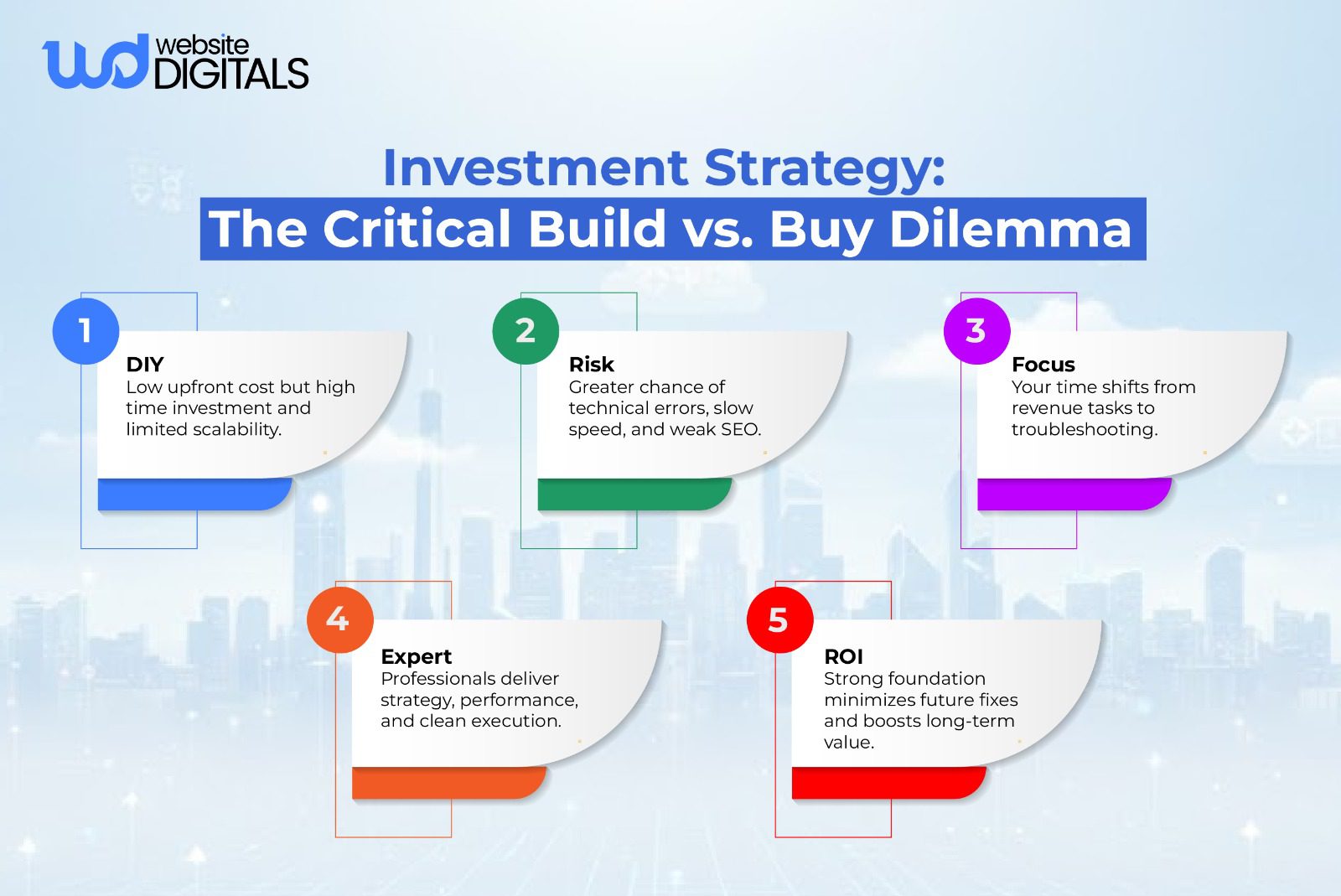
- Scalability Debt: When you start with a highly restrictive, low-cost platform like Wix or Squarespace, you often hit a wall two years in when you require custom functionality (e.g., complex pricing calculators, specific user logins). The only solution is an expensive, time-consuming migration to a flexible CMS. The cost of migrating is always higher than building correctly from the start.
- Loss of Credibility: A poorly designed, slow, or constantly broken website causes friction, increases bounce rates, and damages the authority of your small business.Every lost conversion is a quantifiable business loss directly attributable to insufficient investment in quality.
Real-World Scenario
|
A small service business started with a cheap DIY website, but within 18 months outgrew the platform’s limited features and slow performance. Since essential tools like scheduling and custom pricing couldn’t be added, the entire site had to be rebuilt on a scalable CMS. The rebuild cost nearly triple, proving the initial “savings” were far more expensive long-term. |
The Three Realistic Website Budget Tiers for Strategic Planning
This comparison table provides a clear view of what level of professionalism, complexity, and future viability you can expect for different budget thresholds.
This helps new enterprise owners or small business owners make an informed strategic decision.
|
Budget Tier |
Initial Cost Estimate (Year 1) |
Best Use Case |
Long-Term Viability |
|
Tier 1: Minimalist/Placeholder |
$100 – $500 |
Solopreneur validation, single landing page, or temporary pre-launch announcement using a platform like Shopify or Webflow (for basic plan). |
Low. Designed for validation, not robust business operations. Rapid upgrade required as soon as sales begin. |
|
Tier 2: Foundational/Scalable |
$1,500 – $5,000 |
Service businesses, most startups, serious lead generation, small blogs, and content marketing. |
High. Built on a flexible CMS (e.g., WordPress) and optimized for future feature additions. Represents the best value balance. |
|
Tier 3: Strategic/Custom |
$7,000 – $15,000+ |
Custom website development, complex booking systems, software integrations, or bespoke user functionality, often requiring advanced JavaScript programming. |
Very High. A dedicated, high-performance, and long-term business asset built for maximum capacity and unique functionality. |
Your Pre-Launch Checklist: The Budget Formula
To prevent cost overruns and budget surprises, you must clearly define the scope before you hire landing page design services.
Defining Scope: The Essential Pre-Build Questions That Drive Cost
The cost of your site is determined entirely by the time required for development and revisions.
The more “yes” answers below, the higher your budget must be.
Looking at company landing page examples is a good starting point, but you must define complexity beyond visuals:
- Do you need to sell products? (Requires ecommerce development and secure payment gateways.)
- Do you need a blog? (Requires CMS setup, content types, and editorial workflows.)
- Do you need advanced forms? (Quote forms, multi-step questionnaires, conditional logic.)
- Do you need to manage your own content? (This requires custom user permissions and a clean, intuitive back-end interface, which takes time to build.)
- Do you need integration with external software? (e.g., HubSpot, QuickBooks, specialized CRM systems.)
The Complete Budget Formula to Prevent Overspending
Stop trying to figure out how much should you pay for a business website by averaging quotes. Use this comprehensive formula:
- Initial Build Cost: The one-time fee for design cost, development labor, and launch.
- Annual Recurring Fees: Domain and web hosting fees.
- Maintenance Retainer: The yearly cost for technicAal support, security, and updates.
- 15% Contingency Buffer: A non-negotiable budget line to cover scope creep, necessary third-party licenses for plugins, or unexpected revisions during the final build process. This buffer helps manage unexpected hourly rates.
Conclusion: Shifting Mindset from Expense to Investment
The real question isn’t how much does a business website cost, it’s how much it costs your business when your website fails to perform.
Lost leads, declining trust, and constant technical issues add up quickly, often becoming more expensive than the initial investment you were hesitant to make.
When you view your website as a long-term asset rather than a one-time expense, the budgeting process becomes clear.
If you’re ready to turn your website into a high-performing business asset, our experts at Website Digitals can help you build a landing page experience that drives results.
You can reach us directly at info@websitedigitals.com, or connect with our team at (646)-222-3598 for a tailored consultation.
FAQs
Why should I choose Website Digitals for my business website?
Website Digitals focuses on conversion-driven builds, clear strategy, and landing page design that supports long-term growth. We help you avoid common budget traps and create a website built to scale.
How does Website Digitals structure website pricing?
We break pricing into strategy, design, development, and maintenance so you always know what you’re paying for.
Why do websites cost so much?
Websites cost more when they require custom design, advanced features, integrations, security, and long-term maintenance, not just visuals or templates.
What factors affect business website cost?
Major factors include design quality, development complexity, platform choice, integrations, content needs, hosting quality, and required functionality.
How much does WordPress website development cost?
WordPress development typically ranges from $1,500 to $10,000 depending on customization, plugins, UX design needs, and developer expertise.
How much should you pay for a business website?
Most businesses should expect to invest between $1,500 and $7,000 for a professional, scalable website built for performance and SEO.
What is included in website pricing?
Website pricing usually includes design, development, content setup, integrations, hosting setup, testing, and essential security features.
How much should a small business spend on a website?
A small business should budget enough for a stable foundation, typically $1,500 to $5,000, to avoid rebuilds and ensure professional performance.