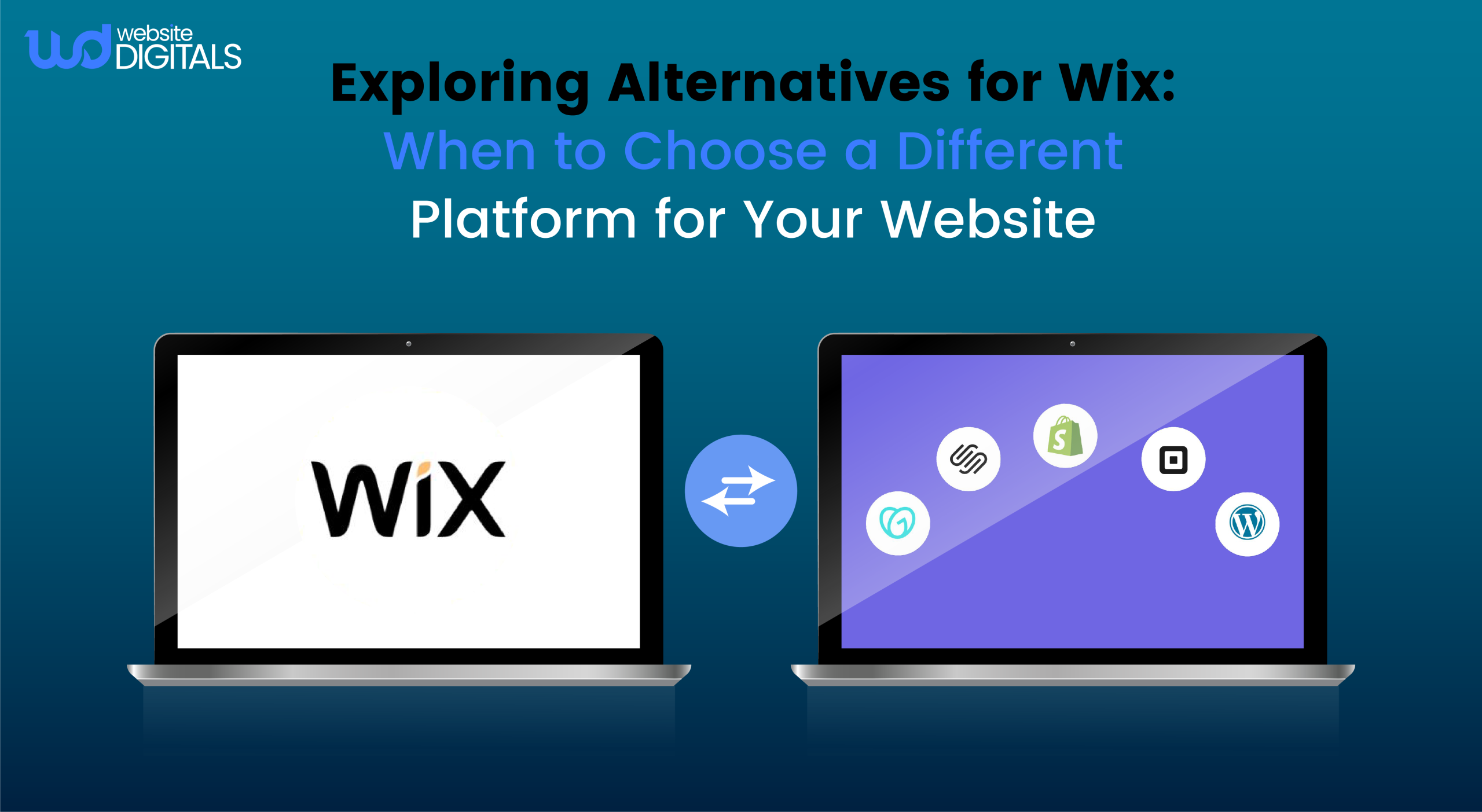
Exploring Alternatives for Wix: When to Choose a Different Platform for Your Website
Are you stuck with a website builder that no longer fits your business needs?
Many entrepreneurs start with popular builders like Wix, but soon realize their limitations as their online presence grows.
As your business expands, you might need more advanced features, customization options, or scalability.
Your current platform might not offer these. This is when exploring alternatives for Wix becomes essential.
You might seek more flexibility, better e-commerce integration, or enhanced SEO capabilities. Choosing the right platform is critical for your online success.
Key Takeaways
- Identify the limitations of your current website-building platform.
- Understand the key features you need for your growing online presence.
- Explore various alternatives that offer advanced customization and scalability.
- Consider the importance of e-commerce integration and SEO capabilities.
- Make an informed decision on choosing the best platform for your business needs.
Why You Might Need an Alternative for Wix?
Wix’s user-friendly interface is a major draw, but it has its downsides.
As your online presence expands, Wix’s shortcomings may become more apparent. These can impact your site’s performance and functionality.
Limitations of Wix for Different Website Types
- While Wix is versatile, it’s not perfect for every site.
- E-commerce sites might find Wix’s inventory and payment systems too restrictive.
- Blogs and content sites could face challenges with Wix’s SEO and design flexibility.
When it comes to blogs and content sites, the WordPress versus Wix comparison often highlights how WordPress provides more advanced SEO tools and greater design freedom.
|
Website Type |
Wix Limitations |
Potential Alternatives |
|
E-commerce |
Limited inventory management, restricted payment gateways |
Shopify, WooCommerce |
|
Blogs/Content Sites |
SEO limitations, less flexible design |
WordPress, Squarespace |
|
Business/Portfolio |
Limited customization, template constraints |
Webflow, Squarespace |
Common Pain Points Reported by Wix Users
Many users face issues with Wix, such as SEO optimization challenges, customization limitations, and e-commerce integration problems. These issues can hinder your website’s effectiveness.
- SEO limitations affecting search engine rankings
- Restricted customization options for templates and design
- E-commerce features that are not fully integrated or scalable
Explore Top Alternatives for Wix Here!
WordPress
- For those looking beyond Wix, WordPress stands out as a top choice.
- It offers a vast array of plugins and themes, making it versatile for various users.
- Whether you’re a blogger or a business owner, WordPress’s flexibility is hard to beat.
WordPress.org vs WordPress.com
When exploring WordPress, you’ll need to decide between WordPress.org and WordPress.com. WordPress.org provides a self-hosted option, giving you complete control but requiring technical know-how.
In contrast, WordPress.com offers a hosted solution with various plans, including a free one. This makes it more accessible but limits customization and monetization options.
Customization Options and Plugin Ecosystem
- WordPress’s strength lies in its customization options and plugin ecosystem.
- With thousands of plugins available, you can enhance your site’s functionality.
- This includes SEO optimization and e-commerce capabilities, all without needing coding skills.
Learning Curve and Support Resources
- While WordPress offers great flexibility, it has a steeper learning curve than Wix.
- Yet, the vast community and numerous online resources help ease this challenge.
- You’ll find documentation, forums, and tutorials galore.
When to Choose WordPress Over Wix?
- Only for advanced customization, a wide range of functionalities, or large-scale websites.
- It’s ideal for blogs, e-commerce sites, and complex business websites.
- WordPress’s flexibility and scalability make it a top choice for these needs.
Shopify: Superior E-commerce Alternative to Wix
E-commerce entrepreneurs often find Shopify more streamlined and effective than Wix for their online store needs. While Wix is versatile, Shopify is tailored for growing online stores.
In many Wix vs Shopify comparisons, e-commerce entrepreneurs find that Shopify offers more advanced tools for managing online stores efficiently.
Built-in E-commerce Features
- Shopify comes with a suite of built-in e-commerce features, making online store management easier.
- It includes inventory management, order tracking, and shipping integrations.
- This allows you to manage your store’s operations efficiently, without needing multiple third-party apps.
Payment Processing and Transaction Fees
- Shopify has its own payment gateway, Shopify Payments, which simplifies transaction processing.
- It also reduces dependency on third-party payment gateways.
- Using Shopify Payments can lower transaction fees compared to Wix.
Scalability for Growing Online Stores
- Shopify’s scalability is a significant advantage.
- As your store grows, Shopify’s infrastructure handles increased traffic and sales without issues.
- This scalability is key for businesses aiming to expand their online presence.
When to Choose Shopify Over Wix?
If your focus is on e-commerce and you need advanced features.
Shopify is perfect for businesses expecting significant growth or already have large online sales volumes.
Shopify emphasizes, “Our platform is designed to help you grow your business, with features that make it easy to manage products, process payments, and ship orders.” This highlights why Shopify is superior for e-commerce businesses.
Squarespace: Design-Focused Alternative for Wix
If you’re searching for a website builder that emphasizes design and aesthetics, Squarespace stands out as a Wix alternative.
It focuses on visual appeal and user experience.
Squarespace provides features to help you craft a professional website.
Template Quality and Design Flexibility
- Squarespace is celebrated for its high-quality, responsive templates.
- These templates ensure your website looks great on any device.
- The platform offers a variety of template styles, from modern to bold, to match your brand’s identity.
- Squarespace also boasts extensive customization options, allowing you to personalize your website’s look and feel.
Built-in Features vs. Third-Party Integrations
- Unlike Wix, Squarespace doesn’t rely on third-party integrations for extra functionality.
- It comes with a suite of built-in features, including e-commerce tools, blogging capabilities, and SEO optimization.
- These features work seamlessly together.
|
Feature |
Squarespace |
Wix |
|
E-commerce Tools |
Built-in, with advanced features |
Available through third-party apps |
|
Template Customization |
Highly customizable |
Customizable, but with limitations |
|
SEO Optimization |
Built-in SEO tools |
Built-in SEO tools, with some limitations |
Pricing and Value Comparison
Squarespace’s pricing plans are competitive with Wix, ranging from $14 to $40 per month.
While Squarespace doesn’t offer a free plan, its high-quality services and feature-rich platform justify the cost for those seeking a premium website-building experience.
When to Choose Squarespace Over Wix?
Choose Squarespace if you prioritize creating a visually stunning website with advanced design capabilities. It’s ideal for creatives, artists, and businesses where aesthetics are key to brand identity.
Webflow: Advanced Design Control Beyond Wix
Wix’s design limitations can hinder your creativity. Hence, Webflow offers a sophisticated solution for creating visually stunning websites.
Note: It allows you to craft complex, custom designs that are beyond Wix’s capabilities.
Visual Design Capabilities
Webflow’s visual design tools empower you to create detailed layouts and animations without coding. It’s perfect for designers and developers aiming to realize their creative visions.
So, you can hire Wix JavaScript developer if you make your decision.
- Create complex grid systems and layouts.
- Design custom interactions and animations
- Utilize a robust CSS styling system
CMS and Dynamic Content Options
- Webflow’s CMS capabilities enable the creation of dynamic content.
- This makes it ideal for blogs, portfolios, and e-commerce sites needing frequent updates.
Learning Curve and Professional Applications
- Webflow offers powerful features but comes with a learning curve.
- This is true for those without prior web development company design, and experience.
When to Choose Webflow Over Wix
- Choose Webflow for advanced design control, custom interactions, or dynamic content management.
- It’s best for projects requiring high customization and scalability.
- Webflow is a powerful alternative for Wix users seeking advanced design capabilities. It demands a time investment in learning its features.
Free Alternatives for Wix That Actually Deliver
Looking for a budget-friendly solution? Several free alternatives to Wix can fulfill your website needs. These options might not have all of Wix’s features.
Yet, they can serve as a solid starting point or a long-term solution for specific types of websites.
WordPress.com Free Plan
WordPress.com’s free plan includes a WordPress.com subdomain, several free themes, and basic customization options.
It’s perfect for bloggers, small businesses, or individuals wanting to start online without spending money.
The WordPress.com free plan is an excellent starting point, allowing you to upgrade as your site grows.
Google Sites for Simple Websites
It is a free alternative for creating simple websites. It’s great for projects, internal company sites, or personal portfolios.
Google Sites is user-friendly, with a simple interface that doesn’t need advanced technical skills. Though it lacks Wix’s features, it’s ideal for basic websites.
Limitations of Free Website Builders
Free website builders are appealing but come with limitations. These include limited customization options, display of ads, and limited storage and bandwidth.
It’s important to understand these constraints to see if a free builder meets your needs.
When Free Alternatives Make Sense
Free alternatives to Wix are suitable in several situations. They’re good when starting, on a tight budget, or for simple websites without advanced needs.
For more complex sites or those needing e-commerce, you might need to opt for paid options or upgrade from a free plan.
Comparing Pricing Models: Wix vs. Competitors
When comparing Wix to its competitors, it’s important to look at both initial and ongoing costs. This includes the expenses of maintaining and expanding your website over time.
Hidden Costs and Fee Structures
Wix, like many builders, has a tiered pricing system with plans that vary in features.
Yet, hidden costs can emerge from extra services like e-commerce features, premium templates, and SEO tools.
Example: Wix charges extra for advanced e-commerce tools, which can quickly increase costs. In contrast, some rivals offer more inclusive pricing, including these features in their plans.
Value for Money Assessment
- Assessing value for money involves examining the features included in each plan.
- Some platforms, like Shopify, provide strong e-commerce solutions, justifying higher costs for online stores.
- On the other hand, Squarespace is celebrated for its high-quality templates and design flexibility, making it a good investment for those focusing on aesthetics.
Long-term Cost Considerations
- Scalability is a key factor; as your site grows, you might need to move to more advanced plans.
- It’s important to check if the platform allows for easy upgrades and if the costs are clear.
Example: WordPress is known for its scalability, with many free and paid plugins available, which can help keep costs down over time.
GoDaddy Website Builder: Simplicity-Focused Wix Competitor
For those seeking a simple website-building experience, GoDaddy Website Builder stands out as a Wix alternative.
It’s crafted for ease, making it perfect for individuals and small businesses.
Ease of Use and Setup Process
- GoDaddy Website Builder features a user-friendly drag-and-drop interface.
- This makes creating a website straightforward.
- The setup is quick, allowing users to launch their site fast.
- It’s designed for everyone, ensuring even those new to tech can build a professional site.
Marketing and SEO Tools
- GoDaddy Website Builder also comes with marketing and SEO tools.
- These include SEO techniques, social media integration, and email marketing.
- They’re all aimed at boosting your website’s online presence.
When to Choose GoDaddy Over Wix? Opt for GoDaddy Website Builder if simplicity is key for small businesses or individuals needing a basic site. It lacks the advanced features and complex customization found in Wix.
Weebly and Jimdo: User-Friendly Alternatives to Wix
Weebly and Jimdo stand out as user-centric tools for creating websites. They are designed to be easy to use, streamlining the process of building and managing a site.
Comparing Interface and Usability
- Weebly and Jimdo boast drag-and-drop editors, simplifying content addition for users.
- Weebly is celebrated for its straightforward interface, while Jimdo offers a more contemporary design approach.
- Both platforms excel in usability, providing clear navigation and a minimal learning curve.
- This makes them ideal for small business owners or individuals aiming to quickly establish an online presence.
Feature Sets and Limitations
- Weebly’s extensive app center allows for deeper customization.
- Jimdo, by contrast, emphasizes its robust built-in features, minimizing the need for external integrations.
- Customization is a key consideration.
- While both platforms offer flexibility, users seeking unique designs might find their options limited.
Ideal Use Cases for Each Platform
- Weebly is perfect for those who value ease of use and customization.
- It’s well-suited for small to medium-sized businesses and e-commerce sites.
- Jimdo is ideal for businesses desiring a straightforward website creation process.
- It’s also a top choice for those who prioritize design and aesthetics.
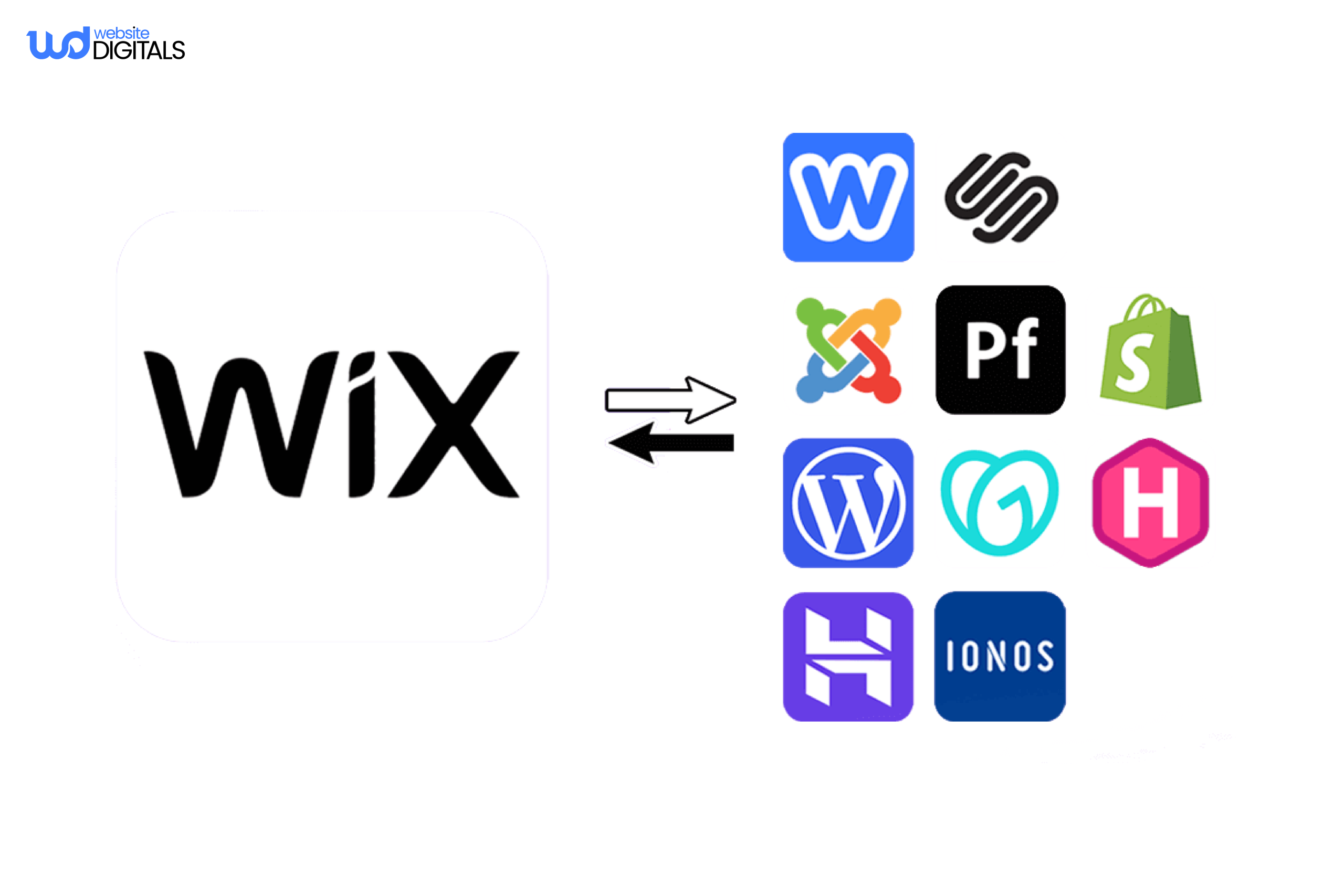
How to Migrate Your Website from Wix to Another Platform?
Switching from Wix to another platform is simpler than you might think. It’s a chance to gain more flexibility, enhance e-commerce features, or boost SEO. Migrating your website can greatly improve your online presence.
Preparing for Migration: Content Inventory
- Before you begin, take stock of your current content.
- This includes all pages, blog posts, images, and media.
- A content inventory helps you see what you have, what to migrate, and what to optimize or remove.
Domain and SEO Considerations
- If you bought a domain through Wix, you’ll need to transfer it.
- Most builders allow domain transfers, but the process differs.
- Also, think about your SEO strategy.
- Make sure your new site is optimized for search engines.
- Set up redirects from your old Wix URLs to the new ones to keep your rankings.
Step-by-Step Migration Process for Popular Platforms
Migrating to a new platform involves several steps. First, export your content from Wix. Then, set up your new site and import your content.
Here’s a quick guide for popular platforms:
WordPress Migration
- For WordPress, export your Wix content using an RSS feed or a third-party tool.
- Then, import it into WordPress.
- Don’t forget to install plugins for SEO and security.
Shopify Migration
- Shopify needs a detailed product and inventory import.
- Use Shopify’s import tool or a third-party app for products.
- Manually transfer blog posts and other content.
Squarespace Migration
- Squarespace lets you import content from Wix with its importer tool.
- After importing, adjust your site’s design and settings manually.
Case Study: How Allbirds Scaled Globally After Migrating to Shopify Plus
Background:
Allbirds, a sustainable footwear brand known for its eco-friendly materials and minimalist design, began as a small direct-to-consumer venture.
Initially, their website was built on a custom platform to handle online sales and branding needs.
As the company expanded internationally, this setup became a barrier rather than an asset, limiting scalability, speed, and integration with global operations.
The Challenge:
As Allbirds’ traffic and product range grew, their previous platform struggled to handle:
- High-volume traffic during product launches and campaigns
- International currency and tax configurations
- Limited integration with logistics and marketing tools
- Slower page load times impacting conversion rates
These constraints hindered growth and made it difficult for their marketing and operations teams to maintain a consistent global experience.
The Solution:
To overcome these challenges, Allbirds migrated to Shopify Plus, a platform designed for scalability and seamless management of international e-commerce operations.
Key steps in their transition included:
- Implementing multi-storefront support, allowing regional stores for the US, EU, and Asia-Pacific markets.
- Streamlining checkout and payments, improving conversion rates across devices.
- Integrating marketing tools like email automation and analytics within the Shopify ecosystem.
- Leveraging Shopify’s infrastructure for fast load times and reliable uptime during peak traffic.
This migration simplified their tech stack and empowered internal teams to manage promotions, content, and sales directly, without constant developer involvement.
The Outcome:
After switching to Shopify Plus, Allbirds achieved:
- Faster website performance and improved conversion rates globally
- Consistent 100% uptime during major campaign periods
- Reduced operational friction, with marketing and logistics teams managing tasks independently
- Rapid regional launches, enabling international expansion in weeks, not months
Source: Allbirds Case Study
|
What This Means for Growing Brands: Allbirds’ experience highlights the importance of aligning your website platform with your business growth. Choosing a scalable and flexible solution like Shopify enables smoother operations, faster performance, and long-term expansion potential. |
Select the Right Alternative for Your Specific Needs!
Exploring alternatives for Wix reveals that the ideal choice depends on your website’s needs. Whether you seek advanced design, superior e-commerce, or flexibility, a suitable Wix replacement exists.
When selecting a website builder, consider your technical abilities, goals, and budget. WordPress, Shopify, Squarespace, and Webflow stand out as top contenders.
By comparing their features against your needs, you can make a well-informed choice.
So, don’t hesitate to move your website from Wix to a more fitting platform with Website Digitals by your side.
With the right tools, you can build a website that showcases your brand and supports your online success.
So, call us at (646)-222-3598, or you can email us at info@websitedigitals.com
FAQs
What are the best alternatives to Wix for building a website?
Alternatives to Wix include WordPress, Shopify, Squarespace, Webflow, and GoDaddy Website Builder. Each offers unique features. WordPress is great for e-commerce, Squarespace for design, and GoDaddy for simplicity.
How do I choose the right website builder for my needs?
To pick the right builder, evaluate your technical skills and website goals. Also, consider your budget. This helps narrow down options and find a platform that fits your needs.
What are the key differences between Wix and its alternatives?
Wix and its alternatives differ in features, pricing, and customization. Shopify focuses on e-commerce, while Squarespace emphasizes design.
How do I compare the pricing models of Wix and its competitors?
Compare pricing by looking at hidden costs and fee structures. Assess value for money. Consider long-term costs, as some platforms may be more cost-effective over time.
What are the advantages of using WordPress over Wix?
WordPress offers more customization, a vast plugin ecosystem, and design flexibility. It's a top choice for those wanting more control over their site.
Is Shopify a better e-commerce platform than Wix?
Shopify is often preferred for e-commerce. It has built-in features, payment processing, and scalability. It's ideal for growing online stores.