Why Client Portal Development is Essential for Enhancing Customer Experience
If your team spends more time answering “Can you share an update?” than actually delivering value, your customer experience is already taking a hit.
Most clients won’t complain outright, but they do notice when communication feels scattered, slow, or impersonal.
This is where client portal development offers a practical way forward.
According to Gartner, over 60% of service interactions are now digital-first, yet many businesses still rely on manual processes that create delays and confusion.
Clients want easy access, clear visibility, and timely updates.
In this blog, we’ll explore how client portal development helps fix these issues and creates a smoother, more reliable customer experience.
Key Takeaways
|
What Is a Client Portal in a Customer Experience Context?
A client portal is a secure digital platform that lets clients access documents, updates, and services related to their engagement. Designed for collaboration and controlled access, it supports ongoing professional relationships rather than one-off interactions.
From a customer experience perspective, it acts as a single source of truth, giving clients instant access to accurate information without emails or follow-ups, reducing friction and enabling more proactive service.
While customer portals focus on short-term transactions, client portals are designed to support long-term collaboration and ongoing professional relationships.
Client Portal vs Customer Portal: Quick Comparison
|
Aspect |
Client Portal |
Customer Portal |
|
Primary Use |
Long-term client relationships |
Short-term transactions |
|
Typical Users |
Professional service clients |
General customers |
|
Access Type |
Role-based, controlled |
Standard account access |
|
Core Focus |
Collaboration and transparency |
Self-service and convenience |
|
Examples |
Consulting, legal, accounting |
E-commerce, utilities, billing |
How to Improve Customer Experience Through Client Portal Development
Investing in client portal development is not just about writing code; it is about re-engineering the way your business breathes and communicates.
Here is how a well-executed portal transforms the user journey:
-
Centralize Client Communication
Miscommunication drives churn when updates, files, and messages live across multiple tools.
A client portal brings everything into one searchable, organized view, creating a clear record of the relationship and reducing missed details.
Tip:
|
Centralized message history helps new team members onboard faster without relying on handovers. |
-
Provide Real-Time Access to Information
Clients expect visibility without delays.
A real-time dashboard shows project status, milestones, and financial data on demand, reducing follow-ups and reinforcing transparency.
-
Personalize Client Access and Views
Different stakeholders need different information.
Role-based access ensures executives see summaries while operational users access detailed files, making the portal relevant without overwhelming users.
Bonus:
|
Personalized views increase portal adoption by keeping interfaces focused and clutter-free. |
Real World Scenario:
|
A healthcare services provider needed to give clients secure access to sensitive information while meeting strict HIPAA compliance requirements. To solve this, they partnered with an experienced web portal development outsourcing company specializing in enterprise portal development. The team built a secure client portal with encryption at rest and in transit, multi-factor authentication, audit logging, and strong identity management controls. The result was a secure, compliant platform that improved client confidence in data protection while reducing access-related support tickets and administrative overhead, proving that strong security and a positive customer experience can work together, not against each other. |
-
Enable Client Self-Service
Client portals reduce support load by allowing users to upload documents, complete onboarding steps, and manage profiles independently.
This removes delays without removing service quality.
Tip:
|
Self-service works best when paired with clear guidance and status indicators. |
-
Streamline Approvals and Feedback
Built-in approval workflows allow clients to review, comment, and sign documents directly within the portal.
This eliminates stalled projects and ensures accountability with time-stamped actions.
-
Integrate With Existing Systems
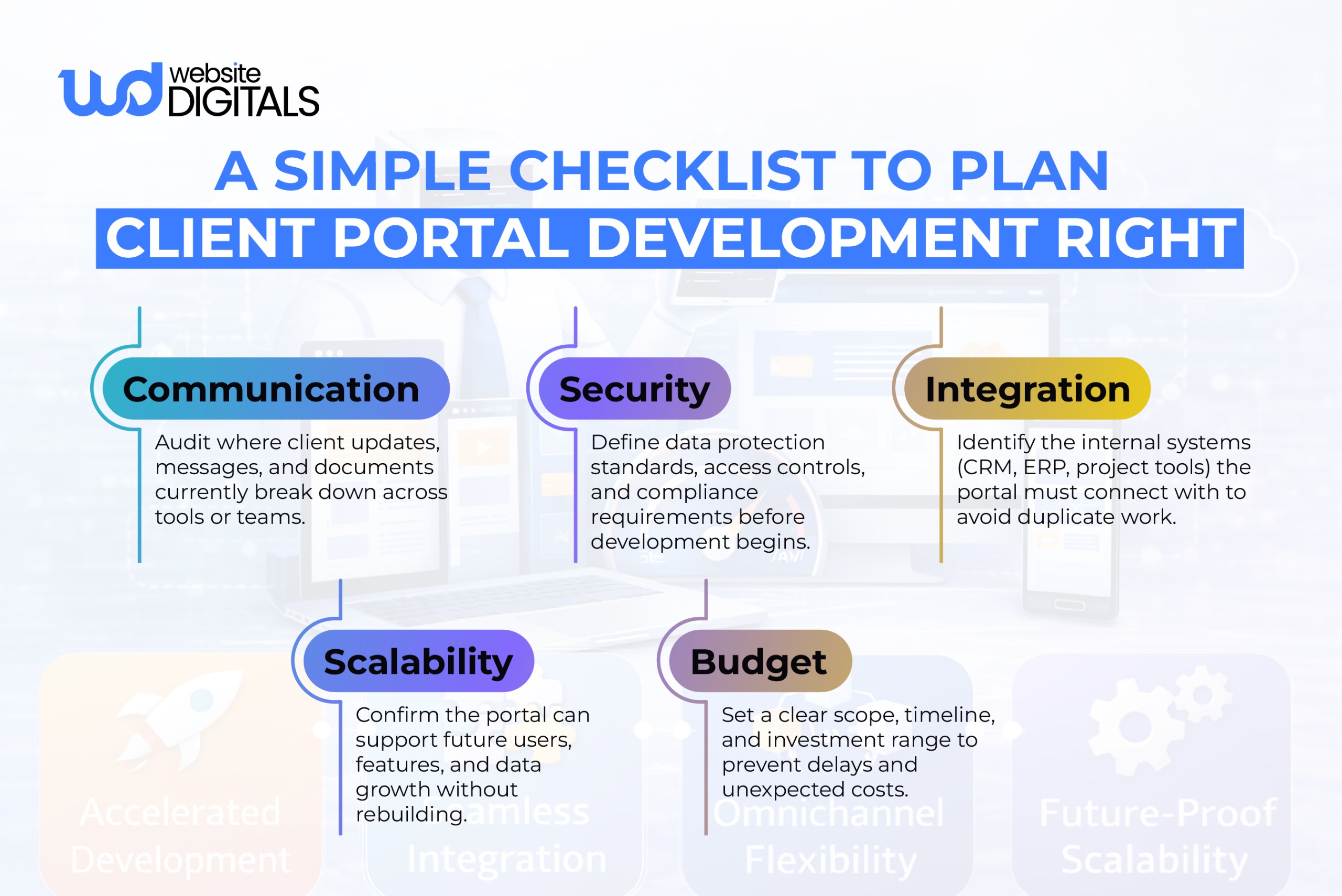
A portal must connect with CRM, ERP, and project tools to stay accurate.
Integrations ensure updates made internally are reflected instantly for clients, eliminating duplicate work.
Bonus:
|
Real-time sync prevents conflicting information across teams and touchpoints. |
-
Automate Client Updates
Automated notifications keep clients informed when milestones are reached or actions are required without manual effort from your team.
Tip:
|
Automation improves response-time perception even when actual timelines stay the same. |
-
Secure Client Data
Strong access controls, encryption, and compliance standards protect sensitive information and reinforce trust.
For regulated industries, security is a requirement, not a differentiator.
-
Design for Ease of Use
If a portal is difficult to navigate, clients won’t use it. Clean UI and intuitive UX ensure adoption without training or support.
-
Track and Improve Client Experience
Usage data reveals how clients interact with your services.
Monitoring engagement, delays, and drop-offs helps refine workflows and improve service delivery over time.
Key Features That Matter for Customer Experience (Not Just Technology)
When you begin the journey of client portal development, it is easy to get lost in technical specifications.
However, the features that truly impact the user’s perception of your brand are often the most fundamental ones.
-
Secure Client Access and Data Protection
Security is a feature of the user experience. If a client feels their data is at risk, they will not use the platform.
Implementing multi-factor authentication (MFA) adds a layer of protection that users have come to expect.
Furthermore, maintaining an audit logging system ensures that every action taken within the portal is recorded, providing a trail for both security and compliance.
Complexity is the enemy of adoption.
The navigation should be logical, with the most important tools, like secure file sharing and project status, front and center.
A cluttered portal leads to frustration, while a clean design fosters a sense of professional calm.
-
Real-Time Notifications and Status Updates
In a world of instant gratification, silence is often interpreted as inactivity.
Real-time notifications ensure the client is always “in the loop.”
Whether it’s a notification that a contract is ready for signature or a message from their account manager, these touches keep the relationship active.
-
Integration With Existing CRM and Service Tools
The power of enterprise software lies in its connectivity.
Your portal should pull data directly from your internal systems.
This ensures that the information the client sees is always the most current version.
For companies looking at web portal development cost, the ROI is often found here: in the hundreds of hours saved by automating data synchronization.
Best Practices for Secure Client Portals
To ensure your portal remains a bridge rather than a barrier, follow these industry standards:
- Prioritize Performance: Ensure performance optimization so that the portal loads quickly, even when handling large files or complex data sets.
- Focus on Mobility: Your clients are on the go. The portal must be fully responsive and functional on tablets and smartphones.
- Regular Audits: Security is not a “set it and forget it” task. Regular testing of your user authentication and encryption protocols is vital.
- Transparent Onboarding: Use the portal to guide the client. A clear client onboarding checklist helps them feel supported from day one.
Wrapping It Up!
Digital-first service is no longer optional; it defines how professional relationships are managed today.
Client portal development bridges the gap between traditional service delivery and modern expectations for secure, transparent, and always-available access.
By centralizing communication, automating workflows, and enabling self-service, a well-built client portal improves efficiency while strengthening trust and long-term client relationships.
If your business is ready to move beyond outdated communication methods, our experts at Website Digitals can help you plan and build a client portal tailored to your operational needs.
Reach out at info@websitedigitals.com or call (646)-222-3598 to discuss your client portal development goals and next steps.
FAQs
1 How does Website Digitals approach client portal development?
Website Digitals focuses on building secure, scalable client portals tailored to your workflows, compliance needs, and long-term client experience goals.
2 Can Website Digitals customize portals for enterprise use cases?
Yes, Website Digitals specializes in enterprise portal development with role-based access, system integrations, and performance-focused architecture.
3 What is client portal development?
Client portal development is the process of creating a secure digital platform that allows clients to access documents, updates, and services in one place.
4 How does a client portal work?
A client portal works by authenticating users, assigning role-based access, and connecting data from internal systems to provide real-time visibility and interaction.
5 What’s the difference between the Client portal vs customer portal?
Client portals support long-term professional relationships with deeper collaboration, while customer portals focus on short-term, transactional interactions.
6 What are the benefits of client portals for businesses?
Client portals improve communication, reduce manual workload, enhance security, and deliver a more consistent and personalized customer experience.