How Does Shopify Integrate With Amazon
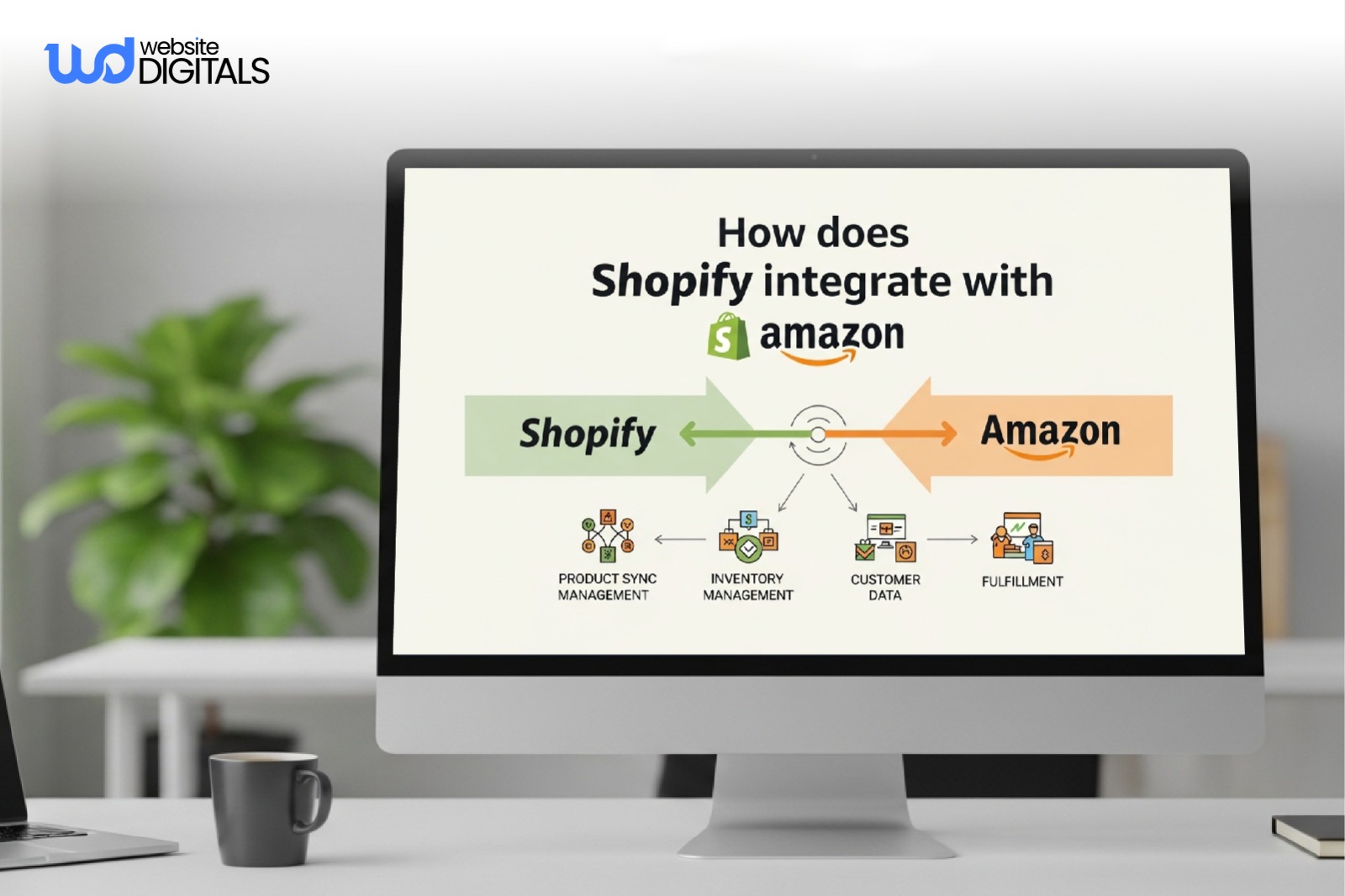
Selling online used to mean setting up a website and waiting for orders.
Now, customers expect you everywhere, and that’s where the big headache begins:
- Syncing products
- Updating inventory
- And keeping orders straight across channels.
Many store owners ask, Does Shopify integrate with Amazon, and, more importantly, does it do so in a way that actually works?
With 73% of customers using two or more channels to research purchases, your business can’t afford to let stock discrepancies or order confusion.
In this blog, you’ll learn how Shopify integrates with Amazon, the available integration options, and the best practices to manage inventory and orders without losing control.
Key Takeaways
|
How Shopify Integrates With Amazon: Available Integration Methods
1. Shopify Amazon Sales Channel (Legacy Native Integration)
Shopify previously offered a built-in Amazon sales channel that allowed merchants to connect their Amazon Marketplace accounts directly inside the Shopify admin.
This made it easy to publish products without relying on third-party tools.
However, this legacy solution was limited by design.
It supported only basic product syncing and lacked robust inventory management and order handling features.
As product catalogs grew or sellers expanded into multiple regions, these limitations became costly.
Best for:
- Existing merchants still operating on legacy setups
- Very low-volume sellers experimenting with Amazon
2. Amazon Integration Through Third-Party Shopify Apps
Today, third-party apps from the Shopify App Store are the most reliable way to connect Shopify with Amazon Seller Central.
These tools act as a bridge, managing data flow between platforms through structured APIs and automation rules.
These integrations are designed to handle large catalogs, frequent inventory changes, and complex fulfillment workflows.
What this supports:
- Automated product listing and product feed management
- Accurate SKU mapping between Shopify and Amazon
- Two-way order synchronization and centralized processing
Why sellers choose this:
By using ecommerce automation software, sellers reduce manual updates and prevent overselling.
When an item sells on Shopify, stock levels update instantly on Amazon, supporting centralized inventory and reliable fulfillment.
3. Manual Product and Inventory Management
Some businesses choose to manage Shopify and Amazon independently, creating listings manually and updating stock levels by hand.
While this avoids monthly app fees, it introduces serious operational risks.
Without channel management software, inventory data quickly becomes outdated, especially during promotions or high-traffic periods.
When this is used:
- Extremely small catalogs
- Occasional Amazon sales
Key drawbacks:
Manual processes lack unified order management and make scaling nearly impossible.
As order volume increases, this approach often leads to stockouts, delayed shipping, and declining seller metrics.
4. Using Amazon FBA With Shopify Integration Apps
Sellers using Amazon FBA can integrate Shopify to route eligible orders directly to Amazon warehouses using supported apps.
This setup enables automated fulfillment while keeping Shopify as the primary storefront.
How it works:
- A customer places an order on Shopify
- The integration sends order data to Amazon
- Amazon handles picking, packing, and shipping
- Inventory updates sync back to Shopify
This setup supports both FBA and FBM (Fulfilled by Merchant) rules, depending on product type.
Ideal for:
- High-volume sellers
- Brands prioritizing fast delivery and operational efficiency
It also enables online retail automation without sacrificing storefront control.
5. Multi-Marketplace Amazon Integration via Shopify
For brands selling internationally, advanced integrations allow management of multiple Amazon regions from a single Shopify backend.
This setup supports region-specific pricing, inventory rules, and global SKU mapping.
As complexity increases, many growing brands adopt Headless E-commerce Shopify to separate the storefront from backend systems, improving performance, flexibility, and long-term scalability across multiple marketplaces.
Key capabilities:
- Region-specific pricing and inventory rules
- Global SKU mapping and catalog control
- Support for cross-platform selling and omnichannel selling
Best for:
Growing brands expanding into global markets.
Businesses exploring advanced architectures often review Headless Shopify Examples to see how custom front-ends can integrate cleanly with Shopify backends while keeping Amazon marketplace operations fully synchronized.
Real World Case Study:
|
Gymshark shows how Shopify and Amazon can work together without losing brand control. As the brand expanded globally, it kept Shopify as its main commerce platform to own customer experience and data, while using Amazon selectively for fulfillment speed and marketplace reach. By treating Amazon as a support channel rather than a replacement storefront, Gymshark scaled efficiently, maintained inventory consistency, and protected long-term customer relationships, proving that successful Shopify–Amazon integration is about balance, not reliance. |
Things to Consider Before Integrating Shopify With Amazon
Before you start the technical process, you must ensure your data is prepared. Does Shopify integrate with Amazon easily? Yes, provided you have handled these four areas:
|
Feature |
Requirement |
|
SKU Mapping |
Your Shopify SKUs must match your Amazon SKUs exactly for the sync to work. |
|
Category Compliance |
You must follow Amazon Seller documentation regarding restricted categories. |
|
Inventory Buffer |
Set your channel management software to show “Out of Stock” on Amazon when you hit five units to prevent overselling. |
|
App Pricing |
Most apps in the Shopify App Store have tiered pricing based on your order volume. |
Ignoring these details often leads to sync failures and listing errors.
Best Practices for a Smooth Shopify–Amazon Integration
-
Start Small to Avoid Costly Errors
Instead of syncing your entire catalog at once, begin with a small set of high-performing or simple products.
This lets you verify pricing, listings, and order synchronization without overwhelming your system.
Early testing helps uncover SKU mismatches, category issues, or fulfillment gaps before they impact revenue.
-
Validate Inventory Sync Before Expanding
Once products are live, place test orders on both Shopify and Amazon and watch how inventory updates across platforms.
This step ensures your centralized inventory logic is accurate and prevents situations where items appear available but cannot be fulfilled.
-
Define Fulfillment Rules From Day One
Clear fulfillment rules are essential.
Products shipped through Amazon FBA should route automatically to Amazon warehouses, while merchant-fulfilled items must follow Shopify’s internal workflow.
Mixing these without structure leads to shipping delays, duplicate fulfillment, and customer dissatisfaction.
-
Review Sync Logs to Stay in Control
Even automated integrations need monitoring, which is why many growing brands choose to work with a Shopify development company that understands marketplace sync, fulfillment logic, and long-term scalability.
Changes in Amazon categories, SKU structures, or API limits can trigger sync errors.
Checking logs weekly and referencing official Shopify and Amazon documentation helps maintain listing health, protect seller ratings, and support long-term store scalability.
Bonus Consideration: Data Ownership
|
Amazon does not share full customer data, while Shopify does. Structuring your integration so Shopify remains the source of truth protects long-term marketing and retention efforts. |
Final Takeaway: Is Shopify–Amazon Integration Worth It?
So, does Shopify integrate with Amazon?
Yes, and when implemented correctly, it becomes a powerful growth lever rather than an operational burden.
The real advantage comes from building an integration that keeps your inventory accurate, orders synchronized, and fulfillment workflows clean as your store scales.
If you want this done right, our experts at Website Digitals work as a dedicated Shopify development Company, helping brands design and build reliable Shopify systems that are built to grow.
To discuss your Shopify development needs or explore affordable web design services focused on performance and conversions, reach out to us at info@websitedigitals.com or contact our team directly at (646)-222-3598 to get started.
FAQs
1 How does Website Digitals help with Shopify–Amazon integration?
Website Digitals designs and implements scalable Shopify systems that sync cleanly with Amazon, focusing on automation, fulfillment accuracy, and long-term growth—not just basic setup.
2 Can Website Digitals support complex or custom Shopify builds?
Yes. Our team handles advanced Shopify development, including custom integrations, performance optimization, and scalable architectures for high-volume stores.
3 Does Shopify integrate with Amazon?
Yes, Shopify integrates with Amazon using third-party apps that connect Shopify with Amazon Seller Central to sync products, inventory, and orders.
4 How does Shopify Amazon integration work?
The integration connects Shopify to Amazon through apps that manage listings, synchronize inventory, route orders, and apply fulfillment rules automatically.
5 Which is better, Shopify vs Amazon selling comparison?
Shopify offers full brand control and customer ownership, while Amazon provides massive reach and fulfillment speed. Many brands use both together for balanced growth.
6 What are the benefits of integrating Shopify with Amazon?
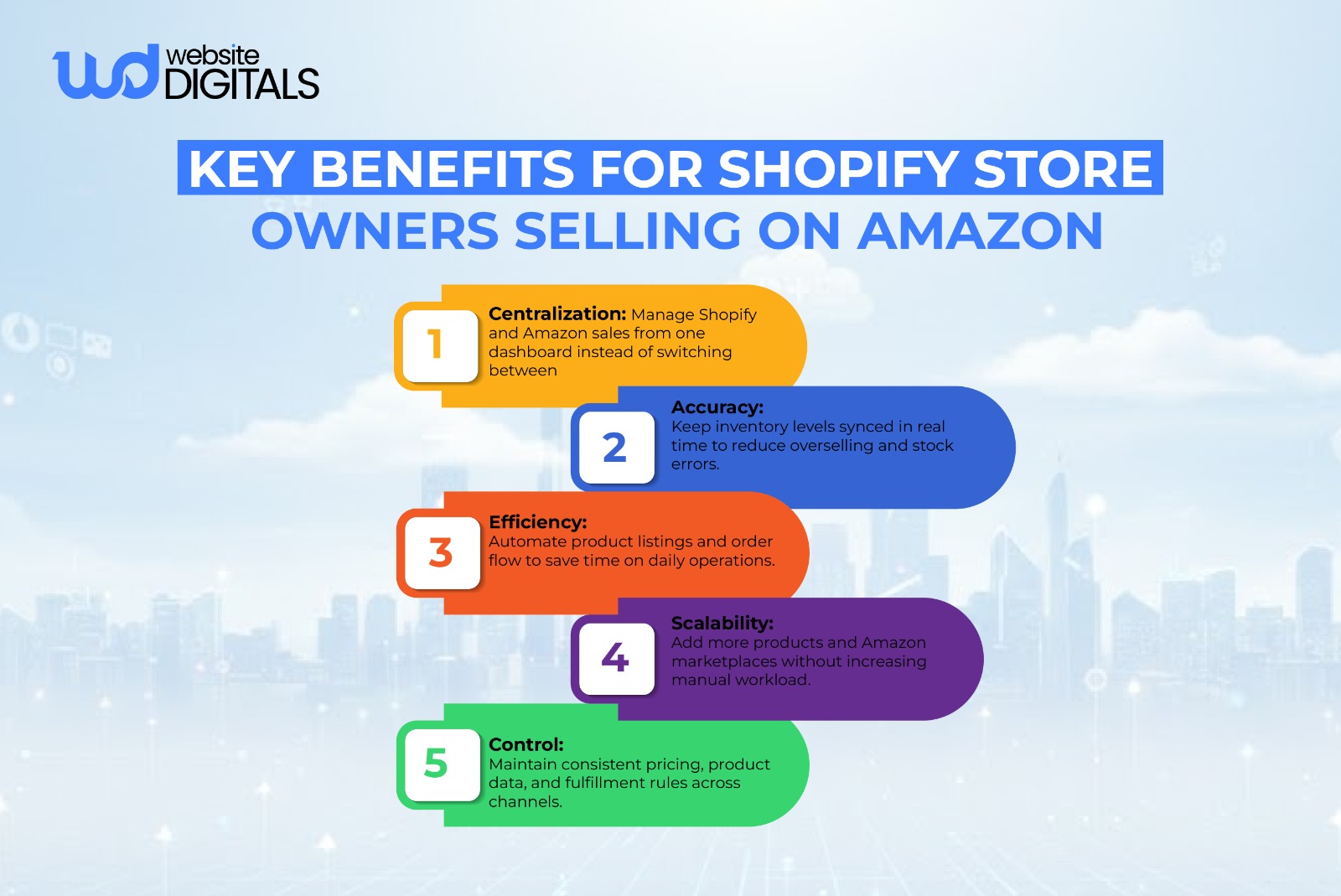
Key benefits include centralized inventory, automated order management, reduced manual work, faster fulfillment options, and access to Amazon’s customer base without losing brand control.