How Does Shopify Integrate With Etsy

If you sell on both Shopify and Etsy, inventory mismatches aren’t just inconvenient; they’re a real operational risk.
An item sells on Etsy while Shopify still shows it in stock.
The outcome is predictable:
- Overselling
- Refunds
- Frustrated customers
- And potential damage to your seller ratings.
This isn’t a growth issue. It’s a systems issue caused by disconnected platforms and manual updates.
This leads many sellers to a simple question: Does Shopify integrate with Etsy in a way that prevents these problems?
Yes. When implemented correctly, Shopify and Etsy can be integrated to sync inventory, orders, and listings in real time, reducing errors and eliminating manual work.
In this blog, we’ll explain how Shopify integrates with Etsy, what data can be synced automatically, and how the right setup supports a scalable multi-channel ecommerce operation.
Key Takeaways
|
How Shopify and Etsy Complement Each Other in Multichannel Sales
Shopify and Etsy serve different roles in ecommerce, which is why many sellers use both together.
Shopify is a complete ecommerce platform that lets you build and manage your own online store, making it a strong choice for businesses looking to combine scalable ecommerce functionality with affordable web design services as they grow.
Etsy is an online marketplace that provides built-in traffic and product discovery but offers limited customization and stricter listing rules.
In a multichannel selling strategy, Shopify acts as the central system while Etsy functions as an additional sales channel.
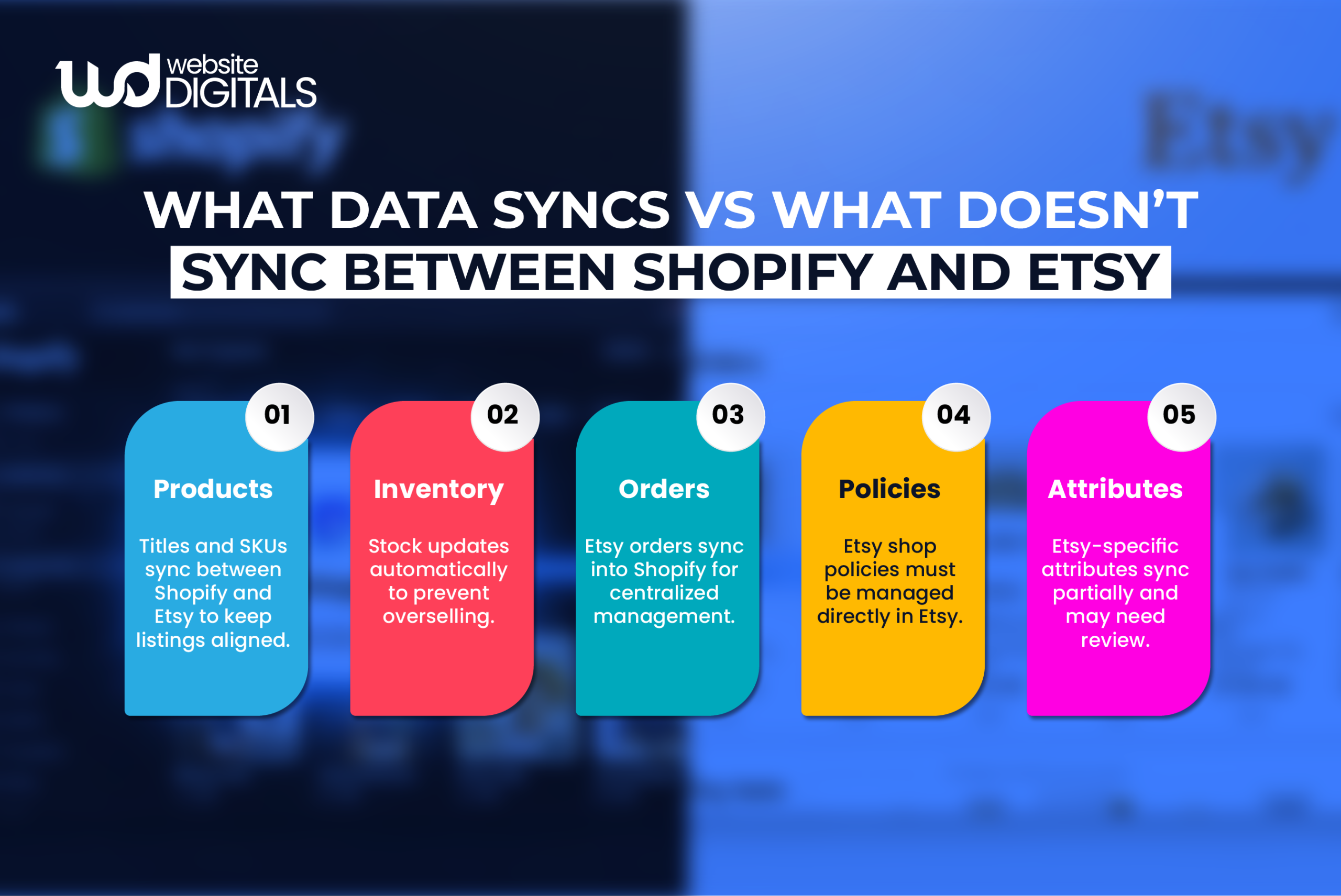
Integrating Shopify with Etsy allows products, inventory, and orders to sync between both platforms, reducing manual work and preventing inventory errors.
This setup supports cross-platform selling by combining Shopify’s control with Etsy’s marketplace reach.
Real-World Scenario
|
A growing brand starts on Etsy and later launches its own store on Shopify after comparing Wix vs Shopify for multichannel selling. As orders increase, managing inventory manually across platforms leads to overselling and refunds. This real-world scenario shows why integrating Shopify and Etsy with centralized inventory control becomes essential as the business scales. |
How to Integrate Shopify With Etsy: Step-by-Step Process
Integrating Shopify with Etsy allows you to manage products, inventory, and orders from one place instead of juggling two separate platforms.
To avoid sync errors and duplicate listings, the integration must be done in the right order.
Below is a practical, step-by-step process that works for most sellers.
1. Prepare Your Product Catalog in Shopify (Do This First)
Before connecting to Etsy, your Shopify store needs to be clean and organized.
Make sure every product includes:
- A unique SKU (this is essential for inventory syncing)
- Correct variants such as size, color, or material
- Accurate stock quantities
- Clear titles, prices, and high-quality images
You should also finalize your shipping profiles and handling times in Shopify so they align with Etsy’s requirements later.
Why this matters:
|
Unclear SKUs or poorly structured variants often cause inventory errors, duplicate listings, and failed order syncing. |
2. Choose a Reliable Shopify–Etsy Integration App
Shopify does not natively sync with Etsy, so a third-party integration app is required.
Choose an app that supports:
- Product listing synchronization
- Real-time inventory syncing
- Automatic Etsy order import into Shopify
- One-way or two-way sync controls (control is important)
Install the app directly from the Shopify App Store.
Rule to follow:
|
If an app cannot reliably sync inventory and import Etsy orders, it is not worth using. |
3. Connect Your Etsy Shop to the App
Once the app is installed:
- Open the app inside Shopify
- Click Connect Etsy
- Log in to Etsy and authorize the required permissions
- Confirm the correct Etsy shop is connected (especially important if you manage more than one)
This establishes a secure connection between both platforms.
4. Set Shopify as the “Source of Truth.”
In the app’s settings, Shopify should control your core data to prevent conflicts.
Configure the following:
- Inventory control: Shopify manages stock levels (recommended)
- SKU mapping: Products are matched using SKUs, not titles
- Price rules (optional): Apply markup if Etsy fees require higher pricing
- Order syncing: Etsy orders automatically appear in Shopify
- Fulfillment behavior: Decide whether tracking updates are sent back to Etsy once orders are fulfilled in Shopify
Goal:
|
One system controls products and inventory, reducing sync issues and manual fixes. |
5. Map Etsy Categories and Attributes
Etsy requires listing-specific information that Shopify does not use by default.
You may need to map:
- Categories
- Attributes (material, occasion, style, etc.)
- Shipping settings
- Production partners (if applicable)
Most integration apps prompt you to complete this before publishing listings.
Tip:
|
If the app allows templates or presets, set them up once to save time on future listings. |
6. Sync Products (Choose One Path Carefully)
You must choose one direction to avoid duplicate listings.
Option A: Push Shopify Products to Etsy (Recommended)
- Select products inside the app
- Export or publish them to Etsy
- Complete Etsy-specific fields like tags and attributes
- Publish listings
This method gives the cleanest control.
Option B: Import Existing Etsy Listings into Shopify
- Import your Etsy listings
- Match them to existing Shopify products using SKUs
- Link listings instead of creating new ones
Important:
|
Do not run both methods at the same time. This is the most common cause of duplicate products. |
7. Test With a Small Product Set
Before syncing your full store, test with 3–5 products.
Run these checks:
- Update inventory in Shopify and confirm that it changes on Etsy
- Adjust pricing (if enabled) and verify accuracy
- Place a test order (or simulate one if supported)
- Confirm the order appears in Shopify with the correct customer and shipping details
If anything breaks at this stage, fix it before moving forward.
Tip
|
If your long-term plan includes custom storefronts or advanced integrations, structuring your store early supports future headless e-commerce Shopify setups, where Shopify manages inventory and orders while frontends scale independently. |
8. Enable Automatic Inventory and Order Sync
Once testing is successful, turn on:
- Automatic inventory syncing
- Automatic Etsy order import
- Automatic tracking updates (optional but helpful)
If available, set the sync frequency based on your order volume.
9. Define Rules for Cancellations, Refunds, and Returns
Decide how exceptions are handled:
- Should Etsy cancellations update Shopify automatically?
- Should the refunded inventory be restored?
- Which platform takes priority if conflicts occur?
Set these rules in the app where possible, or document them clearly for your team.
10. Go Live in Batches, Not All at Once
Avoid syncing your entire catalog in one action.
Instead:
- Start with best-selling products
- Then move to secondary or long-tail items
- Review listings after each batch
This approach makes troubleshooting much easier.
11. Perform Weekly Maintenance Checks
Set aside 10 minutes each week to:
- Review failed sync logs
- Check for SKU conflicts
- Verify variant accuracy
- Ensure tracking updates are syncing correctly
Small checks prevent large issues later.
Final Tip
|
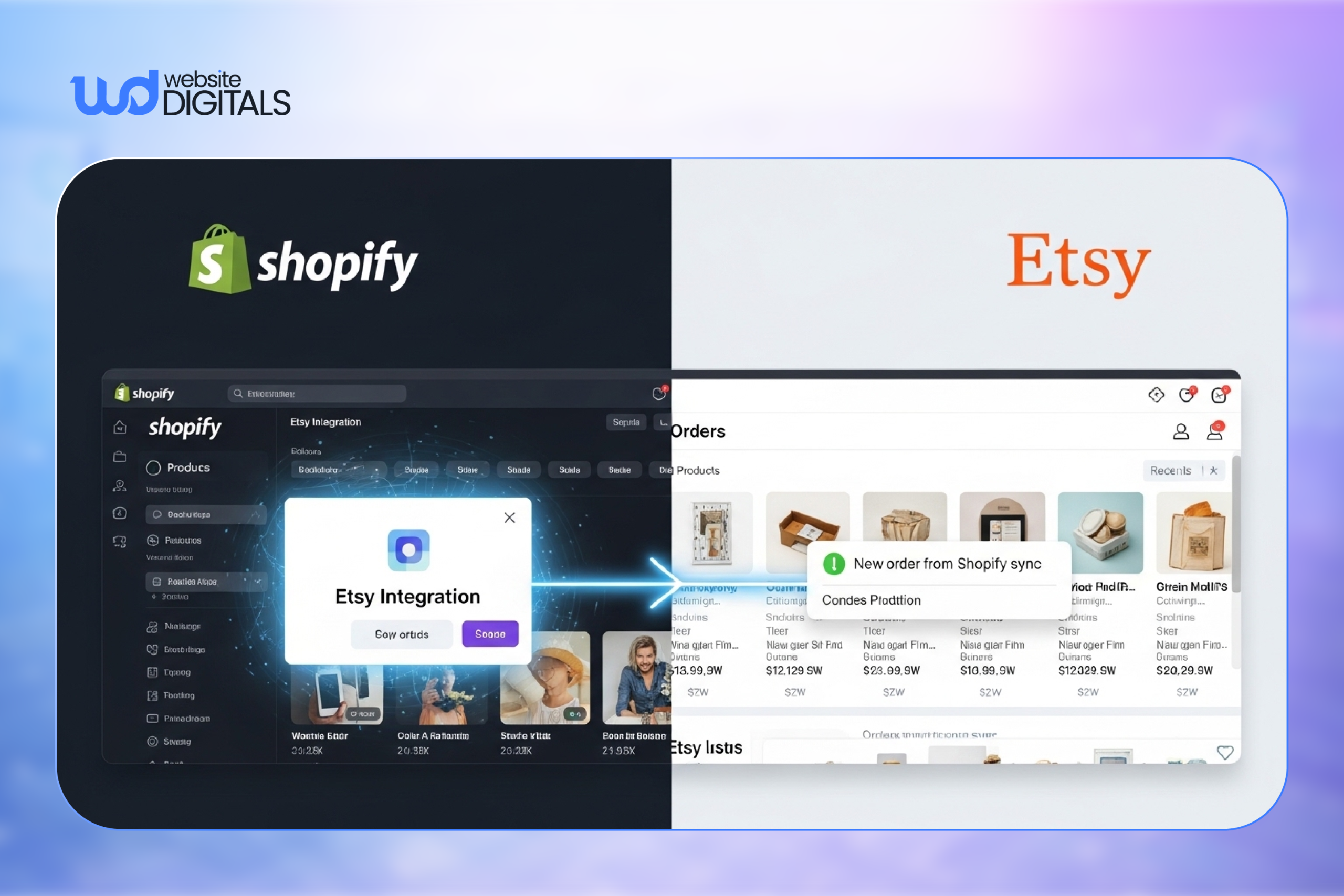
Create and manage products in Shopify, fulfill orders in Shopify, and let the integration push updates to Etsy. This workflow keeps operations stable and scalable. |
Common Myths vs Reality About Shopify–Etsy Integration
|
Myth |
Reality |
|
Shopify integrates natively with Etsy |
Integration requires third-party apps |
|
Two-way sync is always better |
One-way sync is often safer |
|
Integration removes Etsy rules |
Etsy policies still apply |
|
Setup is one-time only |
Ongoing checks are required |
Wrapping It Up!
So when sellers ask Does Shopify integrate with Etsy, the answer is yes, but only when the integration is set up correctly with Shopify as the central system.
A proper setup ensures real-time inventory sync, smoother order management, and a scalable multichannel operation that supports long-term growth.
If you’re planning to scale your store or need a reliable Shopify integration, working with an experienced Shopify development company like Website Digitals can help ensure your setup is stable, scalable, and built for long-term growth.
Reach out to us at info@websitedigitals.com or call at (646)-222-3598 to discuss your Shopify development needs and build a stable, growth-ready ecommerce setup.
FAQs
1 How can Website Digitals help with Shopify–Etsy integration?
Website Digitals provides structured Shopify–Etsy integration services, ensuring clean SKU mapping, accurate inventory syncing, and stable order workflows without data conflicts.
2 Why choose Website Digitals for Shopify–Etsy integration services?
Website Digitals focuses on error-free integration setups tailored to your catalog size and workflow, helping you avoid duplicate listings, sync failures, and operational downtime.
3 Does Shopify integrate with Etsy?
Yes. Shopify integrates with Etsy using third-party apps that sync products, inventory, and orders between both platforms, allowing sellers to manage everything from a single dashboard.
4 How does Shopify–Etsy integration work?
Shopify acts as the central system, while Etsy functions as a sales channel. Integration apps connect both platforms to automatically sync listings, inventory updates, and incoming orders.
5 Can you sell Etsy products on Shopify?
Yes. You can import Etsy products into Shopify or link existing listings using SKUs. This allows you to manage products in Shopify while continuing to sell on Etsy.
6 What are the differences between Shopify and Etsy integration?
Shopify is a full e-commerce platform with complete store control, while Etsy is a marketplace with built-in traffic and listing rules. Integration connects both but does not remove Etsy’s marketplace limitations.
7 What are the limitations of Shopify–Etsy integration?
Limitations include Etsy-specific listing requirements, restricted customization, occasional sync delays, and dependence on third-party apps for automation and data accuracy.