How Does Shopify Integrate With QuickBooks
Ever stared at your Shopify dashboard, wondering why your books don’t match reality at month-end?
You’re not alone!
75% of businesses are still forced to manually juggle ecommerce sales and accounting because of errors and inconsistencies across platforms, costing hours every month.
That’s why so many merchants ask, does Shopify integrate with QuickBooks, and how it can finally silence the chaos in your finances.
Imagine a system where every Shopify sale, refund, tax, and fee flows directly into QuickBooks without copy-paste, giving you real financial clarity and time back to grow.
Curious how this integration works and what it can fix for you?
Let’s unpack it.
Key Takeaways
|
What Shopify–QuickBooks Integration Really Means
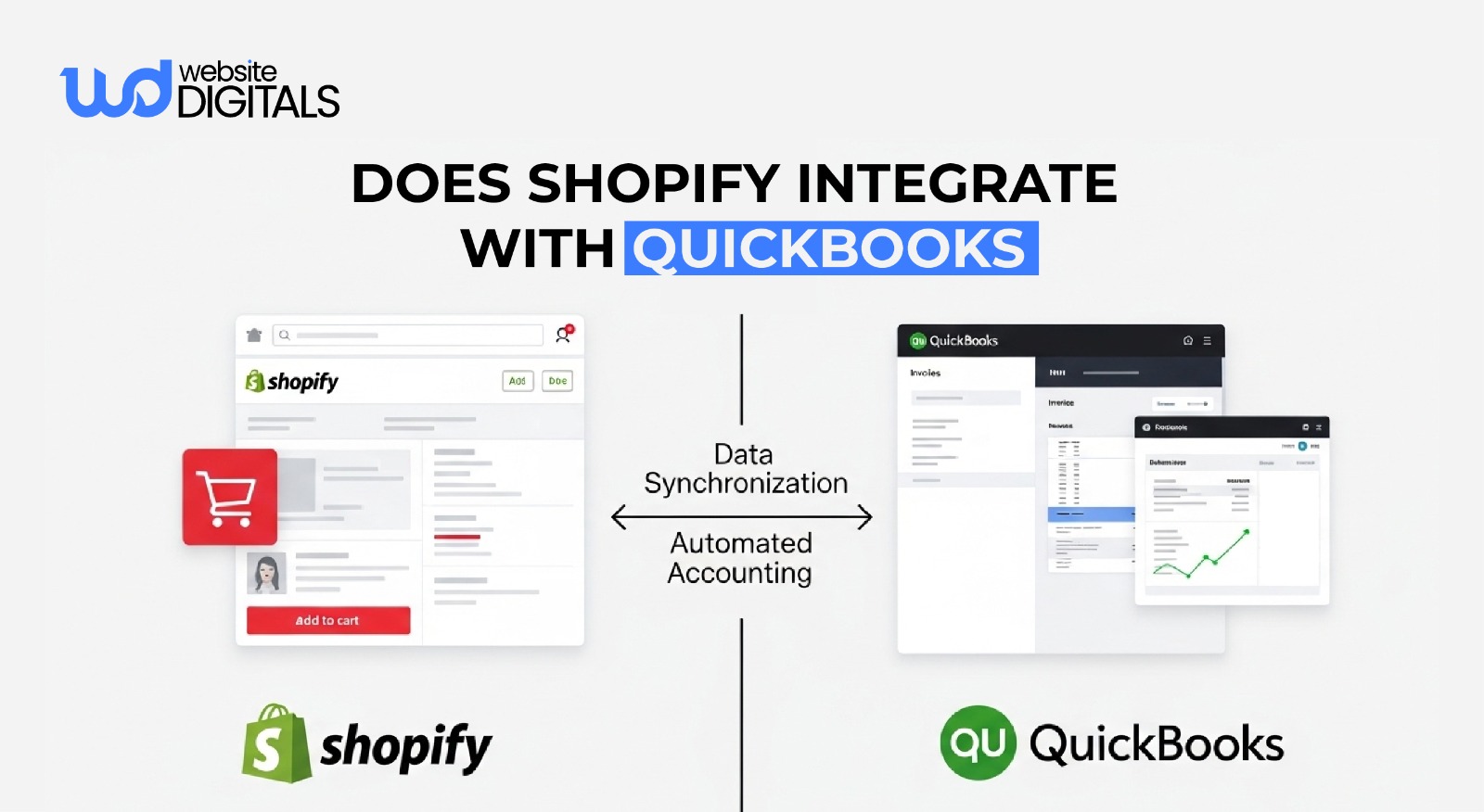
When we talk about integration, we are referring to an API integration that allows two distinct software systems to “talk” to one another.
Shopify is built to manage the “front-end” of your business, your storefront, customer orders, and inventory.
QuickBooks Online is the “back-end”, the source of truth for your financial health.
An effective integration creates a real-time sync where data moves automatically.
This means that when a customer hits “Buy Now,” the transaction details don’t just sit in your Shopify admin; they flow into your books.
Financial Data Synced Between Shopify and QuickBooks
The level of detail you sync depends on your bookkeeping style.
Most professional setups involve syncing several key data points to ensure ecommerce accounting remains accurate.
-
Sales Revenue and Orders
The core of the sync involves orders.
Every time a purchase is made, the system can generate a Sales Receipt or Invoice in QuickBooks.
This includes the gross sales amount, which is vital for calculating your total revenue before any deductions.
-
Fees, Discounts, and Refunds
Many merchants forget that the money hitting their bank account isn’t the same as their gross sales.
A robust integration tracks:
- Fees: Transaction costs from Shopify Payments or third-party gateways.
- Refunds: Returns must be recorded to reduce revenue and adjust inventory.
- Discounts: Coupon codes must be tracked to understand their impact on margins.
-
Taxes and Regional Tax Handling
Handling taxes is perhaps the most critical part of the integration.
Shopify calculates the tax based on the customer’s location, but QuickBooks needs to record that tax in the correct liability account.
A properly configured sync ensures you aren’t paying income tax on money that actually belongs to the government.
-
Payment Gateways and Payouts
One of the most complex parts of bookkeeping for Shopify is matching payouts to specific orders.
Since Shopify often bundles multiple orders into a single payout, your integration needs to handle sales reconciliation by breaking those payouts back down into their original components.
-
Products and Inventory
While many stores manage inventory strictly in Shopify, a bidirectional sync allows your accounting software to update stock levels.
This is particularly useful for businesses that sell across multiple channels and need a unified view of their assets.
Shopify vs. QuickBooks: Understanding Their Accounting Roles
It is a common mistake to think one platform can do the job of the other.
They are complementary, not interchangeable.
|
Feature |
Shopify’s Role |
QuickBooks’ Role |
|
Primary Purpose |
Sales and Customer Experience |
Financial Record Keeping |
|
Inventory |
Real-time stock for web sales |
Asset valuation and COGS |
|
Transactions |
Processing payments |
Categorizing income and expenses |
|
Reporting |
Conversion rates, traffic, AOV |
P&L, Balance Sheet, Cash Flow |
|
Taxes |
Collection at checkout |
Reporting and filing prep |
Shopify tells you how much you sold, while QuickBooks tells you how much you kept.
If you are currently debating Wix vs Shopify for your store, consider that Shopify’s robust API makes it significantly easier to maintain this professional financial separation as you grow.
4 Key Benefits of Integrating Shopify With QuickBooks
The primary reason to pursue this integration is accounting automation.
But the benefits extend far beyond just “saving time.”
-
Reduced Manual Bookkeeping
Manual data entry is not just tedious; it is the birthplace of human error.
A typo in a decimal point or a forgotten refund can lead to weeks of stress during tax season.
Automation ensures that transactions are recorded exactly as they happened, without human intervention.
-
Accurate Profit and Loss Reporting
To run a profitable business, you need to know your true margins.
By syncing fees and shipping costs alongside your revenue, your P&L statement in QuickBooks becomes a living document.
You can see exactly how much you are spending to acquire and ship each order.
-
Faster Month-End Close
Professional ecommerce bookkeeping usually involves a “month-end close,” where you ensure your bank statements match your records.
When your Shopify payouts are automatically matched to bank deposits, this process takes minutes rather than days.
-
Better Cash Flow and Tax Accuracy
By seeing your liabilities (like sales tax and pending refunds) in real-time, you can make better decisions about when to reinvest in inventory or marketing.
You won’t be caught off guard by a large tax bill because the money has already been set aside in your accounting records.
Shopify–QuickBooks Integration by Business Type
Not every store needs the same setup.
Your volume and complexity will dictate your choice of third-party integration tools.
-
Small Shopify Stores
If you are just starting and processing a few orders a day, the native “QuickBooks Connector” by Intuit is often sufficient. It provides a simple way to sync each order as it happens.
At this stage, you might still be exploring Shopify development company options to build your brand, so keeping your overhead low with a free or low-cost connector is wise.
-
Growing Ecommerce Brands
As you scale, syncing every single order can clutter your QuickBooks file.
Growing brands often switch to a “Summary Sync” method.
Instead of 500 individual receipts, the system sends one daily summary that groups all sales, taxes, and fees.
This keeps your books clean and makes sales reconciliation much easier for your accountant.
-
High-Volume or Multi-Channel Sellers
For those managing a headless ecommerce shopify setup or selling on Amazon, Walmart, and Shopify simultaneously, advanced tools like A2X or Snyder are necessary.
These tools act as a sophisticated bridge, ensuring that data from various sources is normalized before it hits your books.
-
Accountants and Bookkeepers
Professional bookkeepers prefer integrations that use “clearing accounts.”
This allows them to track money from the moment the order is placed until the moment it actually hits the bank account, ensuring no penny is lost in transit.
Step-by-Step Guide on How to Integrate Shopify With QuickBooks
Setting up the connection is a straightforward process, but the “mapping” stage requires a professional eye.
If you are looking for Ecommerce development Services, ensuring your tech stack includes a clean accounting bridge is a top priority.
Step 1: Requirements and Setup Considerations
Before you begin, ensure your Shopify tax settings are accurate, and your QuickBooks Chart of Accounts is ready.
You will need:
- An active Shopify store.
- A QuickBooks Online subscription (Essentials or higher is recommended).
- A clear understanding of which bank account receives your payouts.
Step 2: Choosing the Right Integration Method
You have three main paths:
- Direct App: Installing the QuickBooks app from the Shopify App Store.
- Middleware: Using tools like Zapier for custom workflows.
- Professional Accounting Bridges: High-end tools designed specifically for ecommerce accuracy.
Step 3: Verifying Data Accuracy
Never “set it and forget it.”
After the initial sync, you must verify that:
- The total sales in Shopify match the gross income in QuickBooks.
- The taxes collected match the liability recorded.
- The fees deducted by Shopify Payments appear as expenses.
Best Practices for a Clean Shopify–QuickBooks Integration
To get the most out of your accounting software, follow these industry standards used by professional firms.
Mapping Accounts Correctly
This is where most integrations fail.
You must “map” your Shopify data to the correct accounts in QuickBooks.
- Sales $\rightarrow$ Sales Income
- Shipping Paid by Customer $\rightarrow$ Shipping Income
- Shopify Fees $\rightarrow$ Merchant Service Fees (Expense)
- Refunds $\rightarrow$ Returns and Allowances
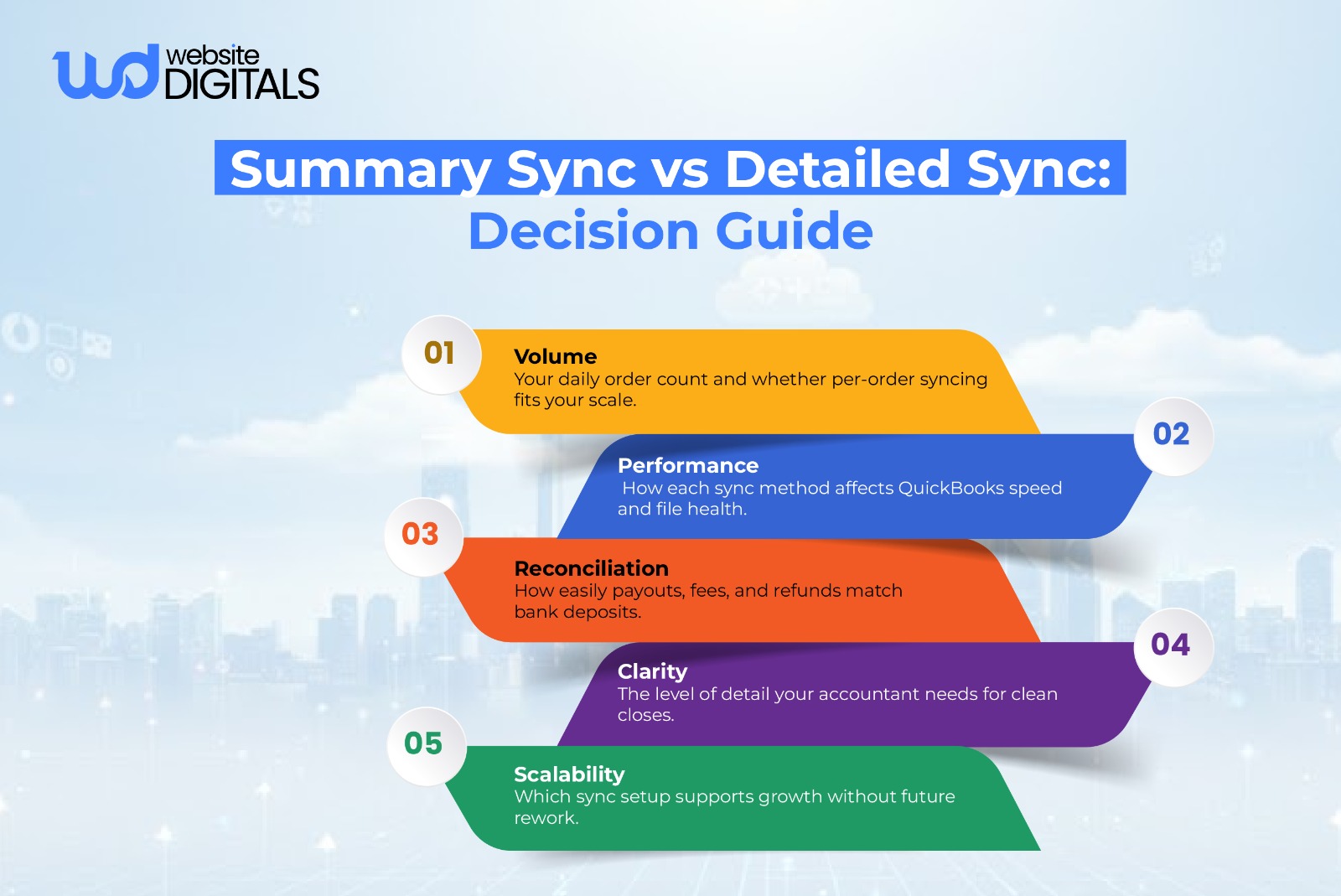
Choosing Summary vs. Detailed Sync
Detailed sync (one entry per order) is great for small stores.
However, if you have high volume, use summary sync.
It prevents your QuickBooks database from slowing down and makes it much easier to find specific discrepancies.
Setting Up Taxes the Right Way
Don’t let your integration create new tax codes in QuickBooks automatically.
Instead, map Shopify’s tax categories to the existing tax agencies you have already set up in your accounting system.
This prevents a messy “Tax Center” in QuickBooks.
Regular Reconciliation and Error Checks
Schedule a weekly check-in.
Look for “failed sync” notifications in your integration app.
Often, an order might fail to sync because of a missing SKU or a customer with a specific character in their name.
Catching these early prevents a massive headache at the end of the year.
Pro Tip: Use a Separate Shopify Clearing Account Per Payment Gateway
|
|
Real-World Reference:
|
A fast-growing Shopify brand using Shopify Payments, PayPal, and Stripe kept hitting reconciliation issues because all payouts were funneled into one clearing account. Fees, refunds, and chargebacks became difficult to trace, turning the month-end close into a recurring headache. After switching to A2X and setting up separate clearing accounts for each payment gateway, the brand gained clear visibility into every payout from checkout to bank deposit. Reconciliation became faster, discrepancies dropped, and month-end close shrank from days to hours, giving the team clean books, accurate margins, and a finance setup ready to scale without friction. |
Common Shopify–QuickBooks Integration Mistakes to Avoid
Even with the best tools, things can go wrong if the strategy is flawed.
1. Importing Historical Data Incorrectly
When you first answer the question does shopify integrate with QuickBooks, you might be tempted to sync all your data from the last three years.
Be careful.
If you have already manually entered some of that data, you will end up with massive duplicates.
Always test a small date range first.
2. Duplicate Sales and Income Records
If you have your bank feed connected to QuickBooks and you are syncing Shopify orders, you might record income twice: once when the order syncs and once when the bank deposit hits.
A proper integration uses a “Clearing Account” to hold the order value until the bank deposit matches against it.
3. Misconfigured Tax Settings
If your integration doesn’t tell how to handle tax-exempt customers or international sales, your tax liability reports will be useless.
Ensure your mapping distinguishes between domestic and international tax requirements.
4. Ignoring Payment Payout Reconciliation
The deposit in your bank is a “net” amount (Sales – Refunds – Fees).
If you only sync the “gross” sales, your bank balance will never match your books.
You must ensure the integration accounts for every deduction taken by the payment processor.
Final Thoughts
Integrating Shopify with QuickBooks is a foundational step for building a scalable ecommerce business. It replaces guesswork with financial clarity by automating sales, payouts, taxes, and transaction tracking.
While knowing does Shopify integrate with QuickBooks is essential, the real value lies in a properly configured setup that keeps your books accurate, transparent, and growth-ready.
If you want to move beyond basic integrations and build a robust Shopify financial system, our experts at Website Digitals are here to help.
Connect with us at info@websitedigitals.com or reach out at (646)-222-3598 to start optimizing your Shopify store for long-term success.
FAQs
1 How does Website Digitals help with Shopify and QuickBooks integration?
Website Digitals provides end-to-end Shopify development services, including secure Shopify–QuickBooks integrations. Our team ensures accurate data mapping, automation setup, and clean accounting workflows tailored to your store’s scale and revenue model.
2 Why choose Website Digitals for Shopify financial automation?
Our experts go beyond basic connectors by configuring Shopify accounting systems that are audit-ready, scalable, and optimized for real-time financial visibility, so your ecommerce operations grow without financial bottlenecks.
3 Does Shopify integrate with QuickBooks Online?
Yes, Shopify integrates with QuickBooks Online through native apps and trusted third-party connectors, allowing merchants to sync sales, fees, taxes, and payouts automatically.
4 How does Shopify connect to QuickBooks?
Shopify connects to QuickBooks using integration apps that securely transfer ecommerce data into your accounting system, reducing manual entry and reconciliation errors.
5 What data syncs between Shopify and QuickBooks?
Typically, orders, sales revenue, taxes, refunds, fees, and payout summaries sync from Shopify to QuickBooks, depending on the integration method and configuration.
6 What are the Shopify vs QuickBooks accounting roles?
Shopify handles sales transactions and ecommerce operations, while QuickBooks manages accounting, reporting, and compliance, together forming a complete financial system for online businesses.