How Does Squarespace Integrate With Quickbooks
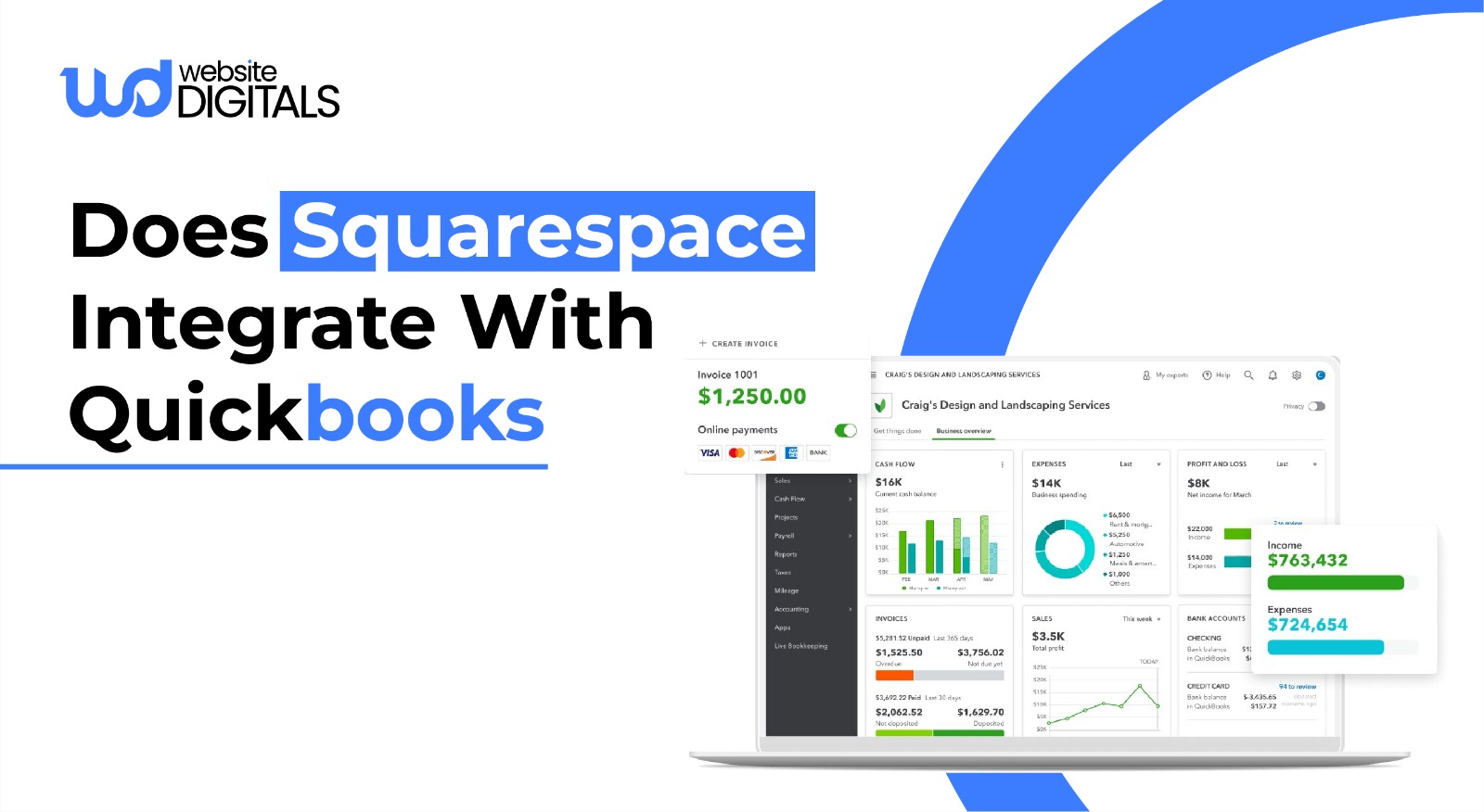
Manually reconciling sales, expenses, and payouts across different systems is exhausting, and it only gets worse as your online store grows.
What starts as minor mismatches quickly turns into delayed reports, unclear cash flow, and constant uncertainty about your numbers.
That pressure is exactly why many business owners ask does squarespace integrate with quickbooks before small gaps spiral into costly mistakes.
According to research, poor cash-flow visibility is responsible for 82% of small business failures.
As Warren Buffett wisely said,
“Accounting is the language of business”.
When your tools don’t communicate, that language breaks down, and so does clarity.
In this blog, we’ll explore how Squarespace and QuickBooks work together and what it means for your business.
Key Takeaways
|
Does Squarespace Integrate With QuickBooks?
Yes! Squarespace integrates with QuickBooks Online through a native extension, and it also supports third-party integration tools for more advanced needs.
This connection allows sales data, refunds, discounts, and taxes to sync automatically between your Squarespace store and QuickBooks.
At a technical level, the integration uses API-based data syncing to pull order information from Squarespace and record it directly in your QuickBooks ledger.
This eliminates manual data entry, reduces accounting errors, and keeps your financial records up to date in real time.
Instead of reconciling transactions manually each week, your bookkeeping runs automatically in the background, freeing you to focus on running and scaling your business.
Why Squarespace Users Need QuickBooks Integration
For many entrepreneurs, small business accounting starts with simple tracking.
However, as your business matures, you need more than just a list of sales.
You need a comprehensive view of your business finance tools.
-
Eliminating Manual Entry
Manual data entry is the enemy of accuracy.
By implementing data synchronization, you ensure that the numbers in your bank account match the numbers in your books.
This is particularly important for ecommerce bookkeeping, where hundreds of small transactions can lead to significant discrepancies if even one or two are missed.
-
Real-Time Financial Visibility
Waiting until the end of the month to see your profit margins is a recipe for trouble.
Integration provides immediate revenue reporting, allowing you to make informed decisions about inventory, marketing spend, and hiring.
-
Improving Tax Compliance
Navigating sales tax across different states is one of the biggest challenges in ecommerce accounting.
An automated link between your store and your accounting software ensures that tax collected at checkout is categorized correctly for tax compliance (US), making your year-end filings much smoother.
Real-World Example
|
Imagine a US-based ecommerce store built on Squarespace selling both digital and physical products. Early on, sales are tracked manually through CSV exports and bank statements. As orders increase, Stripe fees, PayPal payouts, refunds, and multi-state sales tax quickly pile up, turning monthly reconciliation into a time-consuming task and clouding cash flow visibility. After integrating Squarespace with QuickBooks Online through API automation, every order, fee, refund, and tax syncs automatically. Payouts reconcile cleanly, reports update in real time, and tax season becomes manageable, freeing the owner to focus on growth instead of spreadsheets. |

How Squarespace Integrates With QuickBooks
Integrating Squarespace with QuickBooks isn’t just about turning on a connection; it’s about setting it up correctly so your financial data stays accurate, organized, and reliable as your business grows.
Here’s how the process works step by step.
-
Choosing the Right Integration Tool
Squarespace connects with QuickBooks Online either through its native extension or via third-party integration tools.
The right choice depends on your business complexity.
Native integrations are ideal for simple stores, while third-party tools offer greater control over tax mapping, payout reconciliation, and multi-payment handling.
Before choosing, consider transaction volume, payment gateways, and reporting needs.
Bonus: When to Use Third-Party Tools Instead of Native Integration
|
While Squarespace’s native QuickBooks extension works well for simple stores, third-party tools like Zapier or OneSaaS are better suited when you need custom automation workflows. These tools are ideal if you manage multiple stores, sell subscriptions, handle complex tax rules, or require granular control over invoices, expenses, and reconciliation. Choosing the right approach early prevents rework and reporting issues later. |
-
Connecting Your Squarespace Store
Once you’ve selected an integration tool, the first step is authorizing access to your Squarespace account.
This allows the integration to securely read order, product, and customer data.
The process typically involves logging into Squarespace and granting API permissions so order data can flow automatically.
-
Linking Your QuickBooks Account
Next, you’ll connect your QuickBooks Online account.
This step ensures the integration knows where to record income, fees, taxes, and payouts.
You’ll usually be asked to choose default accounts for sales, processing fees, refunds, and tax liabilities to keep your books properly categorized.
-
Matching Orders and Customer Data
To avoid duplicate records, the integration matches Squarespace customers and orders with existing entries in QuickBooks.
You can decide whether to create new customers for each order or group transactions under a single customer record.
Proper matching keeps reports clean and prevents clutter in your accounting system.
-
Syncing Sales and Payment Details
Once connected, the integration automatically syncs completed orders from Squarespace into QuickBooks.
Each transaction includes line items, totals, payment method details, and order IDs.
This ensures every sale is recorded accurately without manual entry.
-
Handling Stripe and PayPal Payments
Most Squarespace stores use Stripe or PayPal, and integrations are designed to handle both.
Instead of recording gross sales only, the system separates processing fees from revenue, giving you a clearer picture of net income.
This step is crucial for accurate profit reporting.
-
Managing Taxes, Discounts, and Refunds
Taxes, discounts, and refunds are synced alongside each transaction.
The integration maps tax rates correctly and records discounts as deductions rather than lost revenue.
Refunds are logged as negative transactions, keeping your income and tax reporting accurate.
-
Reconciling Payouts in QuickBooks
Rather than tracking individual transactions manually, payouts from Stripe or PayPal are reconciled as lump-sum deposits.
The integration matches payouts to corresponding sales and fees, making bank reconciliation faster and significantly reducing discrepancies.
-
Testing Everything Before Going Live
Before relying on the integration fully, it’s essential to test transactions.
Review how sales, fees, taxes, and refunds appear in QuickBooks to ensure everything is mapped correctly.
Catching errors early prevents long-term reporting issues.
-
Keeping the Integration Running Smoothly
Once live, ongoing maintenance is minimal, but not optional.
Periodically review sync logs, monitor failed transactions, and update permissions if you change payment settings or tax rules.
Regular checks ensure your integration continues to run smoothly as your business evolves.
What Data Syncs Between Squarespace and QuickBooks
To fully understand the value, you need to know exactly what information moves between the platforms.
1. Orders and Sales Totals
Every time an order is marked as “paid” in Squarespace, the order data is pushed to QuickBooks. You can choose whether these appear as Sales Receipts or Invoices.
2. Customer Data Synchronization
Names, email addresses, and shipping details are moved over, helping you maintain a clean database for small business accounting.
3. Discounts, Refunds, and Adjustments
Returns are a reality of ecommerce.
Your integration must handle refunds by creating credit memos in QuickBooks, ensuring your revenue reporting reflects the actual net income.
4. Sales Tax
The integration should map the tax collected in Squarespace to the correct tax agency accounts in QuickBooks.
This is vital for maintaining tax compliance (US).
Common Mistakes When Integrating Squarespace With QuickBooks
Even with the best tools, errors can occur if the initial setup is flawed.
-
Syncing Gross Sales Only
As mentioned earlier, failing to account for payment processing fees is a major pitfall.
Always ensure your automation workflows include a line item for expenses related to payment gateways (Stripe, PayPal).
-
Ignoring Payout Reconciliation
Don’t assume that because data is syncing, it is correct. Regular reconciliation is necessary to catch duplicates or missed transactions.
Many business owners find that an expert Squarespace Development company can help set up these “checks and balances” systems.
-
Incorrect Tax Setup
If your tax categories in Squarespace don’t match your Chart of Accounts in QuickBooks, you will end up with a mess at the end of the year.
Take the time to map these carefully during the data synchronization setup.
-
Over-Automation Without Validation
It is tempting to trust the software completely.
However, online store finances require human oversight.
Set a schedule to review your financial reporting once a month to ensure the integration is performing as expected.
Signs You’ve Outgrown Manual Squarespace Bookkeeping
|
Symptom |
Business Impact |
Root Cause |
Recommended Action |
|
Frequent mismatched totals |
Loss of trust in financial reports |
Manual data entry across systems |
Automate data synchronization with QuickBooks |
|
Delayed monthly reporting |
Slow or reactive business decisions |
End-of-month reconciliation workload |
Enable real-time transaction syncing |
|
Confusion around payouts |
Difficulty tracking actual cash flow |
Stripe/PayPal fees are not separated |
Set up proper payout reconciliation |
|
Tax filing stress |
Risk of penalties or overpayment |
Incorrect or inconsistent tax mapping |
Implement automated tax categorization |
Is Squarespace a Good Website Builder for Accounting?
When businesses ask, is-squarespace-a-good-website-builder, they are often evaluating it against competitors like Shopify or WooCommerce.
From a financial perspective, Squarespace is excellent because its closed ecosystem makes for very stable API integration.
When thinking about long-term scalability, accounting automation works best when paired with a well-structured site.
Knowing How to Design a Squarespace Website goes beyond visuals, it impacts checkout flow, product organization, tax logic, and payment processing.
A clean site structure ensures order data, customer details, and transaction records flow smoothly into your accounting system. When your store is designed with growth and automation in mind, financial integrations like QuickBooks perform more reliably and require fewer manual fixes over time.
Unlike open-source platforms that may break with a plugin update, Squarespace’s extensions are vetted and maintained.
Furthermore, when you consider the question, Is Squarespace Good for SEO, it becomes clear that the platform is built for growth.
A site that ranks well will generate more sales, making the need for accounting automation even more pressing.
Step-by-Step: How to Connect Squarespace to QuickBooks
If you are ready to start, follow this high-level checklist to ensure a smooth transition.
1. Pre-Setup Checklist
- Ensure your QuickBooks Chart of Accounts is ready.
- Check that your Squarespace store has at least one test order.
- Have your merchant accounts’ login info (Stripe/PayPal) handy.
2. Choosing the Right Integration Tool
Navigate to the Squarespace Extensions marketplace.
Search for “QuickBooks” and select the official connector.
If you have unique needs, consider using Zapier for a more tailored third-party integration.
3. Mapping Your Accounts
This is the most critical step. You will need to tell the software:
- Which account to record sales in (usually “Sales” or “Store Income”).
- Which account to record sales tax in?
- Which account to record payment processing fees in?
4. Testing and Validation
Run a few test transactions.
Check your QuickBooks “App Transactions” tab to see how the order data appears.
Does the total match? Is the customer’s name correct?
5. Ongoing Monitoring
Bookkeeping is not a one-time event.
Use your financial reporting tools within QuickBooks to monitor your cash flow management and ensure the data remains clean.
Wrapping It Up
Integrating Squarespace with QuickBooks helps eliminate manual bookkeeping, improve accuracy, and create financial clarity through automation.
When business owners ask does squarespace integrate with quickbooks, they’re really looking for a scalable way to manage growth without accounting chaos.
With the right setup, covering data sync, Stripe and PayPal payments, and US tax compliance, you gain time to focus on marketing, products, and customer experience.
If technical integrations feel overwhelming, our experts at Website Digitals can help.
From advanced Squarespace development to full store optimization, we ensure your finances run seamlessly.
Get in touch at info@websitedigitals.com or call (646)-222-3598 to move forward with confidence.
FAQs
1 How can Website Digitals help with Squarespace and QuickBooks integration?
Website Digitals helps businesses set up, customize, and optimize Squarespace–QuickBooks integrations to ensure accurate data syncing, proper tax handling, and clean financial reporting, without technical headaches.
2 Does Website Digitals offer ongoing Squarespace accounting support?
Yes, Website Digitals provides ongoing support for Squarespace development and accounting workflows, including integration monitoring, troubleshooting sync issues, and optimizing automation as your store scales.
3 Does Squarespace integrate with QuickBooks?
Yes, Squarespace integrates with QuickBooks Online through a native extension and supports third-party tools. This allows sales, refunds, discounts, and taxes to sync automatically, reducing manual bookkeeping and improving financial accuracy.
4 Can you connect Squarespace to QuickBooks Online?
You can connect Squarespace to QuickBooks Online by authorizing both accounts through an integration tool. Once connected, order data flows from your Squarespace store into QuickBooks, keeping your financial records up to date in real time.
5 How does Squarespace accounting work?
Squarespace accounting works by exporting or syncing order data to an accounting platform like QuickBooks. Sales, fees, taxes, and refunds are recorded automatically, while payment processors such as Stripe or PayPal handle payouts that can be reconciled inside QuickBooks.
6 What are the available Squarespace bookkeeping options?
Squarespace bookkeeping options include native QuickBooks integration, third-party automation tools, or manual CSV exports. For most growing businesses, automated integrations offer the best balance of accuracy, efficiency, and scalability.