Frontend for Headless CMS Optimization Techniques for High Performance
If your team adopted a headless CMS for multi-channel delivery yet faces sluggish pages and rising drop-offs, you’re not alone.
The frontend for headless CMS often hides performance killers, API chaining, bulky JavaScript, and image overload.
Research shows that, when page load time increases from one to three seconds, the probability of a bounce rises 32%.
For frontend teams and full-stack developers, the goal is clear: deliver speed, reliability, and seamless experiences.
In this blog, we’ll identify the hidden bottlenecks slowing your headless frontend and lay out actionable optimisation tactics so you can convert your decoupled CMS build into a high-performance asset.
Key Takeaways
|
The Hidden Factors Slowing Your Headless Frontend
1. Inefficient Data Fetching from APIs
Poorly structured API-first content delivery increases latency.
Minimize requests using GraphQL API or REST API batching.
Cache frequently accessed content at the edge, and align content modelling with frontend needs for predictable performance.
2. Rendering Delays
Heavy reliance on client-side rendering causes delays.
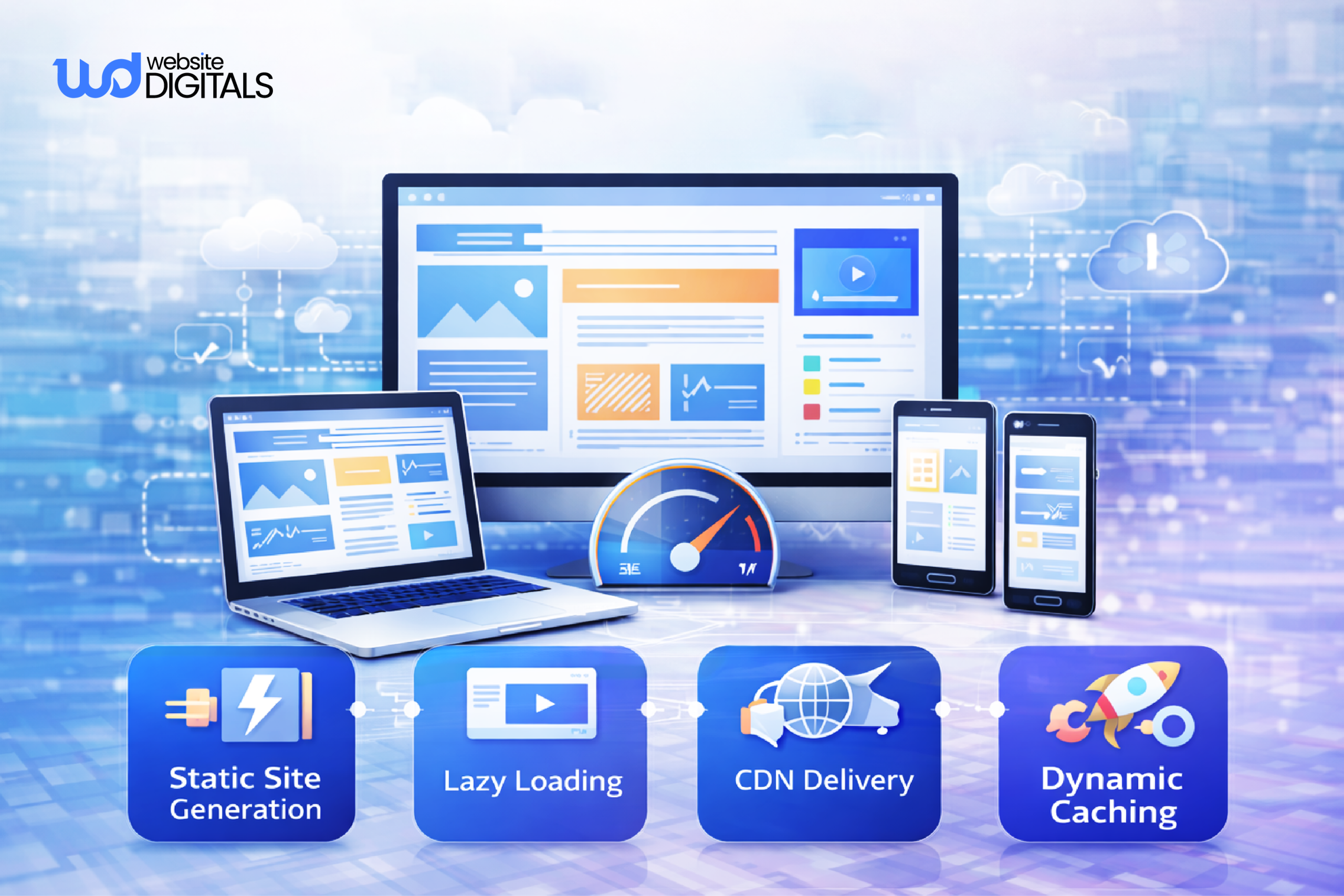
Shift logic to the server with static site generation (SSG), server-side rendering (SSR), or incremental static regeneration (ISR).
These methods improve time-to-first-byte and SEO rankings.
3. Unoptimized Media
Images are often the largest payload.
Use responsive formats (WebP, AVIF) and serve them via a content delivery network (CDN).
Automate asset optimisation and enable lazy loading to boost Core Web Vitals like LCP and CLS.
Real World Case Study:
|
Smashing Magazine transformed its entire digital experience by migrating from WordPress to a headless CMS powered by a JAMstack architecture, achieving pages that load up to 10x faster with improved uptime and flexibility. The new setup enables effortless updates, easier customization, and a smoother, more reliable experience for readers worldwide. |
4. Weak Caching
Missing or short cache policies create unnecessary reloads.
Apply stale-while-revalidate (SWR) to deliver cached content instantly while fetching updates.
Combine browser, edge, and CDN caching for consistent speed.
5. Heavy JS and CSS
Large bundles increase load time. Use code-splitting and lazy loading to ship only what’s needed.
Monitor JavaScript bundle size, purge unused CSS, and compress builds in your pipeline.
6. Poor CMS Integration
Loose connections between the CMS and frontend slow delivery.
Whether using a Drupal CMS development firm or another platform, ensure consistent APIs and schema alignment across your enterprise content management system (ECMS).
Headless CMS vs Monolithic CMS (Performance Perspective)
|
Criteria |
Headless CMS |
Monolithic CMS |
|
Content Delivery |
API-first, decoupled |
Coupled with backend |
|
Frontend Flexibility |
High |
Limited |
|
Performance Scaling |
Faster via CDN and SSG |
Slower under load |
|
Deployment |
Modular |
All-in-one |
|
Customization |
Full control via APIs |
Restricted by CMS core |
Frontend Optimization Tactics That Deliver Results
-
Use Pre-Rendering (SSG/ISR)
Serve pages pre-built at deploy time to reduce server processing.
Static Site Generation (SSG) and Incremental Static Regeneration (ISR) in frameworks like Next.js or Gatsby deliver near-instant loads, stronger SEO, and improved Core Web Vitals.
Perfect for headless CMS builds handling frequent updates.
2. Optimize APIs and Payloads
Cut network delays by minimizing API calls.
Use GraphQL API or streamlined REST API requests to fetch only needed fields.
Compress JSON payloads, add caching headers, and monitor response times to maintain faster API-first content delivery.
3. Improve Asset and Image Delivery
Images and scripts often dominate page weight.
Serve responsive images via a content delivery network (CDN), using formats like WebP or AVIF.
Apply asset optimisation, lazy loading, and cache busting to reduce load times and stabilize Core Web Vitals.
4. Apply Smart Caching (SWR)
Adopt stale-while-revalidate (SWR) to show cached data instantly while fetching updates in the background.
Use layered caching, browser, CDN, and API, to cut latency and improve reliability for enterprise content management system (ECMS) setups.
5. Reduce Build Weight
Smaller builds mean faster pages.
Audit JavaScript bundle size, remove unused code, and use code-splitting and lazy loading for non-critical scripts.
Trim unused CSS and limit third-party scripts to boost front-end optimisation and interaction speed.
Pro Tip:
|
Set a performance budget during development to keep page weight, script size, and API response times under control. Tools like Lighthouse CI or Calibre can alert your team when metrics such as JavaScript bundle size, LCP, or TTI exceed defined limits. |
6. Track and Maintain Core Metrics
Run Lighthouse or RUM tests to measure web development performance metrics like LCP, CLS, and FID.
Integrate automated audits in CI/CD pipelines to catch slowdowns before deployment.
Things to Consider:
|
Synthetic lab testing is helpful, but real user monitoring (RUM) provides a truer reflection of performance. Use tools like New Relic, Datadog, or Google Analytics 4 to collect actual user data on interaction delays, region-based load times, and Core Web Vitals. |
Wrap Up – Build a Faster Frontend with a Headless CMS
Optimizing the frontend for headless CMS is key to delivering fast, scalable, and user-friendly web applications.
Selecting the right framework, using static site generation, optimizing JavaScript, CSS, and API requests, and leveraging a Content Delivery Network (CDN) ensure consistent performance.
If you’re planning your next CMS development project, our experts at Website Digitals can help you build a high-performance, optimized frontend for your headless CMS. Reach us at info@websitedigitals.com or call (646)-222-3598 to get started.
FAQs
How does Website Digitals help improve headless CMS performance?
At Website Digitals, we specialize in optimizing the frontend for headless CMS using pre-rendering, caching, and API tuning. Our development team ensures your CMS architecture delivers superior speed, scalability, and user experience.
Why choose Website Digitals for CMS development projects?
Website Digitals offers end-to-end CMS development services, from frontend optimization to API integration. Our experts build high-performing, scalable digital experiences tailored to your business goals using leading headless CMS technologies.
What is the frontend for headless CMS architecture?
The frontend for headless CMS architecture is the presentation layer that consumes content from APIs and displays it to users. It operates independently from the CMS backend, allowing developers to use modern frameworks for better speed, flexibility, and performance.
How does a headless CMS frontend differ from a monolithic CMS?
A headless CMS frontend is decoupled from the backend, enabling faster rendering and flexible integration through APIs. In contrast, a monolithic CMS ties the frontend and backend together, limiting scalability and customization.
What are the best front-end frameworks for headless CMS websites in the US?
Some of the best front-end frameworks for headless CMS websites in the US include Next.js, Gatsby, and Nuxt.js. These frameworks support static site generation, server-side rendering, and API integration, ideal for building fast, scalable digital experiences.
Why use a decoupled CMS for web development?
A decoupled CMS separates content management from presentation, giving developers full control over design, frameworks, and user experience. This flexibility enhances performance, simplifies updates, and ensures faster delivery in modern web development.