How to Design a Squarespace Website with High-End UI and Brand Cohesion

Type how to design a Squarespace website into Google, and you’ll see endless guides on colours and layouts, but almost nothing about user behaviour.
That’s the missing piece.
Many Squarespace sites look stunning, yet they don’t perform. You polish every detail, but users still bounce before engaging.
According to Forrester Research, websites with strong user experience (UX) perform up to 400% better than those that don’t. The challenge isn’t building a visually on-brand site; it’s designing one that actually drives results.
As Alina Wheeler said,
“Design is intelligence made visible.”
That intelligence must shape every detail, from layout and navigation menu structure to image optimization.
In this blog, we’ll explore how to craft a high-end UI, maintain brand cohesion across every block and setting, and build a Squarespace website that both impresses clients and engages users.
Key Takeaways
|
Why Most Squarespace Websites Look Good but Fail to Perform
Many designers assume that an attractive layout automatically leads to conversions. Unfortunately, that’s rarely the case.
A site can look impressive but still fail if users can’t find what they need or if the interface feels disconnected from the brand.
Common mistakes include:
- Overusing Squarespace templates without sufficient customization.
- Inconsistent color palette and typography choices.
- Weak call-to-action (CTA) placement or unclear navigation.
- Ignoring website performance and mobile responsiveness.
Even visually appealing sites often miss out on conversions because they lack structure and intent.
Great design isn’t only about aesthetics; it’s how design supports a user’s decision-making journey.
When layout, hierarchy, and branding aren’t synchronized, the experience feels fragmented, and potential leads simply drop off.
Understanding the Real Challenge: Balancing Aesthetics, Usability, and Brand
A user-centric website builder like Squarespace gives you all the technical tools, but maintaining brand cohesion across multiple elements, colors, tone, and messaging requires deliberate design strategy.
A cohesive Squarespace design achieves three things:
- Every element feels consistent with the brand’s personality.
- Navigation is effortless and logical.
- Each interaction supports the brand’s conversion goals.
When design, usability, and branding come together, users feel both visually impressed and functionally supported.
Squarespace vs. Other Website Builders
|
Platform |
Key Highlights |
|
Squarespace |
Intuitive drag-and-drop editor, elegant templates, built-in SEO optimization, ideal for designers and small businesses. |
|
WordPress |
Highly flexible with plugins and themes, requires technical setup, excellent SEO tools, and is best for developers. |
|
Wix |
Beginner-friendly website builder, quick setup, moderate design control, good for freelancers and startups. |
|
Webflow |
Advanced design flexibility and animations, steeper learning curve, manual SEO setup, ideal for design professionals. |
|
Shopify |
E-commerce focused, smooth backend, limited design options, best for online stores and retailers. |
What Makes a High-End UI in Squarespace Design
High-end UI design is the difference between a standard site and one that feels tailor-made.
In Squarespace, that starts with precision and restraint.
-
Visual hierarchy and clarity
Use headings, contrast, and spacing to guide the user’s eye naturally toward important elements.
A clean hierarchy helps users process information faster.
-
Leveraging Squarespace’s Fluid Engine for flexibility
The Fluid Engine allows you to fine-tune layouts with drag-and-drop precision.
Experiment with custom grids, overlapping elements, and varied image ratios to create modern, dynamic pages, while ensuring they remain responsive design-ready across devices.
Note:
|
When customizing your design, avoid overusing custom code like custom CSS unless necessary. Simplicity maintains website performance and ensures easy future edits. |
-
Using animations intentionally
Animations should support storytelling, not distract.
Simple hover effects, transitions, and image fades can enhance interaction but must remain aligned with the overall user experience (UX).
Attention to micro-details such as spacing, rhythm, and visual hierarchy distinguishes a high-end Squarespace build from a template-driven site.
Translating Brand Identity into a Unified Squarespace Experience
A well-designed site visually extends the brand’s identity into the digital space. Without that link, the website feels generic.
-
Applying brand guidelines — color, type, tone
Start by anchoring every design choice to your client’s brand style guide.
Use a consistent typography system and a harmonious color palette that reinforces their identity. Consistency is credibility.
-
Choosing imagery that matches your message
Use imagery that reflects the audience’s aspirations and aligns with the tone of the brand.
Optimize files for image optimization and page speed to maintain smooth website performance.
-
Ensuring consistency across pages and devices
Review every section, from homepage to footer, for uniformity in spacing, CTA buttons, and tone.
This creates trust and a seamless brand experience that visitors remember.
When a brand’s offline identity mirrors its online presence, users instantly connect emotionally, one of the strongest drivers of conversion.
Note:
|
A conversion-optimized Squarespace mobile-friendly website design ensures that actions are easy to take on any device, whether booking, purchasing, or subscribing. |
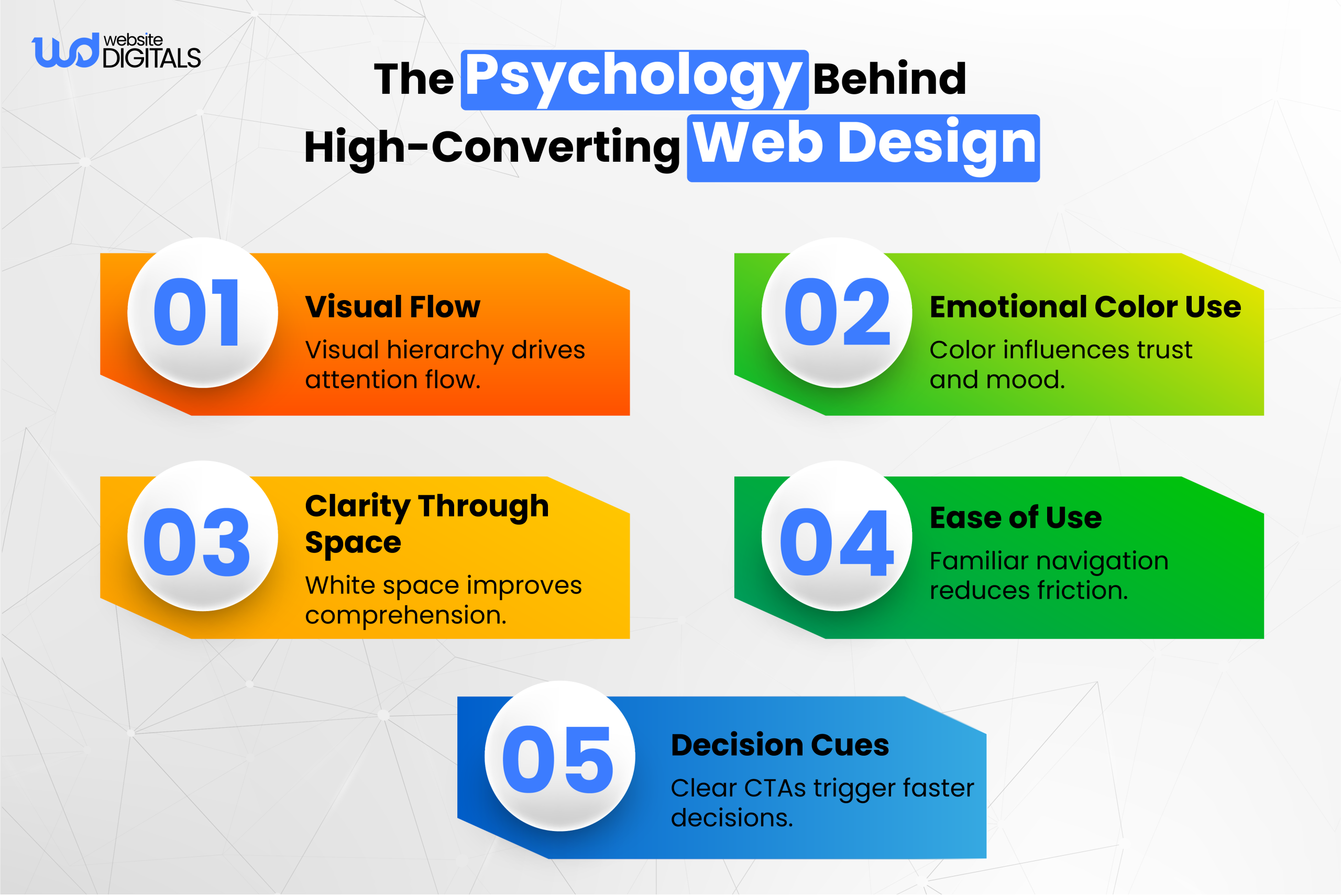
Designing for People: The Core of Conversion-Focused Squarespace UI
Even the best designs fail without user empathy.
Your website should serve visitors’ needs first, not just look good in a portfolio.
-
Understanding user intent and behavior
Identify who’s using the site and what they’re trying to accomplish.
For Example:
|
A fitness studio looking for Squarespace development for fitness studios, will prioritize scheduling or class booking, not heavy visuals. |
Plan the navigation menu based on user journeys, not internal hierarchies.
Keep the main structure intuitive: About, Services, Work, Contact. Use content blocks to create sections that naturally guide visitors to key pages.
-
Strategically placing CTAs
CTAs are conversion drivers.
Place them where decision points occur, after testimonials, in service summaries, or alongside high-value visuals.
Use contrasting colors and short, action-oriented phrases.
Real-World Case Study
|
Tinker Coffee Co. undertook a website redesign focusing on brand clarity and improved user experience. |
Step-by-Step Framework for Designing a Cohesive Squarespace Website
Bringing everything together requires a process that connects branding, structure, and usability.
Here’s a framework used by professionals to create cohesive, high-performing Squarespace sites.
Step 1: Define brand mood and website goals
Start by identifying what emotion the brand should evoke: trust, creativity, or sophistication.
This sets the tone for your website design strategy.
Step 2: Select a flexible Squarespace template
Choose a modern and lightweight theme that allows freedom of design and supports Squarespace SEO setup.
Especially, if you’re learning how to use Squarespace to build a website, prioritize templates like Brine or Bedford, as they make it easier to balance branding and usability.
Step 3: Customize layouts using Fluid Engine
Use the drag-and-drop editor to align sections visually while maintaining hierarchy.
Layer text blocks, imagery, and CTAs using consistent margins and alignment guides.
Step 4: Keep spacing and grid structure consistent
Grid discipline ensures design rhythm.
Use uniform padding and margins; this enhances clarity and builds subconscious trust.
Step 5: Refine typography, imagery, and CTAs
Your website layout structure should feel unified through consistent font pairings and refined imagery. Keep CTA buttons uniform and easy to find.
Step 6: Test for accessibility and responsiveness
Run your site through ADA website accessibility checks and ensure compliance with accessibility (ADA) standards.
Responsive testing on all devices ensures a cohesive experience for every user.
Each step reinforces both aesthetics and performance, resulting in a responsive website design that users find intuitive and reliable.
Bonus Point:
|
Before publishing, run your site through the Squarespace SEO setup checklist. Doing so not only improves visibility but also helps answer the common question “is Squarespace good for SEO” by ensuring your site follows best practices. It also confirms your responsive design is fully optimized for search and mobile users. |
Final Thoughts — Create a Squarespace Site That Reflects Your Brand’s Value
A great Squarespace website development goes beyond aesthetics; it’s a living reflection of your brand’s purpose. Once you understand how to design a Squarespace website that merges brand personality with functionality, you’ll create experiences that feel intuitive, trustworthy, and memorable.
If you’re a designer or agency aiming to build sites that combine design clarity with measurable performance, our experts at Website Digitals can help you turn your vision into a cohesive digital brand experience.
For consultations, project collaborations, or to discuss your design goals, you can reach us anytime at info@websitedigitals.com or call us directly at (646)-222-3598. Let’s create a Squarespace website that not only looks remarkable, but also works for your brand.
FAQs
Why should I choose Website Digitals for my Squarespace website design?
At Website Digitals, we focus on creating Squarespace websites that combine strategy, branding, and UX precision. Our team builds designs that not only look professional but convert effectively.
What does Website Digitals offer beyond web design?
We provide complete web development, SEO optimization, and brand strategy services, ensuring your Squarespace website performs beautifully across all touchpoints.
How to choose a template in Squarespace for design?
Pick a template based on your content structure, not just visuals. Focus on layout flexibility, mobile responsiveness, and support for custom CSS if you plan to personalize.
How to make a Squarespace website mobile-friendly?
Use the responsive design preview to test layouts across devices. Simplify content blocks, resize images for performance, and test all CTAs for tap accuracy.
Is Squarespace good for SEO?
Yes. Squarespace includes built-in SEO optimization tools, structured data, and mobile-friendly templates, but proper setup and keyword strategy still make the biggest impact.
How to use Squarespace to build a website for small businesses?
Start with a Squarespace template for businesses, customize branding and content, integrate scheduling tools, and connect your domain name for credibility.