How to Develop a High-Performance Website with WordPress for Your E-commerce Store
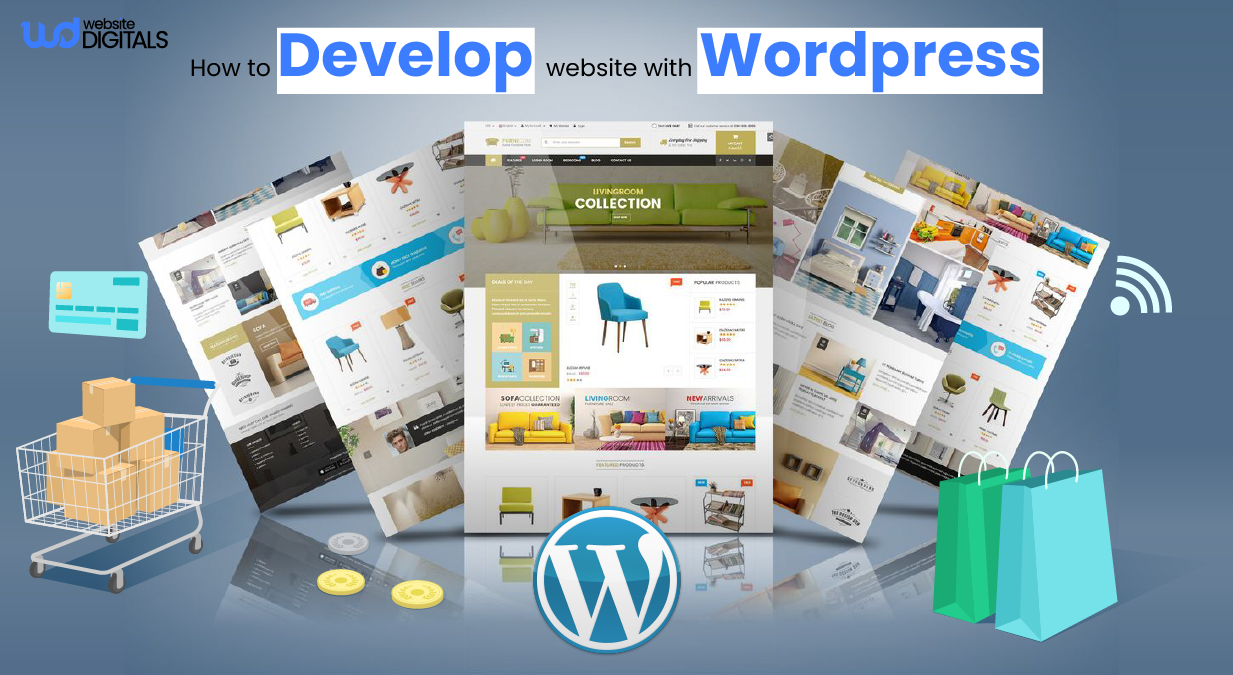
Many business owners exploring how to develop a website with WordPress for e-commerce soon realize it’s not just about design, it’s about building a system that drives measurable results.
A website today is more than an online catalog but a revenue engine that shapes conversion efficiency, data accuracy, and scalability.
A 2023 HubSpot study showed that conversion rates drop by an average of 12% for every additional second of load time. That’s a direct hit to ROI and lead quality.
As Seth Godin once said,
“People don’t buy goods and services. They buy relations, stories, and trust.”
And in e-commerce, that trust begins the moment your website loads and continues with every click, interaction, and checkout.
This guide walks you through a proven framework for how to develop a website with WordPress that earns trust and turns visitors into long-term customers.
Key Takeaways
|
How to Build a Performance-Driven E-commerce Store with WordPress (Step-by-Step)
Let’s break down the full process of web development, a fast, secure, and conversion-optimized e-commerce website using WordPress.
Step 1: Choose Reliable Hosting and Secure Your Domain
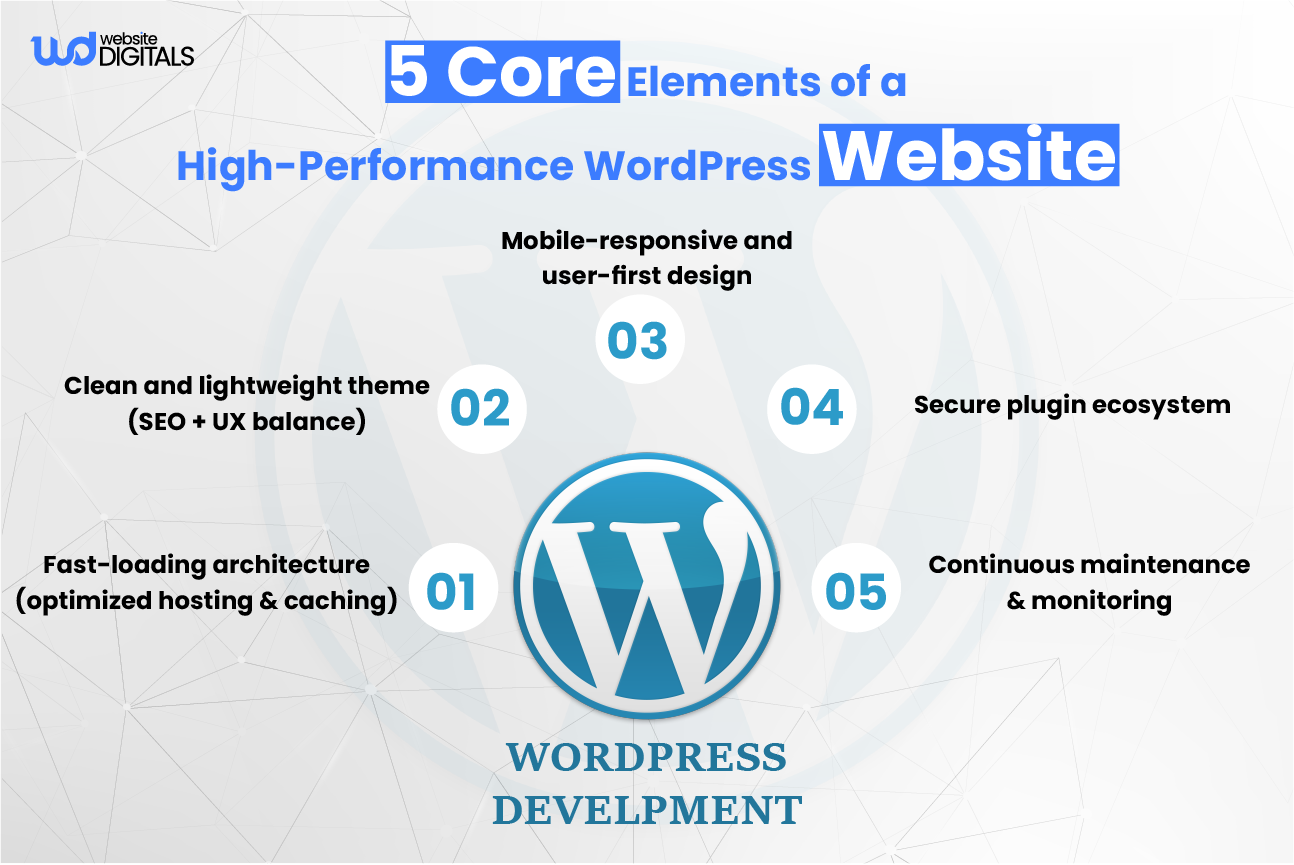
Building a fast e-commerce website with WordPress starts with reliable web hosting.
While platforms like Wix for restaurants simplify small business setups, WordPress offers the scalability and control needed for e-commerce stores that aim to grow beyond template-based systems.
It’s important to know the different hosting types like shared, VPS, and dedicated.
WordPress-optimized hosting is crucial. It makes sure your site runs smoothly with the right server settings and tools.
-
Selecting WordPress-Optimized Hosting Solutions
When picking a hosting provider, look for WordPress-optimized hosting solutions.
These offer easy WordPress installations, automatic updates, and security. WP Engine, SiteGround, and Kinsta are top choices for their speed and support.
-
Domain Name Registration and Security Configuration
Securing your domain name is just as important as hosting.
Pick a name that’s easy to remember and spell. Make sure your domain is set up with the right DNS settings and consider domain security like DNSSEC.
Choosing reliable hosting and securing your domain sets a strong base for your e-commerce site. It makes sure your site is fast and secure.
Step 2: Install WordPress and Configure Core Settings
Installing WordPress is straightforward:
- Download WordPress from WordPress.org.
- Upload it via your host’s cPanel or use a one-click installation feature.
- Create a database and connect it to your WordPress setup.
- Complete installation and log in to your admin dashboard.
Once installed, configure your site’s essentials, permalink structure, time zone, and default language. Setting these early prevents future migration or database management issues and ensures your URLs are SEO-friendly.
Step 3: Select a Lightweight, SEO-Friendly Theme
Your theme defines both your design and your website’s performance.
Choose a lightweight, responsive theme like Astra, GeneratePress, or Neve. If you’ve compared Wix vs Google Sites, you’ll notice WordPress themes give far more control over performance, responsiveness, and professional customization.
Note:
|
When evaluating options, test theme speed using Google PageSpeed Insights or GTmetrix. Avoid overly complex designs that rely on heavy scripts. Also, ensure compatibility with WordPress plugins like WooCommerce and major SEO plugins. A good theme will not only look professional but also follow web design best practices and support accessibility standards such as WCAG. |
Step 4: Install and Configure Essential Plugins
To turn your WordPress site into a complete e-commerce platform, you’ll need to install a few essential plugins that handle everything from optimization to security.
Set Up WooCommerce
WooCommerce is the backbone of any WordPress-based e-commerce site.
It provides product management, payment gateways, and inventory control, all integrated seamlessly into your store’s dashboard.
Must-Have Performance and Security Plugins
- Yoast SEO or Rank Math – optimize on-page SEO, manage meta tags, and improve readability.
- WP Rocket or W3 Total Cache – enable advanced caching to boost speed.
- UpdraftPlus – schedule automatic backups.
- Wordfence – add robust website security through firewalls and malware scans.
- ShortPixel – compress and optimize images for better load times.
Every plugin you install should serve a clear purpose. Keep your plugin count minimal to maintain performance and reduce vulnerability risks.
Step 5: Build Your E-commerce Framework
Creating Product Categories and Attributes
Product categories make it easy for customers to find what they need. Attributes give more details about each product.
For instance, in a clothing store, categories could be “Tops” and “Bottoms,” with attributes like “Size,” “Color,” and “Material.”
You need to:
- Plan your category structure before adding products.
- Use clear and concise category names.
- Assign relevant attributes to each product category.
Setting Up Payment and Shipping Options
To make transactions easy, you need to set up payment gateways and shipping options.
Popular payment options include PayPal, Stripe, and Square.
For shipping, you can set options based on weight, destination, and delivery speed.
- Choose payment gateways that your customers prefer.
- Configure shipping options to cover various customer needs.
- Test both payment and shipping processes to ensure they work smoothly.
Configuring Tax Settings and Store Policies
Set tax rates according to your location and include transparent policies on refunds, returns, and privacy.
A well-documented store policy builds trust and ensures compliance with GDPR and other standards.
Note:
|
Make sure you check and follow local tax laws and regulations. |
Designing High-Converting Product Pages
Your product pages should aim to turn visitors into buyers. Use high-quality images, detailed descriptions, and clear calls-to-action.
By following these steps, you’ll be on your way to a solid e-commerce framework.
This framework will support your business goals and give your customers a great shopping experience.
Step 6: Optimize Website Speed and Performance
Implementing Smart Caching Solutions
Caching saves data in a quick-to-access spot, cutting down on reloads. Using smart caching can make your site load much faster.
Our Top Picks:
|
We suggest plugins like WP Rocket or W3 Total Cache for WordPress sites. |
Real World Case Study:
|
Disruptive Youth, a fashion brand, built its online store using WooCommerce on WordPress, combining a lightweight theme, mobile-optimized checkout, and analytics-driven design. Their approach proves that focusing on speed, responsive design, and UX turns a website into a powerful sales engine. |
Optimizing Images and Media
Large images can slow down your store.
Compress them using ShortPixel or TinyPNG and convert to WebP format for faster rendering.
Enable lazy loading so media loads only when visible to users.
Use a CDN and Optimize the Database.
A Content Delivery Network (CDN) distributes content globally, reducing latency for visitors in different locations. Cloudflare and BunnyCDN are reliable choices.
Regular database optimization with plugins like WP-Optimize keeps your site fast and error-free.
|
Optimization Technique |
Description |
Benefits |
|
Caching |
Stores frequently-used data in a temporary storage area |
Improved loading speed, reduced server load |
|
Image Compression |
Reduces the file size of images without compromising quality |
Faster page loads, improved user experience |
|
CDN |
Distributes static content across multiple servers worldwide |
Improved loading speed, reduced latency |
|
Database Optimization |
Cleans up and optimizes database tables for faster query execution |
Improved query execution times, reduced server load |
Step 7: Enhance User Experience and Conversion Flow
The structure and usability of your website directly influence sales.
Menus should be intuitive, categories clear, and the checkout process minimal. Offer guest checkout and display trust badges near payment fields.
-
Mobile-First and Responsive Design
Mobile shopping is dominant, so ensure a mobile-friendly website layout. Test forms, buttons, and navigation for small screens. Use the Gutenberg editor or Elementor for easy drag-and-drop page builder control.
-
Use Analytics to Continuously Improve
Set up Google Analytics and heatmap tools like Hotjar to observe user behavior. Use insights to test new layouts, adjust CTAs, or improve funnel flow.
Step 8: Optimize for SEO and Visibility
Even a great store won’t succeed if no one finds it.
-
Technical SEO Essentials
Create XML sitemaps, enable canonical URLs, and fix crawl errors using Google Search Console. Implement schema markup for products, reviews, and prices.
-
On-Page and Product SEO
Write original product descriptions using your target phrases. Include SEO for WordPress practices such as internal linking and optimized headings. Tools like Yoast or Rank Math simplify this process.
-
Performance’s Role in SEO
Search engines reward sites that load quickly. Keep optimizing for Core Web Vitals metrics, LCP, FID, and CLS, using Google PageSpeed Insights.
Step 9: Secure, Maintain, and Scale Your Site
-
Keep Your Website Secure
Security should be continuous, not an afterthought. Maintain WordPress security best practices: update plugins regularly, enable two-factor authentication, and use secure hosting.
-
Maintain and Audit Regularly
Regularly test site performance, backup schedules, and plugin compatibility. Perform a quarterly audit to ensure smooth site maintenance and updates.
-
Plan for Scalability
As your store grows, upgrade your hosting resources or move to VPS or managed WordPress hosting. Consider long-term scalability through headless WordPress architecture or cloud deployment if traffic increases significantly.
Step 10: Launch, Test, and Promote Your Website
Before launching, test every part of your store, navigation, checkout, contact forms, and page speed.
Once ready, promote your launch through social media, email marketing, and Google Business profiles.
Consistent promotion combined with performance optimization ensures long-term visibility and customer retention.
Conclusion: Maintaining Your High-Performance WordPress E-commerce Store
Building a high-performance WordPress e-commerce site takes strategy, consistency, and the right technical setup.
From hosting to regular maintenance, every detail contributes to speed, security, and conversions.
When you understand how to develop a website with WordPress effectively, you build more than an online store.
You create a reliable and scalable platform that supports growth, strengthens customer trust, and delivers consistent results over time.
So, let Website Digitals help you create a WordPress store that truly performs and supports your business growth.
Call us at (646)-222-3598, or email info@websitedigitals.com to get started today.
Frequently Asked Questions:
Why should I choose Website Digitals for my WordPress e-commerce development?
At Website Digitals, we specialize in building high-performance WordPress e-commerce websites that focus on measurable business outcomes. Our approach goes beyond design; we create scalable, secure, and conversion-optimized platforms tailored to your industry goals.
Does Website Digitals offer maintenance and optimization for existing WordPress sites?
Yes. Website Digitals provides ongoing support that includes performance audits, SEO improvements, security updates, and conversion optimization, ensuring your WordPress store continues to perform at its best post-launch.
How to develop a website with WordPress step by step?
To develop a website with WordPress, start by selecting a reliable hosting provider, installing WordPress, choosing a lightweight theme, and adding essential plugins like WooCommerce for e-commerce functionality. Then, configure SEO, security, and caching settings for performance.
What is WordPress website development?
WordPress website development refers to the process of building and customizing websites using the WordPress content management system (CMS), covering design, plugins, themes, and functionality to meet specific business needs.
How long does it take to develop a WordPress website?
The development timeline typically ranges from 3 to 6 weeks, depending on the project scope, customization level, and content readiness. Complex e-commerce features may extend the timeframe.
What are the best themes for WordPress website development?
Top-performing themes include Astra, GeneratePress, and Neve. These are lightweight, responsive, and compatible with major page builders like Elementor and Gutenberg, ensuring faster load times and easy customization.
Which is better for website development, WordPress vs other CMS platforms?
WordPress stands out for its flexibility, ease of use, and vast plugin ecosystem. While platforms like Wix or Shopify are simpler for small-scale setups, WordPress offers more control, scalability, and SEO advantages for long-term growth.
How to secure a WordPress website during development?
Use SSL certificates, enable two-factor authentication, install security plugins like Wordfence, and keep themes and plugins updated. Limiting admin access and setting regular backups with UpdraftPlus also helps maintain security.
What plugins are needed when developing a WordPress site?
Essential plugins include Yoast SEO (for optimization), WP Rocket (for caching), WooCommerce (for e-commerce), ShortPixel (for image optimization), and UpdraftPlus (for backups). Choose only what’s necessary to maintain performance.