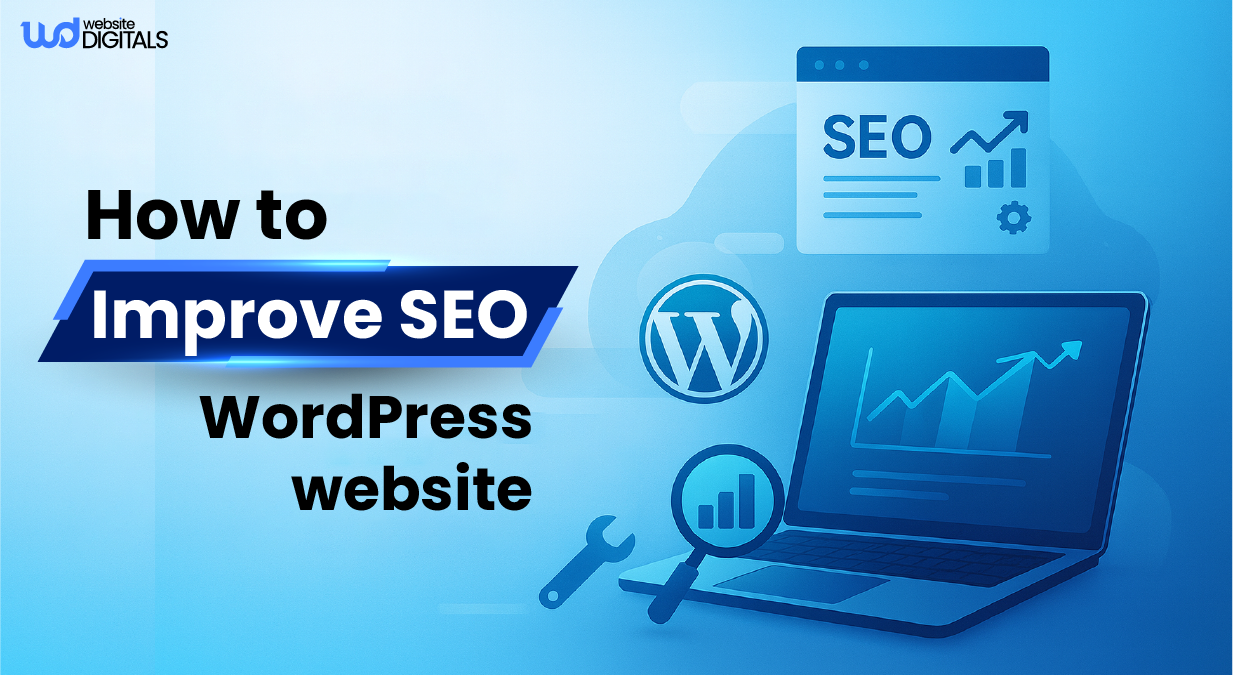
How to Improve SEO for Your WordPress Website and Rank Higher in Search Results
If you’ve ever searched your brand name on Google and couldn’t find your own WordPress website, even after scrolling, you’ve felt that frustration of low visibility. Your site might look stunning, your products are spot-on, yet the traffic isn’t showing up.
Thousands of digital agencies and e-commerce store owners experience the same problem: poor WordPress SEO configuration that quietly limits their growth.
Here’s the truth: WordPress is SEO-friendly but not SEO-optimized by default.
Without the right structure, speed tuning, and schema setup, your site becomes a billboard on a deserted road, beautiful but unseen.
“Good SEO is not about tricking Google. It’s about partnering with Google to provide the best search results.” — Phil Frost
In this expert guide from Website Digitals, a team with over 10 years of WordPress optimization experience, you’ll discover how to improve SEO for WordPress website step by step using proven strategies, real tools, and insights grounded in guidance from Google Search Central, Yoast SEO, and Ahrefs.
Key Takeaways
- Configure WordPress correctly to unlock its full SEO potential.
- Optimize speed, metadata, and structure to drive measurable ranking gains.
- Prioritize user experience and Core Web Vitals because Google’s latest updates reward sites that perform smoothly.
- Implement actionable techniques used by SEO pros and know when to bring in experts.
Why Your WordPress Website Isn’t Ranking as High as It Should
You’ve spent hours building a beautiful WordPress site, but the traffic just isn’t there.
Here’s the truth: your website might be difficult for Google to crawl and rank because of a few key technical and structural issues.
Common Culprits Behind Poor WordPress SEO
- Slow site speed: According to Think with Google, up to 53% of mobile visitors leave a page that takes longer than 3 seconds to load.
- Unoptimized mobile experience: With mobile-first indexing, Google evaluates your site’s mobile version first, so a non-responsive theme can severely affect rankings.
- Weak internal linking: Without clear internal connections, search crawlers struggle to understand your content hierarchy, reducing crawl depth and topical authority.
- Technical SEO issues: Missing XML sitemaps, inconsistent permalink structures, or lack of HTTPS can limit indexability and harm your site’s credibility.
Each of these factors erodes your visibility over time and prevents your pages from reaching their ranking potential.
Bonus Tip:
Run your website through Google PageSpeed Insights and GTmetrix, and record key performance scores such as Largest Contentful Paint (LCP) and Cumulative Layout Shift (CLS) each month. These metrics are essential indicators of your Core Web Vitals and directly influence your ranking signals.
The Hidden SEO Potential of WordPress
WordPress powers more than 43.3% of all websites worldwide, making it one of the most flexible CMS platforms for SEO. Yet, most site owners fail to unlock that potential.
Businesses in industries like real estate can gain a major edge by working with a wordpress development company for real estate that understands both design and SEO configuration.
The secret to great rankings isn’t installing endless plugins, but optimizing your WordPress setup strategically:
- Use Yoast SEO, Rank Math, or All-in-One SEO Pack to manage titles, meta descriptions, and XML sitemaps.
- Choose from the best themes for WordPress websites, such as Astra or GeneratePress to improve site speed and overall performance.
- Structure your site with clean, user-friendly permalinks (e.g., /blog/seo-tips/ instead of /?p=123).
Things to Consider:
Every plugin you install adds code weight and potential compatibility issues. Keep only what’s essential, deactivate or delete what you don’t use, and periodically review your site’s Core Web Vitals to maintain speed and stability.
Understanding How WordPress SEO Works
SEO isn’t just about adding keywords; it’s about making your site clear and understandable for both users and Google’s language processing systems. Google’s algorithms analyze not just the words on a page but how your site is built, structured, and connected.
Here are the key elements Google evaluates:
- Crawlability: Can search engine bots easily access your content through internal links and an optimized robots.txt file?
- Indexability: Are your important pages allowed to appear in search results through proper meta robots and canonical tags?
- Site Structure: Are your URLs, headings, schema markup, and breadcrumbs organized in a logical hierarchy that helps both users and search engines?
“If content is king, structure is the kingdom.”
WordPress offers built-in SEO advantages through features like XML sitemaps, category taxonomies, and breadcrumb navigation, and knowing how to design website in WordPress helps you apply these elements in ways that improve crawlability and user experience
Key Insight:
Create topic clusters by grouping related posts around one main pillar page (for example, “WordPress SEO Guide”). This strategy strengthens topical authority and signals expertise to Google’s algorithms, improving your site’s overall ranking potential.
Conducting an SEO Audit for Your WordPress Website
Think of an SEO audit as your website’s regular health check-up. You can’t fix what you can’t measure. A thorough audit identifies performance gaps that prevent your WordPress site from reaching its SEO potential.
Quick SEO Audit Checklist
- Speed Test: Measure page load time using Google PageSpeed Insights or GTmetrix.
- Mobile Usability: Check mobile performance and responsiveness via Google Search Console.
- Index Status: Ensure all important pages are indexed (and that low-value or duplicate pages are set to “noindex” when appropriate).
- Crawl Errors & Broken Links: Use Screaming Frog or Ahrefs Site Audit to find and fix 404 errors or missing redirects.
- Duplicate Meta Tags: Confirm every page has a unique title and description to prevent content cannibalization.
Real-World Scenario:
An e-commerce brand selling fashion accessories increased its organic traffic by 65% in just 3 months after fixing duplicate meta tags, compressing images, and cleaning up broken links all without publishing new content. Regular audits can reveal quick, high-impact wins like these.
Pro Tip:
Keep your active plugins under control. Fewer than 20 high-quality plugins are ideal for most WordPress setups. Each additional plugin adds code weight, affects performance, and can interfere with your Core Web Vitals.
Choosing the Right SEO Plugins and Tools
When it comes to WordPress SEO tools, quality always beats quantity. The right plugin simplifies technical SEO tasks and ensures consistency across your site.
|
Plugin |
Key Strengths |
Best When |
|
Yoast SEO |
Beginner-friendly with guided setup and on-page readability checks |
You’re managing a blog or small business website |
|
Rank Math |
Advanced schema, automation, and analytics integration |
You’re running an agency or multiple client sites |
|
All-in-One SEO Pack |
Lightweight and flexible, with customizable settings |
You’re a developer or need granular control |
All three plugins allow you to manage meta tags, canonical URLs, XML sitemaps, breadcrumbs, and schema markup essential elements for strong technical SEO.
Things to Consider:
Never activate more than one SEO plugin at a time. Running multiple tools with overlapping features (like meta tag control or sitemap generation) can cause conflicts, indexing errors, and ranking inconsistencies. Always test new configurations on a staging site before going live.
Advanced On-Page SEO Techniques for WordPress
On-page SEO tells Google exactly what your page is about and ensures you rank for the right terms. This is where optimization moves from design to discoverability.
Key Elements to Optimize
- Meta Titles and Descriptions: Include your focus keyword naturally and keep titles under 60 characters, descriptions under 160.
- Headings (H1–H3): Use keyword variations and question-based headings that reflect search intent.
- Image Alt Text: Describe images clearly using concise, keyword-rich language.
- Internal Linking: Connect related pages contextually to improve crawl depth and enhance user navigation.
- Content Refresh: Review and update older posts at least once a year to maintain content freshness signals.
Bonus Point: According to HubSpot’s internal experiment, optimizing older blog posts resulted in an average 106% increase in monthly organic views, highlighting the value of regular content maintenance and historical optimization.
Technical SEO for WordPress That Drives Real Results
Technical SEO and web development keeps your website running efficiently behind the scenes. It may not be flashy, but it’s the foundation of strong rankings and great user experience.
Key Focus Areas
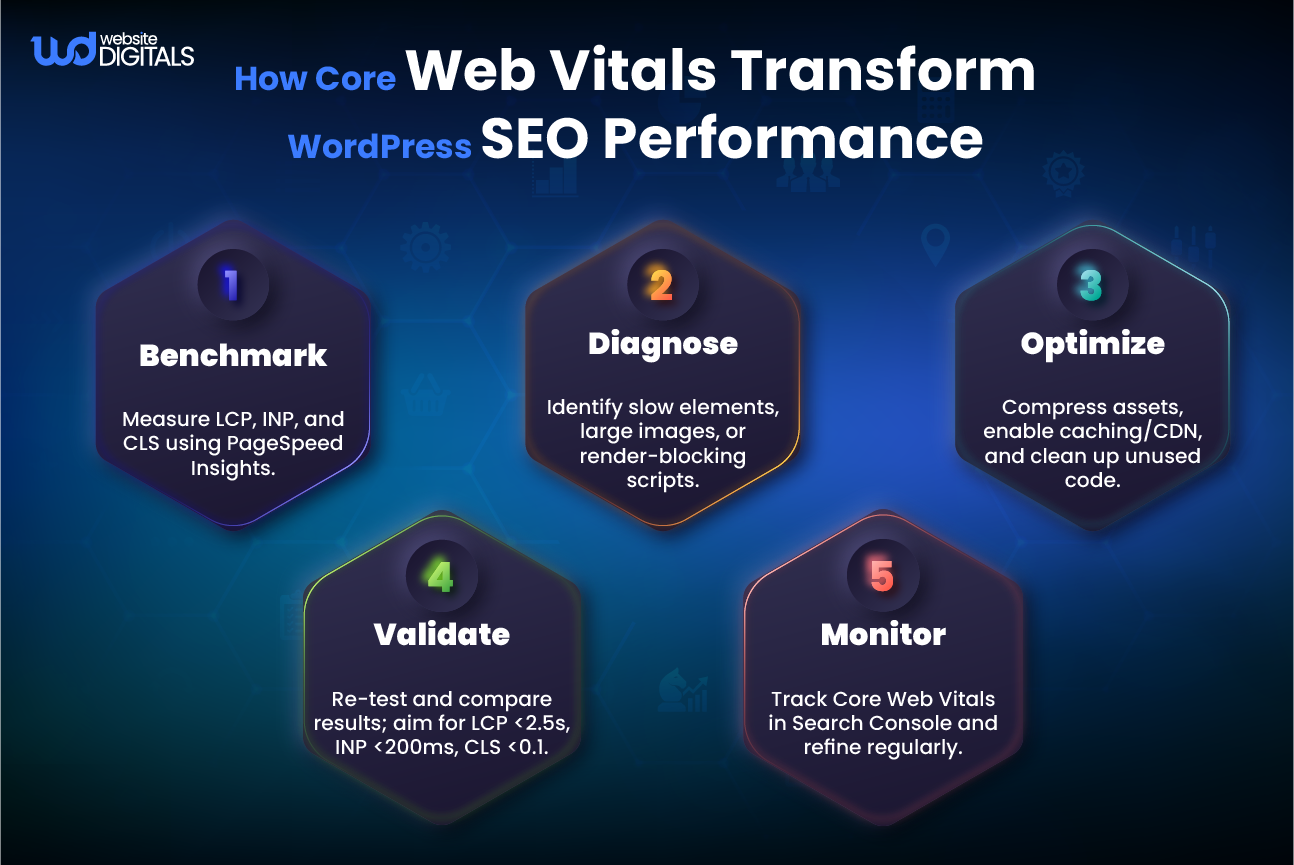
- Core Web Vitals: Optimize Largest Contentful Paint (LCP), Interaction to Next Paint (INP), and Cumulative Layout Shift (CLS) to improve loading, responsiveness, and visual stability.
- HTTPS and Security: Enable SSL/TLS certificates to secure your website. HTTPS is a lightweight ranking signal and essential for user trust.
- Caching and CDN: Use performance tools such as WP Rocket or Cloudflare to reduce load times and server strain.
- Structured Data: Implement schema markup to qualify for rich snippets. Plugins like Rank Math, Yoast SEO, and All-in-One SEO Pack support schema setup.
- Reliable Hosting: Choose a managed WordPress host such as Kinsta or WP Engine that offers NVMe storage, PHP 8+, and built-in caching.
Key Insight: Since Google’s Page Experience Update, site speed and user experience (UX) directly influence your search rankings.
Content Strategy and Link Building for Long-Term Growth
Your content is the cornerstone of your brand’s digital reputation. Without a solid strategy, even the most engaging posts can struggle to gain visibility.
How to Build a Sustainable Content Strategy
- Develop Topic Clusters: Create a comprehensive “WordPress SEO” pillar page that links to related guides and tutorials.
- Match Search Intent: Design content for different user intents such as informational (how-tos), commercial (comparisons), and transactional (service pages).
- Use Internal Links Strategically: Build hub-and-spoke architecture to distribute authority across your key pages.
- Earn Quality Backlinks: Pursue guest posts, digital PR, and partnerships with credible sources. Focus on editorial links and brand mentions.
Pro Tip: Add detailed author bios highlighting credentials, certifications, and relevant experience. Include publication dates and cite credible entities such as Ahrefs, Moz, SEMrush, HubSpot, and Google Search Central to enhance (EEAT) Expertise, Authoritativeness, and Trustworthiness.
Case Study: How Website Digitals Boosted an E-Commerce Brand’s Organic Traffic by 120%
At Website Digitals, we helped a jewelry e-commerce brand grow their organic traffic by 120% in just four months through a tailored SEO transformation.
What We Did
- Conducted an in-depth SEO audit and consolidated 37 duplicate pages using 301 redirects and canonical tags.
- Improved site speed from 4.8 seconds to 1.9 seconds by implementing caching, a CDN, and image compression.
- Configured Rank Math schema for products and reviews to improve click-through rates.
- Built 25 high-quality backlinks through niche partnerships and guest contributions.
Results
- 18 new keywords ranked on page one.
- Bounce rate decreased by 32%.
- Organic traffic tripled, resulting in three times more sales within four months.
Things to Consider: Always document pre- and post-optimization performance metrics, including organic sessions, keyword rankings, and Core Web Vitals, to track ROI and validate progress.
Ready to Improve Your WordPress SEO? Here’s How We Can Help
You’ve learned the strategies, and now it’s time to put them into action.
At Website Digitals, we specialize in custom WordPress SEO optimization designed specifically for digital agencies and e-commerce stores. With over a decade of experience improving search rankings, site performance, and conversion rates, our expert team knows what works.
Bonus Tip: Start with a free SEO audit to uncover missed opportunities and see where your site stands before implementing major changes. It’s the quickest way to gain insights and begin improving your visibility.
What You’ll Get When You Partner With Us
When you work with Website Digitals, you gain a results-driven SEO partner dedicated to your long-term growth.
Here’s what you can expect:
- Comprehensive SEO Audit: Technical, on-page, and content-level optimization analysis.
- Plugin Setup and Configuration: Expert installation and setup of Rank Math, Yoast, or AIOSEO.
- Content Strategy Roadmap: Keyword research, topic clustering, and SEO content planning.
- White-Hat Link Building: Outreach, guest posting, and search intent mapping to grow authority.
- Ongoing Monitoring and Reports: Monthly updates with measurable KPIs and transparent progress tracking.
Key Insight: Transparent reporting and measurable goals create accountability and build trust, which is why most of our clients stay with us long-term.
Get Started in 3 Easy Steps
- Request Your Free SEO Audit directly on our website.
- Receive Your Personalized SEO Plan tailored to your WordPress setup, niche, and goals.
- Implement and Watch Results Grow as your rankings and conversions improve sustainably over time.
Things to Consider: Include clear CTAs (Call-to-Action) on every major page of your website top bar, footer, and end-of-blog to maximize conversion opportunities.
Final Thoughts
Optimizing SEO for your WordPress website isn’t just a checklist. It’s an ongoing growth strategy that blends technical precision, content relevance, and user experience.
With the right configuration, tools, and expert guidance, your site can transform from hidden to highly visible in search results.
Ready to take your WordPress SEO to the next level? Contact Website Digitals today for your free SEO audit and discover how our tailored optimization solutions can elevate your digital presence.
Call us today at (646) 222-3598 or email us at info@websitedigitals.com to get your free SEO audit and start boosting your WordPress rankings the smart way.
FAQs
How long does it take to see SEO results on WordPress?
Typically, it takes 3 to 6 months to see noticeable ranking improvements. The timeline depends on your industry’s competitiveness, website structure, and the consistency of optimization efforts. According to Ahrefs, most websites begin to gain significant traction within this timeframe.
What are the best WordPress SEO plugins?
The top WordPress SEO plugins are Yoast SEO, Rank Math, and All-in-One SEO Pack. Each helps you manage meta tags, sitemaps, and schema markup, ensuring your content is well-structured for Google’s algorithms.
Is WordPress SEO-friendly by default?
Yes, WordPress is SEO-friendly out of the box, but not fully optimized. To maximize performance, you still need to configure settings, install SEO plugins, create XML sitemaps, and use proper schema markup for better indexing and visibility.
Can e-commerce stores benefit from WordPress SEO?
Absolutely. Optimizing product pages, improving load speed, and using structured data can significantly increase your visibility in search results and on Google Shopping. Tools like WooCommerce SEO plugins help automate many of these tasks effectively.
What’s the difference between on-page and technical SEO?
On-page SEO focuses on optimizing your content, titles, and internal links. Technical SEO ensures your website performs well behind the scenes, including site speed, mobile responsiveness, and proper indexability through sitemaps and secure HTTPS connections.
Which is better: Yoast or Rank Math?
Both are excellent. Yoast SEO is beginner-friendly and ideal for small business websites, while Rank Math offers advanced features such as schema markup, automation, and integrated analytics, making it a strong choice for agencies and power users.
Do I need a professional SEO agency?
If you want consistent, scalable growth, working with an SEO agency is highly recommended. Agencies like Website Digitals provide full-service solutions including audits, content optimization, and performance tracking using white-hat SEO methods. This ensures your WordPress site continues to improve sustainably and aligns with Google’s best practices.