How to Integrate Payment Gateways in WordPress for Seamless E-commerce Transactions
A smooth checkout can transform your WordPress store, but only if it’s set up the right way.
Many digital agencies, SMBs, and entrepreneurs search for how to integrate payment gateways WordPress because they struggle with low conversions and slipping SEO rankings.
What most don’t realize is that payment friction affects more than sales; it impacts user engagement, a major SEO signal.
Studies show nearly 31% of online carts are abandoned due to complicated or slow checkout flows.
That means even strong SEO won’t help if customers can’t complete their purchase.
In this guide, you’ll learn how to fix that, discovering the most reliable gateways, setup steps, and optimization tactics to create a seamless and search-friendly e-commerce experience.
Key Takeaways
|
Popular Payment Gateway Options for WordPress
Selecting the right payment gateway is crucial for a seamless e-commerce experience on WordPress.
With numerous options available, business owners must carefully evaluate each to determine the best fit for their needs.

-
PayPal Integration Options
PayPal is one of the most widely recognized payment gateways, offering a trusted and secure way for customers to make payments online. WordPress users can integrate PayPal using various plugins, making it easy to accept payments, manage transactions, and handle refunds.
-
Stripe for WordPress
Stripe is another highly popular payment gateway that integrates well with WordPress.
It offers a robust set of features, including support for multiple payment methods, subscription services, and detailed transaction reporting.
-
Square, Authorize.net, and Other Alternatives
Beyond PayPal and Stripe, other payment gateways like Square and Authorize.net offer competitive features and benefits.
Square is known for its ease of use and comprehensive payment solutions, while Authorize.net provides a reliable and secure payment processing environment.
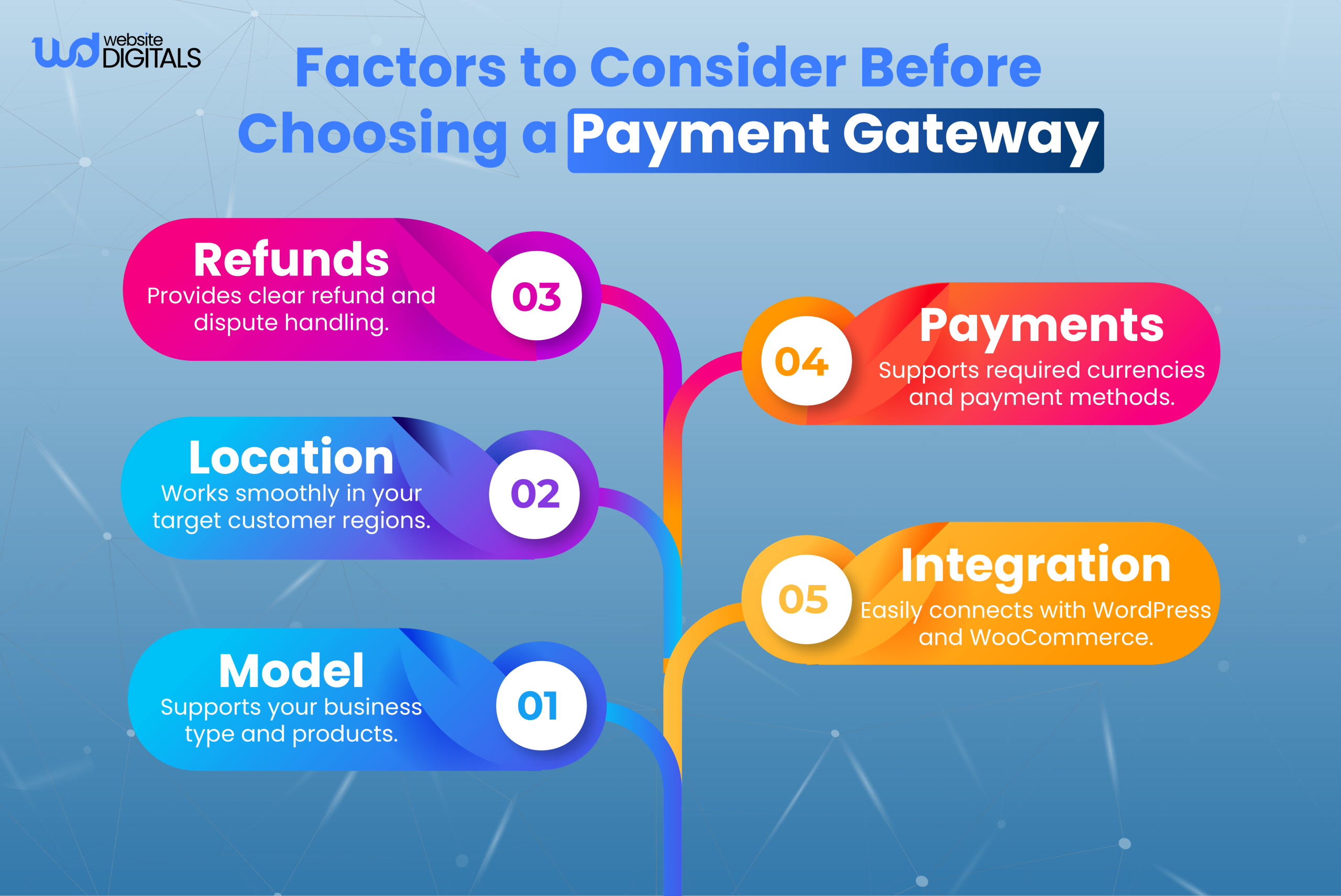
Choosing the Right Payment Gateway for Your Business
When selecting a payment gateway, it’s essential to consider several factors, including transaction fees, supported payment methods, and integration complexity.
Fee Structures Comparison
Different payment gateways charge varying fees per transaction. Here’s a comparison of some popular gateways:
|
Payment Gateway |
Transaction Fee |
Monthly Fee |
|
PayPal |
2.9% + $0.30 |
$0 (Basic), $30 (Advanced) |
|
Stripe |
2.9% + $0.30 |
$0 |
|
Square |
2.6% + $0.10 |
$0 |
|
Authorize.net |
$0.10 per transaction |
$25 (basic) |
Feature Comparison
In addition to fee structures, the features offered by each payment gateway can significantly impact your business. Consider the following:
- Payment Methods: Does the gateway support credit cards, digital wallets, and other payment methods your customers use?
- Recurring Payments: Is the gateway capable of handling subscription-based models?
- Security: What level of security and compliance does the gateway offer?
By carefully evaluating these factors and comparing the offerings of different payment gateways, you can make an informed decision that best supports your e-commerce business on WordPress.
Preparing Your WordPress Website for Payments
To begin, ensure your site runs on WordPress, uses an active SSL certificate, and has WooCommerce installed for full eCommerce payment capabilities.
Most merchants in the U.S. rely on trusted brands such as Stripe, PayPal, and Square, which are considered reliable payment providers for WordPress.
After plugin installation, complete your plugin configuration through WooCommerce settings and make sure any required merchant account details are ready.
Stores dealing with sensitive customer data should maintain strong security practices to meet PCI compliance and PCI DSS standards.
How to Integrate Payment Gateways in WordPress (Step-by-Step)
Step 1: Install and Enable Your Payment Gateway
Begin with the payment plugin setup by adding your preferred provider.
WooCommerce makes WordPress payment integration simple; just perform a standard API integration, activate the plugin, and complete basic checkout integration.
Whether you choose cards, digital wallets (Apple Pay, Google Pay), or bank payments, each payment processor requires its own API keys to authorize transactions securely.
|
Note: Businesses that work with a WordPress PHP development company can implement more advanced API customization or add features like conditional payment routing. |
Step 2: Configure Gateway Settings Properly
Inside WooCommerce, complete your payment gateway setup tutorial by entering the required credentials, enabling webhook configuration, and adjusting options such as credit card processing, card verification, ACH payments, or subscription payments.
You can also activate features like recurring billing, review transaction fees, and configure payment processing fees to ensure clarity in your pricing model.
These steps help support eCommerce checkout integration and enhance the user experience during credit card checkout.
Step 3: Test the Integration Before Going Live
Every store should conduct test transactions using the provider’s sandbox mode to confirm the gateway is functioning correctly.
Testing ensures your checkout flow, pricing display, refunds, and order confirmations work as intended.
Simulating ACH transfers, wallet payments, and card payments helps verify the full spectrum of WordPress online payment solutions.
Step 4: Optimize Performance and Security
Once live, enhance performance through WordPress website optimization tips, use the best WordPress plugins for SEO, and maintain strong site health for customers.
Providing secure payments increases trust and reduces risk.
Keep WooCommerce updated, implement strong security tools, and continually review your merchant services settings for improvements.
Pro Tip:
|
Before updating or switching payment gateways, create a staging version of your website. This allows you to safely test new plugins, API integration, checkout behavior, and theme compatibility without affecting live customers. It prevents downtime, avoids broken checkouts, and ensures smooth transitions for all future integrations. |
Real World Scenario:
|
An online store built on WordPress faced high cart abandonment due to outdated payment options. After upgrading to WooCommerce with secure on-site methods like cards, digital wallets, and ACH payments, backed by SSL, PCI-ready settings, and sandbox testing, the checkout became smoother and more reliable. With easier payment choices and a frictionless flow, conversions quickly improved, showing how effective WordPress payment integration can boost overall e-commerce performance. |
Conclusion
Mastering how to integrate payment gateways with WordPress is essential for creating a smooth, secure, and trustworthy e-commerce experience.
When your payment gateway is properly configured, optimized, and tested, it enhances checkout performance, boosts conversions, and ensures that every transaction is protected, ultimately strengthening your credibility and improving overall store efficiency.
As your online business grows with strategic web development, a seamless payment process becomes essential for boosting customer satisfaction and repeat sales.
If you’re ready to elevate your store with expert integration and optimization, the team at Website Digitals is here to help. Contact us at info@websitedigitals.com or call (646)-222-3598 to get started with a professional payment gateway setup tailored to your business.
FAQs
How can Website Digitals help me integrate a payment gateway in WordPress?
Website Digitals provides expert WordPress development services that handle the full setup, configuration, and optimization of your payment gateway, ensuring a secure and seamless checkout experience for your customers.
Why should I choose Website Digitals for WordPress payment integration?
Our team specializes in custom WordPress solutions, and we ensure your payment system is properly implemented, tested, and aligned with best practices so your online store runs smoothly without technical issues.
How to integrate a payment gateway in WordPress?
You can integrate a payment gateway in WordPress by installing WooCommerce, adding the appropriate payment plugin, entering your API credentials, and configuring the checkout settings.
What are the best payment gateways for WordPress in the US?
The best payment gateways for WordPress in the US include Stripe, PayPal, Square, and Authorize.Net due to their reliability, security, and compatibility with WooCommerce.
What is the easiest payment gateway for WordPress?
Stripe is often considered the easiest payment gateway for WordPress because it offers simple setup, a clean UI, and smooth integration through the official WooCommerce plugin.
How does WordPress handle online payments?
WordPress handles online payments through plugins like WooCommerce, which connect your site to payment gateways and securely process customer transactions in real time.