How to Secure a Website and Protect Your Business From Threats

A single overlooked security gap on your website can quietly put your customer trust, revenue, and legal standing at risk in today’s cybersecurity landscape.
Learning how to secure a website helps businesses reduce compliance risks tied to GDPR, PCI-DSS, and data protection laws.
According to the research, GDPR violations can result in fines of up to €20 million or 4% of annual global revenue, whichever is higher.
Beyond penalties, weak security damages customer trust. Outdated systems and poor access controls increase both legal and reputational risk.
As Bruce Schneier notes,
“The weakest link in the security chain is the human element.”
In this blog, you’ll learn how prevention reduces human error, closes common security gaps, and protects not just data, but long-term business credibility.
Key Takeaways
|
Common Website Security Gaps Businesses Overlook
Many businesses operate under the “security by obscurity” myth, the idea that because they aren’t a global corporation, they aren’t a target.
In reality, automated bots scan the internet looking for any vulnerability, especially those created by outdated web development practices or neglected site maintenance.
-
Outdated CMS, Plugins, and Themes
One of the most common security gaps is the continued use of outdated CMS platforms, plugins, and themes.
Once vulnerabilities become public, attackers actively scan for websites that haven’t been updated, making unmaintained components an easy entry point.
-
Weak Passwords and Poor Access Controls
Many organizations grant “Administrator” level access to every team member who needs to post a blog or update a product, weakening authentication & access control.
This expands the attack surface.
If a single employee uses a weak password or lacks two-factor authentication, the entire site is at risk.
-
Missing Security Updates and Patches
Software developers release patches specifically to close security holes.
When these updates sit in a dashboard for weeks or months, your site remains an open door.
Neglecting these updates is a primary reason businesses eventually need to hire professionals to fix website issues that could have been avoided entirely.
-
No Website Monitoring or Threat Detection
Many businesses lack any form of website monitoring, meaning threats often go unnoticed until visible damage occurs.
Without monitoring, security issues can remain hidden while attackers continue to exploit the site.
The Real Impact of a Website Security Breach
The fallout from a security incident is rarely limited to a few hours of downtime.
The ripples can be felt across every department of a company.
-
Loss of Customer Trust and Brand Credibility
Trust is the hardest thing to build and the easiest to lose.
If a customer receives a notification that their personal information was compromised through your site, they are unlikely to return.
This loss of website integrity can take years to recover.
-
Revenue Loss from Downtime and Data Theft
When a site is breached, it often needs to be taken offline for cleaning.
For an e-commerce store, every minute of downtime is a direct loss of sales.
Beyond that, the theft of proprietary data or customer lists can give competitors an unfair advantage.
-
SEO Rankings and Search Visibility Damage
Search engines like Google prioritize user safety.
If they detect malware on your site, they will blacklist your URL and show a prominent warning to anyone trying to visit.
Even after the site is cleaned, regaining your previous search rankings can be an uphill battle.
Pro Tip: Secure Before Search Engines Intervene
|
Search engines don’t wait for confirmation before warning users. If malware or suspicious behavior is detected, your site can be flagged automatically, leading to traffic loss even before you notice a breach. Proactive security monitoring and clean server environments help prevent search engine penalties before they happen. |
-
Legal, Compliance, and Recovery Costs
Depending on your industry and location, a data breach could trigger legal requirements for notification and hefty fines.
The cost of hiring a forensics team to identify the breach and a developer to repair the damage far outweighs the cost of ongoing website maintenance services.
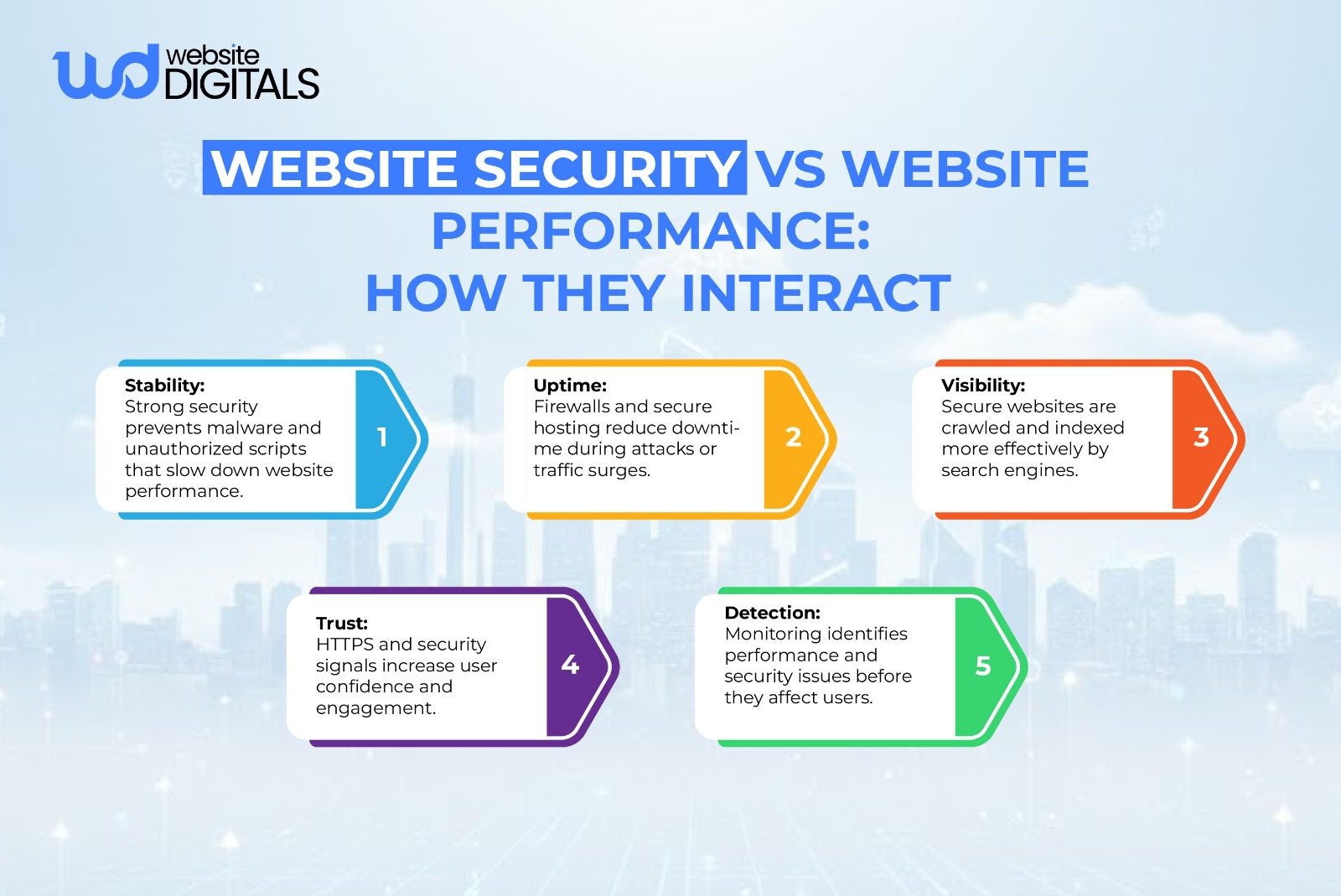
How Outdated Systems Create Security Vulnerabilities
Long-term website security depends on consistency.
Securing a website requires an ongoing schedule of:
-
Unsupported CMS Versions
Using a CMS version that has reached end-of-life leaves your website permanently exposed, as no new security patches are released.
What to do:
Regularly upgrade your CMS to the latest supported version and remove unused extensions.
If upgrades are no longer possible, plan a platform migration before vulnerabilities become unmanageable.
-
Unpatched Software Risks
Security risks extend beyond the CMS to server software, databases, and third-party integrations. Any unpatched layer can be exploited.
What to do:
Create a routine update schedule for all software components, including hosting infrastructure. Enable update alerts and test patches in a staging environment before deployment.
-
Insecure Legacy Code
Older websites often rely on outdated coding practices that make them vulnerable to SQL injection, cross-site scripting, and other common attacks.
What to do:
Conduct periodic code audits to identify insecure patterns. Refactor legacy code using modern security standards and validate user inputs across all forms and databases.
-
Broken Security Controls
Over time, unused accounts, outdated API keys, and excessive permissions accumulate, creating hidden access points for attackers.
What to do:
Review user roles and access permissions regularly. Remove former employee accounts, rotate API keys, and enforce the principle of least privilege across your systems.
Why Website Monitoring Is Essential
Waiting for a problem to manifest is a reactive strategy that usually fails.
Proactive monitoring acts as a security guard for your site.
- No Real-Time Threat Detection: Without a system to monitor traffic patterns, you won’t notice a brute-force attack or a sudden influx of malicious bots until the server crashes.
- Delayed Response to Security Incidents: The longer a hacker has access to your system, the more damage they can do. Monitoring allows for immediate isolation of threats.
- Undetected Malware and Data Breaches: Sophisticated malware is designed to stay hidden. It might redirect only a small percentage of your traffic or subtly alter your checkout page to capture credit card numbers.
- Lack of Visibility Into Website Activity: Monitoring provides a log of who logged in, what changes were made, and where your traffic is coming from. This data is vital for both security and performance optimization.
Practical Ways to Secure a Business Website
Securing your site requires a multi-layered approach.
No single tool can offer 100% protection, but a combination of strategies can make your site an unappealing target.
-
SSL Certificates and HTTPS Security
At a minimum, every site must have an HTTPS / SSL certificate.
This encrypts the data traveling between the user’s browser and your server.
While this is a basic standard, it is the first step in demonstrating to users and search engines that you take privacy seriously.
-
Secure Web Hosting and Infrastructure
The foundation of your site is your host.
Many cheap website builders will place your site on a “shared hosting” environment where one infected site on the server can potentially compromise all others.
Business-grade hosting environments offer “containerization,” ensuring that your site is isolated from others.
-
Web Application Firewalls (WAF) for Protection
A firewall (WAF) sits between your website and the internet, filtering out malicious traffic before it even reaches your server.
It can block known bad actors, stop SQL injections, and mitigate DDoS attacks.
-
Multi-Factor Authentication (MFA) for Access Control
MFA is one of the most effective ways to stop unauthorized access.
By requiring a secondary code from a mobile device or email, you ensure that even if a password is stolen, the account remains secure.

Security Considerations When Using a Cheap Website Builder
|
Feature |
Built-In Limitation |
Security Risk |
Business Impact |
|
Platform Updates |
Limited control over update timing |
Delayed security patches |
Higher risk of known exploits |
|
Hosting Environment |
Shared infrastructure with other sites |
Cross-site infection risk |
Unexpected downtime or data exposure |
|
Access Controls |
Basic login and role management |
Weak account protection |
Increased chance of unauthorized access |
|
Custom Security Tools |
Restricted firewall or monitoring options |
No advanced threat detection |
Attacks go unnoticed longer |
|
Compliance Support |
Minimal GDPR or PCI-DSS support |
Regulatory non-compliance |
Fines and loss of customer trust |
Preparing for Website Security Incidents
Cybersecurity is a game of “when,” not “if.”
Having a plan in place ensures that a security event is a minor hurdle rather than a business-ending disaster.
-
No Incident Response Plan
An incident response plan outlines exactly who to call, what to shut down, and how to communicate with customers during a breach.
Deciding these things in the heat of a crisis usually leads to poor decision-making.
-
Missing or Outdated Website Backups
Backups are your ultimate safety net. If a site is defaced or locked by ransomware, a clean backup allows you to restore service quickly.
These backups should be stored off-site and tested regularly to ensure they actually work.
-
Slow Recovery After Security Breaches
The goal of security is “resilience”, the ability to bounce back.
Professional management ensures that recovery happens in hours, not days.
This involves cleaning the database, scanning for backdoors, and hardening the entry point that was exploited.
Why Website Security and Compliance Are Critical
For many businesses, security is also a matter of compliance.
Regulations like GDPR, CCPA, and industry-specific rules like HIPAA require strict data protection measures.
Failing to meet these standards can result in massive fines.
Beyond the legalities, security is a powerful marketing tool.
When customers see security badges and a secure URL, they feel safe sharing their information.
In a competitive market, being the “safe choice” can be your strongest differentiator.
Real-World Case Study
|
In 2020, British Airways became a high-profile example of what happens when website security and compliance fall short. Attackers exploited weak security controls, gaining access to customer data over an extended period without detection. The breach ultimately led to a £20 million GDPR fine, but the financial penalty was only part of the damage. Investigations revealed that insufficient safeguards and delayed threat detection allowed the breach to continue longer than it should have, increasing both exposure and reputational harm. The incident highlighted a critical lesson for businesses of all sizes: compliance failures are often the result of everyday security gaps that go unnoticed until it’s too late. |
Reducing Human Risk in Website Security
Technology is only half the battle; the human element is often the weakest link.
Phishing attacks, where employees are tricked into giving away credentials, are a major threat.
Regular training and a culture of security awareness are necessary to protect your investments.
Maintaining Ongoing Website Security
The digital landscape changes every day.
New vulnerabilities are discovered, and hackers develop new techniques. This is why a “one and done” approach to security is dangerous.
To truly understand how to secure a website, you have to commit to a schedule of:
- Monthly security audits.
- Weekly plugin and core updates.
- Daily malware scans.
- Real-time uptime monitoring.
Why Professional Website Security Management Matters
Maintaining a secure website is a full-time job that requires specialized knowledge.
While some business owners try to handle it themselves, the complexity of modern threats often makes this a losing battle.
Professional services offer:
- Expertise: Professionals know where to look for hidden vulnerabilities through continuous vulnerability scanning that automated tools might miss.
- Time Savings: You can focus on growing your business while experts handle the technical heavy lifting.
- Peace of Mind: Knowing that your site is being monitored 24/7 allows you to sleep better at night.
- Cost-Efficiency: The cost of a monthly maintenance plan is significantly lower than the cost of emergency repairs and the loss of revenue after a breach.
Wrapping It Up!
Your website is a critical business asset, and securing it requires ongoing care.
Understanding how to secure a website means keeping systems updated, monitoring threats, and fixing issues before they cause damage. Waiting for a breach or warning is often too late.
For reliable, long-term website maintenance and security, the experts at Website Digitals can help. Reach out at info@websitedigitals.com or call (646)-222-3598 to protect and maintain your website.
FAQs
- How does Website Digitals help secure a website step by step?
Website Digitals secures a website step by step by implementing SSL, hardening servers, applying security best practices, monitoring vulnerabilities, and protecting sites from malware and cyber threats using proven security frameworks.
- Why should businesses trust Website Digitals for website security?
Website Digitals follows industry-approved website security best practices, aligns with OWASP and NIST standards, and uses proactive monitoring to protect websites from hacking, malware, and data breaches.
- What is website security?
Website security is the process of protecting a website from cyber threats such as hacking, malware, data breaches, and unauthorized access by using encryption, access controls, and continuous monitoring.
- How do websites get hacked?
Websites get hacked due to weak passwords, outdated software, insecure plugins, misconfigured servers, phishing attacks, or unpatched security vulnerabilities.
- What are the best practices for website security?
Best practices for website security include using HTTPS, keeping software updated, enabling firewalls, enforcing strong authentication, backing up data regularly, and performing security audits.
- How does SSL secure a website?
SSL secures a website by encrypting data exchanged between users and the server, preventing hackers from intercepting sensitive information such as login credentials or payment details.
- How can you protect a website from malware?
You can protect a website from malware by using security plugins or firewalls, scanning for vulnerabilities, updating software, restricting admin access, and monitoring suspicious activity.
- How to secure a website step by step for long-term protection?
To secure a website step by step, install SSL, update all software, configure firewalls, scan for malware, apply access controls, back up data, and continuously monitor for threats.