Squarespace vs Wix vs Shopify: Finding the Right Fit for Your Web Development Needs
Are you struggling to choose the right platform for your online business?
With so many website builders available, finding one that balances design flexibility, e-commerce power, and scalability can feel overwhelming.
Maybe you’ve compared Squarespace, Wix, and Shopify, but still aren’t sure which one will truly support your business growth.
That’s where most entrepreneurs get stuck. Each platform promises ease of use, creative freedom, and strong e-commerce features, yet the reality often feels more complicated once your store starts to grow.
“The best way to predict the future is to create it.” – Peter Drucker
So how do you decide which one is right for you?
This guide breaks down Squarespace vs Wix vs Shopify in simple terms, helping you understand how each performs in real-world business scenarios.
You’ll discover which builder truly fits your goals for design freedom, SEO performance, and long-term scalability so you can choose a platform that grows with your vision, not against it.
Key Takeaways
- Compare the core differences between Squarespace, Wix, and Shopify to understand which aligns best with your business goals.
- Identify the right e-commerce platform based on design flexibility, ease of use, and scalability.
- Explore how website builder comparison insights can help you balance creativity with long-term growth.
- Learn practical ways to support sustainable business expansion through smart platform selection.
- Evaluate the unique features, pricing, and benefits each builder offers to make a confident, data-backed decision.
What to Know About Your Web Development Requirements
Choosing the right website builder starts with understanding your business needs. This step helps you align your platform choice with your goals, technical skills, and budget so your website can grow with your business.
Identifying Your Business Goals and Objectives
Before comparing platforms, define what success looks like for your online presence.
Are you focused on building brand awareness, selling products, or expanding your e-commerce store?
Clear goals help match your platform features to your business vision and future growth plans.
Short-Term vs. Long-Term Planning
Your short-term plans might focus on launching quickly or testing your product idea.
Your long-term goals should consider scalability, handling more traffic, sales, and advanced features over time.
The right website builder supports both quick setup now and sustainable growth later.
Pro Tip: Think beyond the launch. Choose a platform that can evolve as your store grows from 10 orders to 1,000 per month.
Sales Volume and Growth Projections
Estimate your sales potential and traffic growth before choosing a platform.
If you expect to scale your store or manage a large product catalog, you’ll need an e-commerce platform that can handle volume efficiently.
For instance, Shopify is built for scalability, while Squarespace and Wix are ideal for small to medium businesses focusing on creative flexibility.
Note: Migrating later from a limited platform can cost more in time and SEO value than investing in a scalable one now.
Assessing Your Technical Expertise Level
Your comfort with technology impacts your ideal platform choice.
If you prefer a simple drag-and-drop experience, Wix and Squarespace offer intuitive interfaces.
If you have coding experience or need deeper customization, Shopify provides advanced developer tools and integrations.
Things to Consider: While Wix offers flexibility, custom logic or backend workflows may require upgrading to Wix Velo or using third-party integrations.
Determining Your Budget and Total Costs
Set a realistic budget that accounts for more than just subscription fees.
Include add-ons, plugins, payment processing fees, and premium templates in your total cost of ownership (TCO).
Knowing your full investment upfront ensures you choose a platform that offers long-term value without hidden costs.
Bonus Tip: Wix offers excellent value for hybrid users; Shopify’s cost pays off in automation and revenue potential.
Bringing It All Together
When you clearly define your goals, assess growth potential, evaluate your skills, and plan your budget, the right website builder choice becomes clear.
This foundation ensures your platform supports your web development goals, offering the right balance of design flexibility, e-commerce scalability, and cost-efficiency.
Squarespace vs Wix vs Shopify: Core Platform Comparison
When comparing Squarespace, Wix, and Shopify, it’s clear that each platform caters to different business needs. They vary in user interface, design flexibility, e-commerce functionality, and pricing.
Understanding these differences helps you choose a platform that aligns with your design goals, technical comfort, and growth strategy.
User Interface and Ease of Use
The user interface plays a huge role in how easily you can design, edit, and manage your website. A clean interface saves time, reduces frustration, and improves productivity.
Learning Curve Assessment
Each platform has its own learning curve:
- Squarespace: Offers a sleek, structured interface ideal for beginners who want quick setup with minimal learning.
- Wix: Known for its intuitive drag-and-drop editor, giving new users full creative freedom without coding.
- Shopify: Designed for e-commerce efficiency, offering a clean interface but requiring more time to master product management, inventory, and payment tools.
Drag-and-Drop Functionality
Drag-and-drop design freedom is crucial for modern website builders:
- Wix: Offers unmatched flexibility with its freeform drag-and-drop builder that allows complete control over layout and design.
- Squarespace: Provides a structured editor for consistency and professional layout control.
- Shopify: Focuses on e-commerce-specific customization through its theme editor and third-party page builder integrations.
Design Flexibility and Template Options
Design flexibility defines how creative you can be with your site’s look and feel.
- Squarespace: Famous for its elegant, responsive templates perfect for creatives, portfolios, and brands wanting a minimalist aesthetic.
- Wix: Offers 800+ customizable templates with full layout freedom, making it ideal for users who want to personalize every detail.
- Shopify: Specializes in e-commerce templates optimized for conversions, checkout flow, and mobile responsiveness.
Each platform supports customization, but Wix offers the most design freedom, while Shopify focuses on sales-driven functionality.
Pricing Structure and Value Proposition
Pricing is a key factor in choosing the right website builder. Each platform has plans designed for different user levels, from startups to enterprise-level businesses.
|
Platform |
Basic Plan |
Advanced Plan |
E-Commerce Features |
|
Squarespace |
$14/month |
$26/month |
Commerce Advanced: $49/month |
|
Wix |
$14/month |
$25/month |
E-commerce Plans: Starting at $20/month |
|
Shopify |
$29/month |
$79/month |
Advanced Shopify: $299/month |
Pricing as of 2025. Actual costs may vary depending on billing cycle and add-ons.
When evaluating cost, consider total cost of ownership (TCO) including apps, plugins, transaction fees, and design upgrades. Shopify may seem higher-priced initially but offers stronger scalability and integrated sales tools.
Customer Support and Resources
Reliable customer support ensures you get help when your site faces technical or performance issues.
- Squarespace: 24/7 support via email and live chat, plus extensive documentation and video tutorials.
- Wix: Provides phone, email, and live chat support, along with a large knowledge base and learning hub.
- Shopify: Offers 24/7 support via email, live chat, and phone, plus an active community forum and partner ecosystem for advanced help.
Shopify leads in support availability, while Wix and Squarespace excel in learning resources and onboarding guides.
Shopify holds a 6.8% share of the global CMS market, making it one of the leading platforms for e-commerce businesses. Wix powers over 8 million live websites globally, reflecting its widespread adoption among small to mid-size businesses.
E-commerce Capabilities and Business Scaling
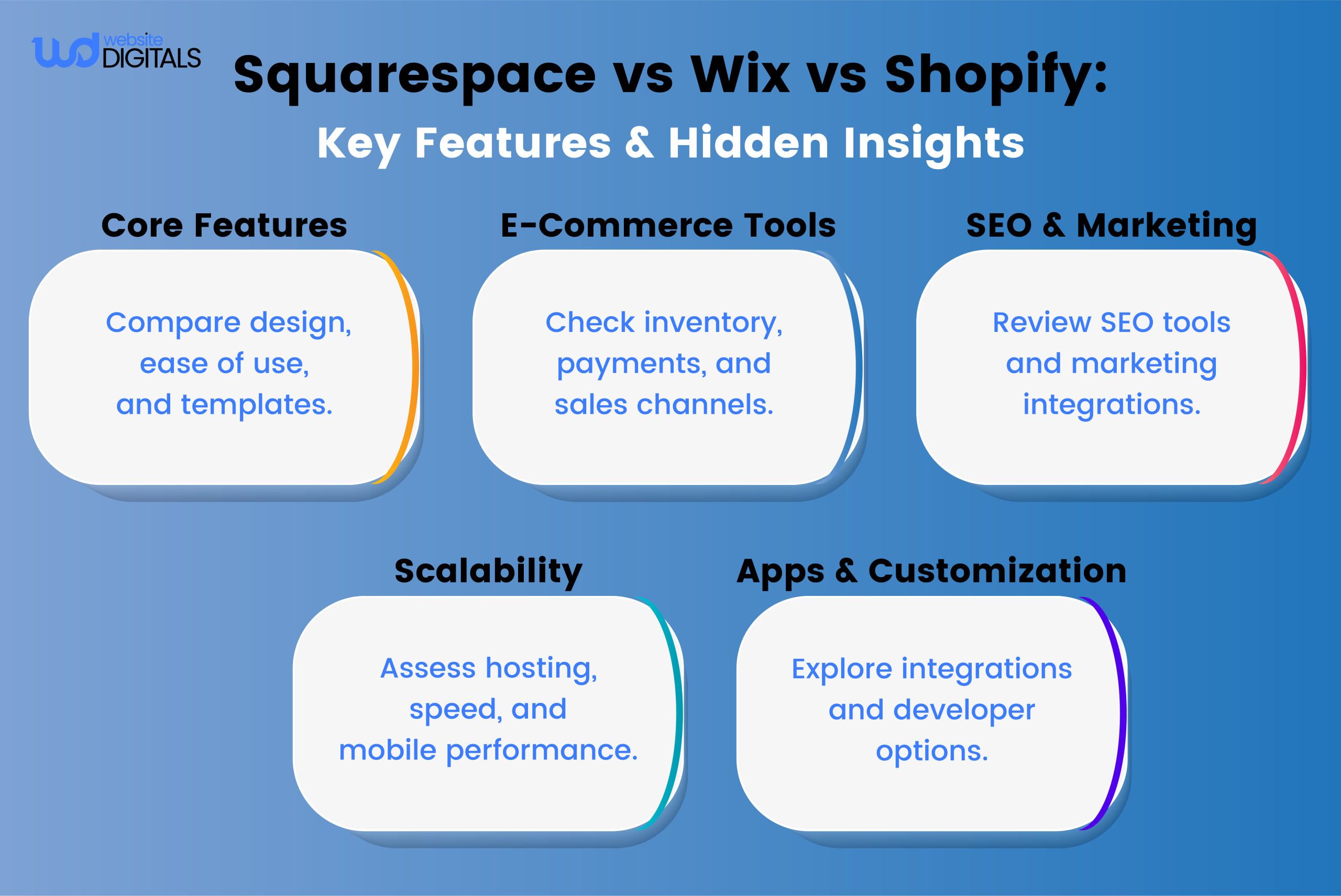
As your online business grows, your e-commerce needs evolve too. Choosing the right platform is essential for managing more products, handling higher traffic, and maintaining smooth operations.
Whether you use Squarespace, Wix, or Shopify, understanding how each performs in these areas helps ensure your business scales efficiently.
Product Management and Inventory Systems
Effective product and inventory management is the foundation of e-commerce success.
- Shopify offers advanced inventory tools, allowing multi-location stock tracking, SKU management, and real-time updates across warehouses.
- Wix provides intuitive inventory dashboards, stock alerts, and automation features that simplify re-ordering and product tracking.
- Squarespace includes essential tools for managing product variants, digital downloads, and low-stock notifications, ideal for small-to-medium stores.
These systems ensure you never oversell or miss restocking opportunities as demand increases.
Payment Processing Options and Transaction Fees
Smooth and secure payment processing builds trust with customers and protects your revenue.
- Shopify Payments eliminates extra transaction fees within Shopify, while credit card rates vary by plan and region. It also supports major gateways like PayPal, Apple Pay, and Stripe.
- Wix integrates with Wix Payments, Stripe, and PayPal, offering flexible processing and transparent fees.
- Squarespace uses Stripe, PayPal, and Apple Pay integrations with fees based on plan level.
All three platforms are PCI DSS-compliant, ensuring safe and encrypted transactions.
Things to Consider: Review regional payment availability before committing not all gateways support every country.
Marketing Tools and Sales Channels
Marketing and sales integrations help expand your online reach.
- Shopify leads in omnichannel sales, connecting your store with Amazon, eBay, Instagram, and Facebook Shops (availability varies by region).
- Wix features built-in email campaigns, social media scheduling, and SEO tools, giving small businesses an edge in organic marketing.
- Squarespace includes marketing automation, email campaigns, and blog-based content marketing tools for brand storytelling.
Shopify’s advanced analytics and multi-channel capabilities make it a top pick for brands focused on aggressive growth.
Bonus Point: Wix integrates social scheduling and CRM features making it a mini marketing hub for small businesses.
Scalability and Enterprise Solutions
When your business scales, your platform must handle growth seamlessly.
- Shopify Plus offers enterprise-grade scalability with dedicated support, automated workflows, API integrations, and 99.99% uptime.
- Wix Enterprise provides dedicated hosting, enhanced security, and service-level agreements (SLA) for high-traffic businesses.
- Squarespace Enterprise focuses on premium creative brands, offering design flexibility, account management, and enterprise security.
If scalability and performance are priorities, Shopify remains the strongest contender for high-volume businesses.
Key Insight: Shopify dominates for expansion; Wix offers balance; Squarespace caters to brand consistency.
Choosing the Right Platform for Growth
Your choice depends on your business model and growth stage:
- Choose Squarespace for elegant design and simplicity, especially if you plan to hire Squarespace website development company to create a professional, customized site.
- Choose Wix for flexibility, integrated marketing, and mid-level scalability. Businesses comparing Wix vs Volusion can evaluate Wix’s creative control and integrations versus Volusion’s e-commerce features. Choose Shopify for advanced e-commerce functionality and enterprise-ready performance.
- Choose Shopify for advanced e-commerce functionality and enterprise-ready performance.
Selecting a platform that grows with your business ensures lasting success in design flexibility, e-commerce scalability, and customer experience.
Advanced Features and Customization Options
Each platform Squarespace, Wix, and Shopify provides unique advanced features designed to meet diverse web development needs. Understanding these tools helps businesses maximize functionality, design freedom, and long-term scalability.
App Integrations and Extensions Ecosystem
App integrations expand a website’s functionality and connect it with essential business tools.
- Squarespace Extensions: A curated marketplace offering integrations for accounting, shipping, and inventory management. Ideal for small businesses seeking simplicity.
- Wix App Market: Provides hundreds of apps covering marketing automation, booking systems, analytics, and e-commerce tools.
- Shopify App Store: The largest ecosystem with thousands of third-party apps, enabling deep e-commerce customization from multi-channel selling to AI-driven recommendations.
Verdict: The Shopify App Store leads in e-commerce scalability, while Wix balances variety and usability. Squarespace focuses on simplicity through limited but reliable extensions.
Note: More apps ≠ better performance. Evaluate app necessity to avoid slowing your site.
SEO Tools and Performance Optimization
SEO and performance play a vital role in online visibility and user experience.
- SEO Tools: All three platforms allow editing of meta titles, descriptions, and URLs. Shopify supports structured data, canonical tags, and automated sitemaps. Wix offers built-in SEO guidance and integrations with Google Search Console. Squarespace provides clean HTML structure and automatic image alt text.
- Performance Optimization: All support CDN delivery, image compression, and lazy loading to improve Core Web Vitals. Shopify and Wix allow greater caching control and performance analytics.
Key Takeaway: For SEO depth and speed optimization, Shopify and Wix outperform Squarespace, especially for high-traffic or content-heavy sites.
Developer Tools and Code Access
Developers often need deeper customization options beyond drag-and-drop tools.
- Wix Velo: A full-stack development platform with JavaScript, serverless functions, APIs, and database integration for building dynamic web applications, making it easy for developers to compare Wix vs Wix XP and choose the version that best fits their customization needs.
- Shopify: Offers developer-friendly access via Liquid templating, GraphQL APIs, and Shopify Functions for backend customization, making it an ideal choice if you want to create a Shopify Hydrogen development store with advanced storefronts and custom experiences.
- Squarespace: Allows limited code injection (HTML, CSS, and JavaScript) and custom blocks for advanced users.
Insight: Wix and Shopify provide robust developer ecosystems. Shopify’s ecosystem suits e-commerce engineers, while Wix’s Velo appeals to creative developers.
Mobile Responsiveness and Accessibility
Modern websites must perform flawlessly across devices and comply with accessibility standards.
- All three platforms offer mobile-responsive templates by default.
- Shopify and Wix provide breakpoint control and mobile editors for custom designs, with Wix particularly excelling in Wix mobile responsive development for fully flexible layouts.
- Squarespace ensures consistent responsiveness but allows fewer mobile layout adjustments.
- Each supports accessibility improvements like alt text, keyboard navigation, and ARIA labeling, helping meet WCAG 2.1 compliance.
Best Fit: If mobile customization is a priority, Wix and Shopify offer more flexibility, while Squarespace focuses on design consistency.
Quick Summary: Best Use by Platform
|
Feature Area |
Best Platform |
Why |
|
App Integrations |
Shopify |
Largest marketplace and advanced e-commerce plugins |
|
SEO Tools |
Wix |
Guided SEO setup and Google integration |
|
Developer Tools |
Shopify |
APIs, Liquid, and backend customization |
|
Design Flexibility |
Wix |
Visual freedom and Velo for coding |
|
Accessibility |
Squarespace |
Clean structure and consistent layouts |
Conclusion
Choosing between Squarespace, Wix, and Shopify ultimately comes down to your business goals, technical comfort, and growth plans. Each platform shines in its own way—but the best choice depends on how you plan to scale your online presence.
Wix stands out for its balance of creativity, scalability, and ease of use. It combines drag-and-drop flexibility with powerful marketing, SEO, and e-commerce tools, making it ideal for small businesses and entrepreneurs ready to grow. Its vast app marketplace and developer platform (Wix Velo) offer both simplicity and advanced customization as your business expands.
If you’re prioritizing pure e-commerce power, Shopify is the go-to for enterprise scalability and robust inventory management. Meanwhile, Squarespace remains a favorite for creatives seeking elegant design and a streamlined, all-in-one solution.
For most small-to-mid-size businesses looking for design freedom, integrated marketing, and room to scale, Wix offers the best long-term value. It grows with your business without locking you into rigid templates or limited integrations.
Ready to grow your online business with the right platform? Partner with Website Digitals today. Call (646) 222-3598 or email info@websitedigitals.com.
FAQs
What are the main differences between Squarespace, Wix, and Shopify?
Squarespace focuses on sleek design and simplicity. Wix offers drag-and-drop freedom with flexible customization. Shopify is built for advanced e-commerce and business scalability.
Which platform is best for e-commerce, Wix or Shopify?
Shopify is best for larger online stores needing advanced inventory and payment tools. Wix suits smaller shops that value easy setup and creative control.
Can I migrate my website from Squarespace to Wix or Shopify?
Yes. You can migrate most content, but designs and integrations may need manual setup. It's best to follow each platform's migration guide.
How do I choose the right template for my website on Wix or Squarespace?
Pick a template based on your site's purpose, layout preference, and mobile responsiveness. Both let you customize and preview before publishing.
What are the pricing differences between Squarespace, Wix, and Shopify?
Squarespace and Wix start around $16 per month, while Shopify begins at $39. Shopify includes advanced e-commerce tools; Wix and Squarespace focus on design and flexibility.
Can I use third-party apps and integrations with Wix, Squarespace, or Shopify?
Yes. Wix, Squarespace, and Shopify all support integrations. Shopify offers the most apps, while Wix and Squarespace cover key marketing and payment tools.
How do I optimize my website for SEO on Wix, Squarespace, or Shopify?
Use built-in SEO tools to edit titles, meta descriptions, and alt text. Connect Google Search Console and update content regularly for better rankings.
What are the scalability options for growing businesses on Wix?
Wix scales through Wix Enterprise, offering stronger hosting, security, and advanced integrations as your business expands.
Can I use my own domain name with Wix, Squarespace, or Shopify?
Yes. You can connect your own domain or buy one directly. SSL is included for secure browsing.
What kind of customer support does Wix, Squarespace, and Shopify offer?
All three offer 24/7 support. Wix provides chat and email, Squarespace supports chat and email, and Shopify adds phone and community help.