Why Squarespace vs WordPress Matters for Scalable Business Website Design
What’s worse: choosing a website platform that’s too complex, or choosing one that won’t support your business a year from now?
The conversation Squarespace vs WordPress touches exactly this challenge.
WordPress currently powers an estimated 62.% of CMS-based websites. Squarespace, in turn, claims around 3% market share.
But the real question is: can simplicity and scalability coexist?
As the saying goes by Leland Dieno,
“Your website is the center of your digital ecosystem, like a brick and mortar location, the experience matters once a customer enters, just as much as the perception they have of you before they walk through the door.”
This perfectly ties into the Squarespace vs WordPress dilemma: the platform you choose influences not only how users interact with your website but also how they perceive your brand.
In this post, we will explore “Is Squarespace the best website builder” for your needs, how each platform supports long-term business growth for you, and what you need to consider for your website’s future.
Key Takeaways:
|

Understanding the Differences Between Squarespace and WordPress
Squarespace and WordPress are both content management systems (CMS) that allow you to create and manage a website without needing extensive coding knowledge.
However, they differ significantly in terms of ease of use, customization, and the level of technical knowledge required.
-
Squarespace: An All-in-One Website Builder
Squarespace is an all-in-one website builder known for its drag-and-drop interface and user-friendly design.
It’s ideal for beginners who want to quickly create a professional-looking website with minimal effort.
While considering whether is Squarespace worth it, many find its all-inclusive service, covering hosting, security, and maintenance, makes it ideal for beginners.
This makes it an excellent choice for those looking for an easy-to-use solution without having to dive into complex web design.
-
WordPress: A Flexible Open-Source CMS
WordPress, on the other hand, is an open-source CMS that offers far more flexibility and customization.
With thousands of WordPress plugins, themes, and custom solutions, it’s suitable for users who need more control over their website’s functionality, design, and features.
Whether you’re building a business website, a blog, or an e-commerce platform, WordPress can cater to your needs with more advanced tools.
Note:
|
However, WordPress requires more technical expertise than Squarespace. You’ll need to manage your own hosting services and security updates, as well as handle ongoing maintenance. |
Comparing Key Features: Squarespace vs WordPress
Ease of Use
- Squarespace is incredibly user-friendly, offering a drag-and-drop builder that allows anyone to create a beautiful website with minimal effort. Its mobile-responsive templates are perfect for users who want a polished site without needing to know how to code.
- WordPress, on the other hand, has a steeper learning curve, especially for those unfamiliar with web development. You’ll need to handle technical tasks such as installing plugins, choosing a hosting provider, and maintaining your website.
Customization
- Squarespace offers a solid selection of customizable templates, but it’s somewhat limited in terms of customization options. Users are primarily confined to using the platform’s built-in features and settings.
- WordPress offers extensive customization options through a wide range of themes and plugins. With WordPress plugins, you can add features like advanced SEO tools, e-commerce integration, and website performance optimization.
E-Commerce
- Squarespace offers built-in e-commerce functionality, making it an excellent choice for small to medium-sized online stores. It allows you to easily manage products, track inventory, and accept payments.
- WordPress, when paired with WooCommerce, can power more advanced e-commerce sites. WooCommerce allows you to scale your store, add complex product options, manage advanced shipping methods, and integrate with third-party tools.
Real-World Case Study: WordPress for E-Commerce
|
WooCommerce powers major e-commerce sites like Allbirds, showing how WordPress handles large-scale stores with complex needs. |
SEO Features
- Squarespace comes with basic SEO tools such as customizable meta tags and image alt texts, but it lacks the depth of features found in WordPress. It’s a great option for small businesses that don’t require in-depth SEO management.
Tip:
|
WordPress, with plugins like Yoast SEO, provides detailed SEO control. Squarespace offers basic SEO tools, which may be limiting for businesses seeking advanced SEO strategies. |
- WordPress offers advanced SEO optimization through plugins like Yoast SEO and Rank Math. These tools allow you to optimize every aspect of your website for search engines, from metadata to internal linking strategies.
Hosting and Maintenance
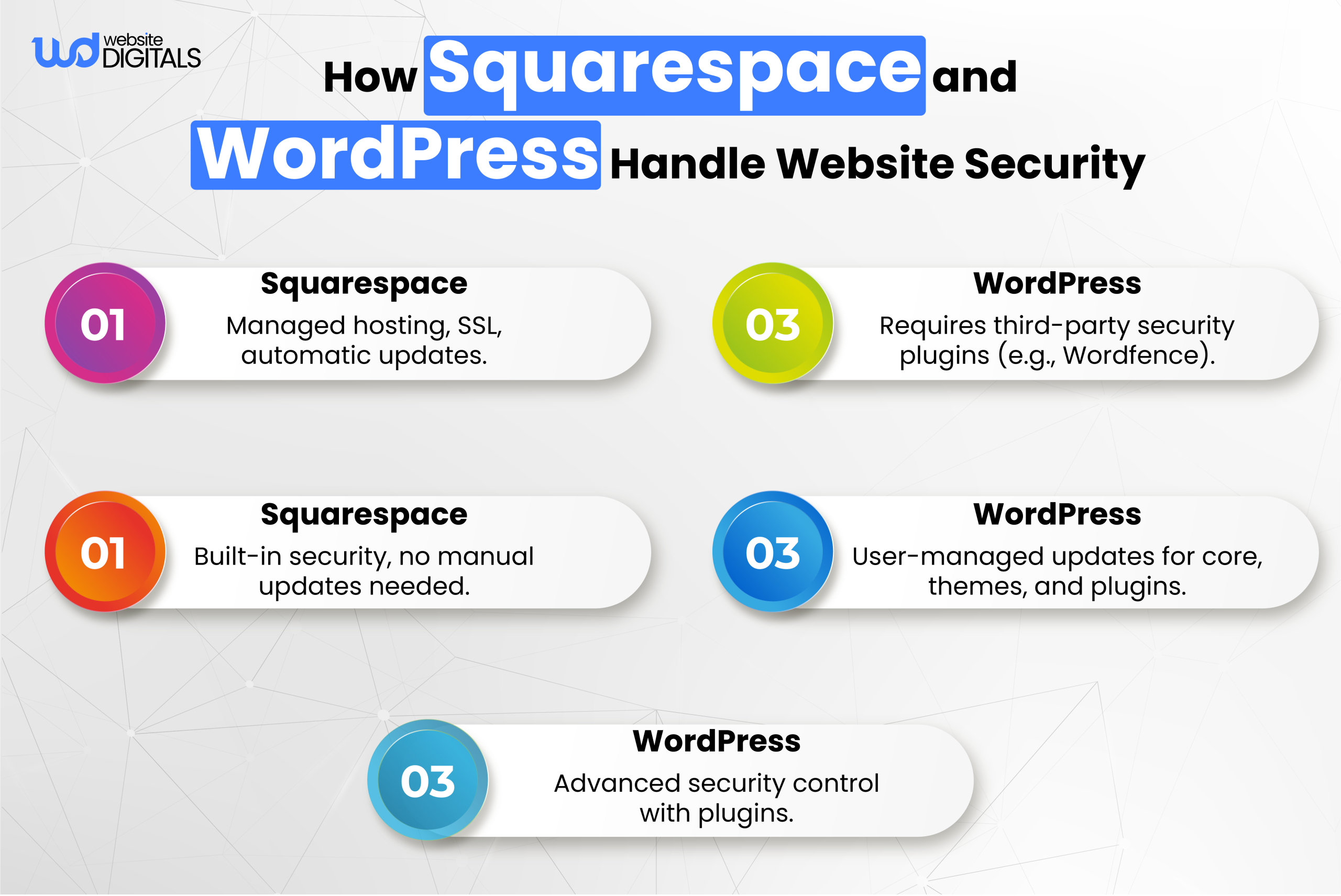
- Squarespace offers managed hosting as part of its service, which means users don’t need to worry about finding a host, server maintenance, or security issues.
- WordPress requires external hosting services. You’ll need to choose a hosting provider, set up your site, and ensure security and backups. While this gives you more control over website performance, it also means more responsibility for maintenance.
Comparing Squarespace and WordPress: Which One Fits Your Needs?
|
Criteria |
Squarespace |
WordPress |
Choose |
|
Website Speed |
Fast loading times due to optimized hosting |
Depends on hosting and optimization plugins |
Squarespace – More reliable speed without extra configuration |
|
Mobile Optimization |
All templates are mobile-responsive by default |
Mobile responsiveness depends on the theme and customization |
Squarespace – Guaranteed mobile optimization with no extra effort |
|
Security Features |
Includes SSL and automatic security updates |
Requires third-party plugins for SSL, security updates, and backups |
Squarespace – Easy security management out of the box |
|
Theme/Template Variety |
Limited selection, but highly polished templates |
Thousands of themes available with customization options |
WordPress – More flexibility for custom themes and designs |
|
Learning Curve |
Very user-friendly with minimal setup |
Requires time to learn technical aspects like hosting, plugins, and updates |
Squarespace – Ideal for those who need simplicity and fast deployment |
Next Steps: Choose Squarespace for Simplicity and Scalability
If you are looking for a website solution that is easy to use, affordable, and comes with everything you need in one place, Squarespace is the perfect choice.
It’s especially suited for small businesses, creatives, and those who want to focus on growing their business rather than dealing with technical hurdles.
Once you’ve decided to go with Squarespace, you can get started right away with its pre-designed templates, simple e-commerce tools, and built-in SEO features.
This allows you to have a professional-looking, fully functional website without the complexity of WordPress.
Conclusion: Choose Squarespace for a Stress-Free Web Development Experience
In the battle of Squarespace vs WordPress, Squarespace is the clear winner for those seeking simplicity, ease of use, and an all-in-one platform.
Squarespace site development for photographers, small business owners, and creatives offers the perfect solution to quickly launch a professional website without the need for technical knowledge.
With its intuitive interface, managed hosting, and powerful features, Squarespace provides everything you need to build and grow your business online with ease.
At Website Digitals, our team will guide you through the entire process, ensuring your website is not only visually stunning but also functional and optimized for growth.
Call us at (646)-222-3598 or email info@websitedigitals.com to discuss how we can help you create the perfect Squarespace website today!
FAQs
Why choose Website Digitals for your Squarespace website?
Choosing Website Digitals ensures a smooth, stress-free Squarespace site development process. Our expert team will guide you through every step, from design to launch, ensuring that your website is not only visually stunning but also highly functional, scalable, and SEO optimized for business growth.
What is the difference between Squarespace and WordPress?
Squarespace is an all-in-one, user-friendly website builder, while WordPress is an open-source CMS offering more flexibility and customization. Squarespace handles hosting, security, and maintenance, making it ideal for beginners, while WordPress requires more technical setup but offers greater control.
Is WordPress more flexible than Squarespace?
Yes, WordPress is more flexible than Squarespace, as it allows extensive customization through themes, plugins, and custom code. Squarespace is simpler and more streamlined, but it has limited customization compared to WordPress.
Which is better Squarespace template vs WordPress theme?
Squarespace templates are designed for simplicity, offering polished designs that require minimal customization. WordPress themes provide more flexibility and customization options, making them suitable for users who want complete control over design and functionality.
Which is cheaper, Squarespace or WordPress?
Squarespace offers a subscription-based pricing model, which includes hosting and security, making it easier to budget. WordPress itself is free, but you’ll need to pay for hosting, themes, plugins, and maintenance, making it potentially more expensive depending on your needs.
Which is the best platform for e-commerce, WordPress or Squarespace?
For small to medium-sized stores, Squarespace offers built-in e-commerce features that are easy to set up. For larger, more complex e-commerce sites, WordPress with WooCommerce provides advanced scalability, customization, and integrations.