Website Redesign Checklist: What Works In 2026 (And What Doesn’t)

Monday morning. You open the site and nobody says it out loud, but everyone feels it: the homepage looks “fine,” yet leads feel thinner, pages feel heavier, and the whole experience seems built for a version of your business that no longer exists.
That’s the trap with aging websites. They rarely fail in one dramatic moment. They drift. The messaging gets fuzzy. The navigation grows crowded. Important pages become harder to find. A new product gets added here, a landing page gets bolted on there, and before long, the site still looks alive from the outside while quietly underperforming underneath.
A modern website redesign checklist matters because a strong redesign is not a cosmetic exercise. It is a business decision. It should help people understand what you do faster, trust you sooner, and take action with less friction. And when the layout is visually unattractive, 38% of visitors stop engaging; when mobile pages take more than three seconds to load, 53% of visits are abandoned.
Key Takeaways
- A redesign should improve structure, not just appearance.
- The best results come from aligning UX, SEO, content, and conversion goals together.
- What worked a few years ago can now slow down trust, speed, and decision-making.
- The smartest redesigns keep what performs, fix what confuses, and measure what changes.
Why A Rebuild Sometimes Beats A Redesign
A lot of teams say “redesign” when what they really need is a reset of the site’s logic. That distinction matters.
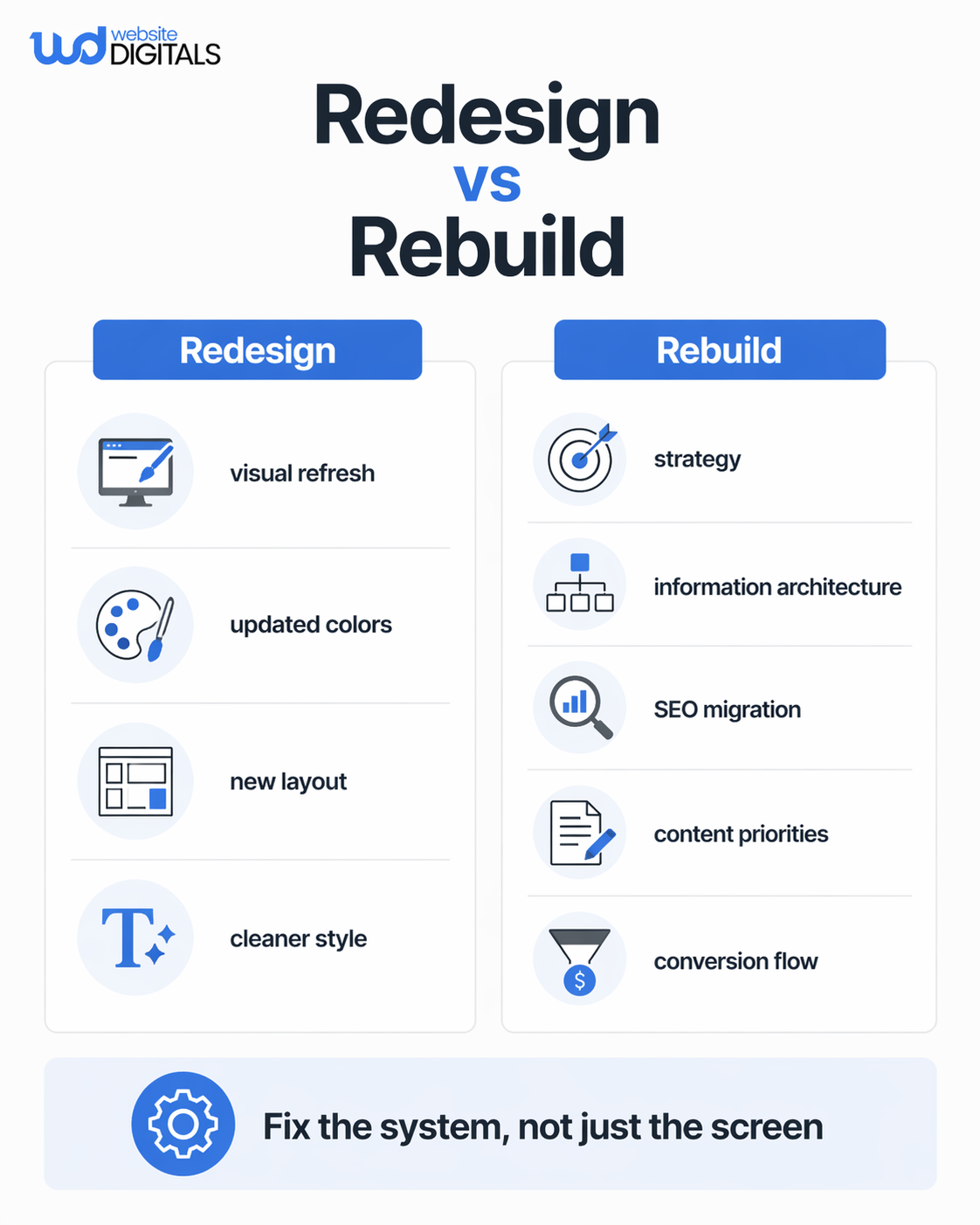
A redesign changes the presentation layer: layout, colors, components, and visual polish. A rebuild goes deeper: page purpose, information architecture, content priority, technical foundations, SEO paths, measurement, and how the site supports the next stage of growth. That’s the most useful lesson hiding inside the source material you shared.
This is also where many businesses lose momentum. They update the homepage, swap fonts, add new visuals, and assume performance will follow. But if the navigation is still muddy, the content still speaks in generic claims, and the forms still ask people to work too hard, the prettier version simply fails more elegantly.
Research and guidance from Nielsen Norman Group, Google Search Central, and the Interaction Design Foundation all point back to the same fundamentals: clear purpose, intuitive navigation, findable content, and technically sound page changes when URLs move.
What Belongs In A Website Redesign Checklist In 2026?
A website redesign checklist in 2026 should cover strategy, content, UX, technical SEO, migration planning, testing, and post-launch optimization. If it only talks about visuals, it is incomplete.
The simplest way to think about it is this:
The 4R method: Review, Reframe, Rebuild, Refine
- Review what exists now
Audit the pages that bring traffic, the pages that convert, and the pages nobody needs anymore. Look at speed, mobile usability, bounce patterns, form drop-off, broken paths, and weak calls to action. Use tools like PageSpeed Insights and your analytics stack to find evidence, not opinions. - Reframe the site around business goals
This is where a website redesign strategy gets real. What is the site supposed to do now? Generate leads? Sell products? Support a new market? Build authority? The answer changes what pages matter, what content belongs above the fold, and what the user journey should feel easiest. - Rebuild the experience with structure in mind
This is the part most teams rush. Good redesign work uses wireframes, clean hierarchy, strong messaging, mobile-first layouts, and clear page roles. “Design is not just what it looks like and feels like. Design is how it works,” Steve Jobs said, and that idea still cuts through the noise. - Refine after launch
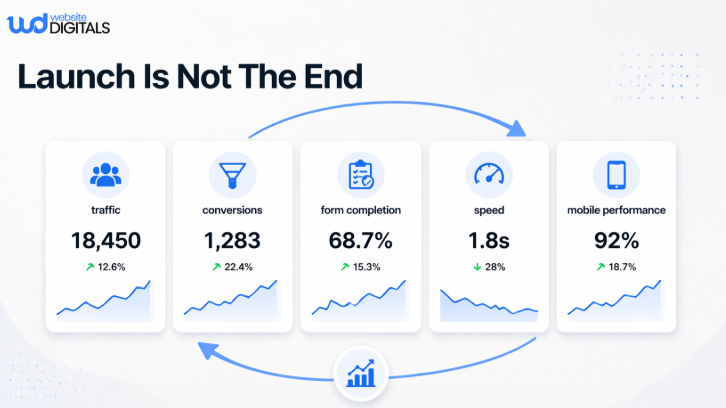
Launch is not the finish line. It is the moment the real feedback starts. Watch behavior. Track conversions. Review heatmaps, scroll depth, search queries, and technical errors. Then improve what real users reveal.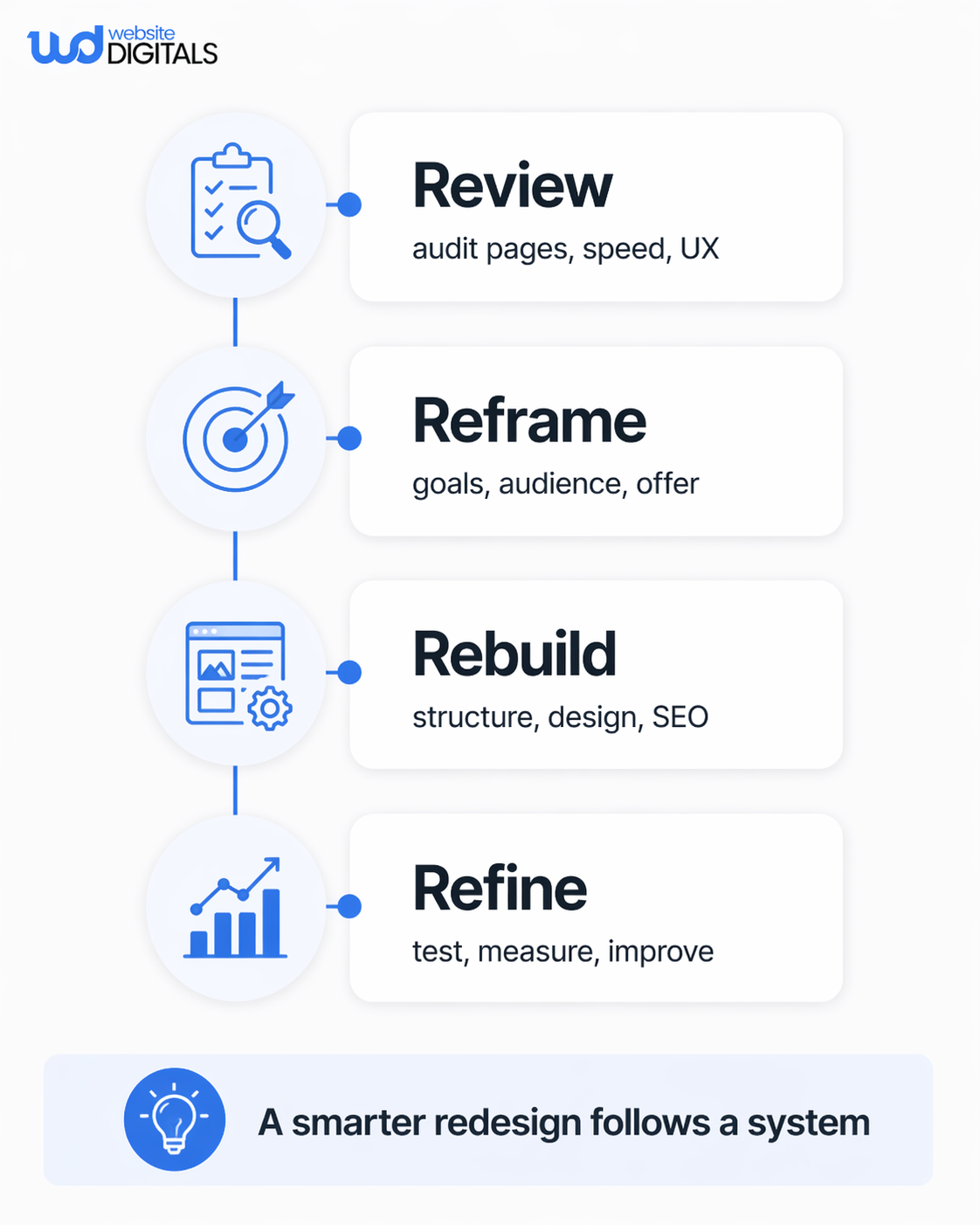
Before You Touch Design, Do These Five Things
- List your highest-value pages.
- Decide what stays, what merges, and what goes.
- Map old URLs to new URLs before development starts.
- Rewrite weak messaging before polishing visuals.
- Define success metrics before launch day.
That short list saves teams from one of the most expensive redesign mistakes: rebuilding pages nobody needed while neglecting the few pages that actually drive revenue.
Around the middle of any website redesign process, this quick reality check helps:
|
Area |
What works in 2026 |
A simple cue |
What doesn’t |
|
Messaging |
Clear value proposition in plain language |
A first-time visitor understands your offer in seconds |
Clever copy that hides what you actually do |
|
Navigation |
Fewer, stronger paths |
People can find their next step without thinking |
Mega-menus built from internal politics |
|
Content |
Lean, relevant, decision-friendly pages |
Every page has a job |
Publishing more pages instead of better pages |
|
Design |
Hierarchy, spacing, contrast, focus |
The page guides the eye naturally |
Designing every block to shout at once |
|
SEO |
Planned migration, metadata, redirects, internal links |
Search equity is protected during change |
“We’ll fix SEO after launch” |
|
Conversion |
Strong CTAs, short forms, proof near decision points |
Action feels easy |
Asking for too much, too soon |
How Do You Redesign A Website Properly Without Hurting Seo?
This is where many redesigns quietly bleed traffic.
If URLs change, Google wants those changes handled deliberately. Google Search Central explicitly recommends redirects when content moves and provides guidance for site moves with URL changes. That means your SEO website migration checklist should be drafted before launch, not after a rankings dip.
At a practical level, that means you need:
- a page inventory
- a redirect map
- updated metadata
- refreshed internal links
- a clean XML sitemap
- analytics and Search Console ready on day one
This is also the moment to rethink content quality. A website redesign guide should not treat content migration like a copy-paste task. Old pages often carry outdated positioning, duplicate intent, or bloated copy. Keep the pages with search value and business relevance. Rewrite the pages that still matter. Retire the rest with intention.
And do not forget mobile behavior. If your desktop design looks polished but your mobile experience still feels cramped, slow, or awkward to navigate, you are building a nicer version of the same problem. That matters because more than half of modern decision journeys begin on a phone, and people leave quickly when the experience feels delayed or clumsy.
What Most People Get Wrong
Here is the uncomfortable truth: many redesigns fail because they start too late and think too small.
Do this, not that
Do this: redesign around user tasks, page purpose, and business goals.
Not that: redesign around “we’re tired of the current look.”
Do this: simplify the path to action.
Not that: add more sections because every stakeholder wants one.
Do this: decide what content earns a place.
Not that: migrate every outdated page “just in case.”
Do this: test forms, buttons, checkout paths, menus, and mobile layouts.
Not that: assume the staging version tells you how the live site will behave.
Nielsen Norman Group’s usability guidance has stayed remarkably consistent on this point: clarity beats cleverness, and users need obvious starting points, plain language, and navigation that explains itself.
A Familiar Scenario That Explains Why This Matters
Imagine a growing service business with an old site that still ranks for a few useful terms, but the homepage talks in vague language, the services are buried under dropdowns, and the contact form asks for far too much. The team knows the site feels dated, so they start talking about colors, animations, and a new homepage banner.
But once they slow down and follow a proper website revamp checklist, the real issues surface. The biggest wins are not visual at first. They trim the navigation. They separate audiences more clearly. They rewrite the value proposition. They shorten the form. They clean up legacy pages. They protect old URLs with planned redirects. They test on mobile before they celebrate the desktop mockup.
That is when the redesign starts acting like a growth tool instead of a branding exercise.
For businesses that do not have the time or internal alignment to manage that process alone, this is where an experienced partner helps. Website Digitals can support the planning, UX, design, development, migration, and post-launch optimization so the redesign is tied to business outcomes, not just a prettier interface.
The Real Standard For A Website Redesign Plan In 2026
What works in 2026 is not flashy for the sake of being flashy. It is disciplined.
It keeps what already earns attention.
It removes friction where people hesitate.
It makes the next step obvious.
It respects search equity during change.
It treats launch as the midpoint, not the finale.
And what does not work anymore? Treating the site like a brochure. Designing from internal opinion. Ignoring mobile behavior. Migrating content blindly. Delaying SEO decisions. Hoping a visual refresh will fix a structural problem.
If you take only one thing from this website redesign checklist, let it be this: the best redesigns are not the ones that look the newest. They are the ones that make your business easier to understand, easier to trust, and easier to choose.
Conclusion
A strong redesign is not about keeping up appearances. It is about removing confusion, protecting what already works, and building a site that matches the business you are becoming. The most effective website redesign checklist is the one that forces honest decisions: what to keep, what to cut, what to rebuild, and what to measure after the new site goes live.
Think your website is “good enough”? A quick review might reveal hidden gaps costing you traffic and conversions.
Connect with Website Digitals at info@websitedigitals.com or call (646)-222-3598 to explore your opportunities.
FAQ
What is a website redesign checklist?
A website redesign checklist is a structured plan for improving your site’s strategy, content, UX, SEO, technical setup, testing, and post-launch performance so you do not break what is already working while fixing what is not.
How do you redesign a website properly?
Start with an audit, define business goals, map your most important pages, rebuild the content and navigation around user intent, protect SEO with redirects and metadata, then test heavily before and after launch.
What should be included in a professional website redesign checklist?
It should include content audit, information architecture, messaging updates, wireframes, mobile responsiveness, technical SEO, redirect planning, analytics setup, QA testing, launch tasks, and ongoing optimization. If you are budgeting, website redesign cost checklist decisions usually depend on scope, CMS, integrations, content volume, and migration complexity.
Why do businesses choose Website Digitals for website redesign services?
Because a redesign usually touches more than design alone. Website Digitals can bring strategy, UX, development, SEO, content structure, speed improvements, and launch support into one process so the project stays focused on growth, not scattered decisions.
Does Website Digitals help with website redesign packages, SEO migration, and post-launch support?
Yes. That matters because many businesses do not just need mockups; they need a complete website redesign process that covers planning, technical implementation, search protection, testing, and continuous improvement after launch.