What Does Content Management System Do for Managing Your Online Store

Every product update, promotional campaign, and customer story should move quickly, yet when your CMS slows things down or hits you with hidden costs, growth comes to a halt.
That’s why it’s essential to understand “What Does Content Management System Do” and how the right one can keep your business moving efficiently and affordably.
As Orison Swett Marden wrote,
“A good system shortens the road to the goal.”
And nothing derails that goal faster than unexpected CMS bills or migration headaches.
With the global CMS market valued at USD 28.15 billion in 2023 and projected to reach USD 54.16 billion by 2032, it’s clear businesses are investing heavily in smarter systems.
For SMBs and emerging brands, the fear of overspending is real. This post shows how the right CMS centralizes assets and accelerates publishing.
Key Takeaways:
|
What Does Content Management System Do for Your Online Business
A content management system (CMS) empowers online businesses to manage, organize, and deliver digital experiences efficiently.
“It simplifies content creation, enhances collaboration, and ensures consistency across your website and other channels, foundational elements when understanding how does content management system work in real-world use.”
In short, a CMS acts as the operational core of your digital presence.

Why Content Management Systems Are Essential for Modern Businesses
A content management platform allows organizations to centralize, organize, and distribute their digital assets efficiently.
Instead of handling content manually, businesses use a CMS to control how information appears across websites, apps, and other digital touchpoints.
|
Feature |
Benefit |
Impact |
|
Centralized Storage |
Single source of truth |
Higher efficiency |
|
Version Control |
Tracks content changes |
Fewer publishing errors |
|
Metadata Management |
Easier content discovery |
Better user experience |
How a CMS Streamlines Content Creation and Publishing
A CMS automates content authoring, content workflow, and content publishing, allowing teams to focus on quality rather than repetitive tasks.
-
Simplified Workflow for Fast Updates
Built-in workflow tools let editors draft, review, and publish efficiently.
By separating approval steps, businesses ensure consistent and error-free publishing.
The CMS automates repetitive tasks, saving time while maintaining high-quality standards.
-
Boosting SEO and Site Performance
Modern systems prioritize SEO optimization, enabling metadata editing, clean URLs, and schema support.
Paired with responsive design and optimized site performance, a CMS ensures pages load fast and rank higher in Google search results, which are two essential goals in modern web development best practices.
Choosing the Best CMS Architecture for Scalability
Selecting the right CMS architecture ensures flexibility, scalability, and security for your online business.
Headless CMS vs Traditional Systems
-
Headless CMS
A headless CMS separates the backend/front-end, allowing content to be delivered via APIs to any platform, web, mobile, or app.
This improves content delivery and user experience.
Real-World Case Study:
|
A global retail brand adopted a headless CMS to unify its regional e-stores under one scalable system. The move improved site performance, reduced costs, and accelerated product launches, a strong example of how strategic cms development for ecommerce businesses can drive measurable growth. With centralized content management, teams maintained consistent branding while enhancing agility and profitability, proving how smart CMS development drives e-commerce success. |
-
Traditional Systems
A web content management system (WCMS) integrates both design and management tools, making it ideal for small to mid-sized businesses that want simplicity without sacrificing control.
Cloud-Based CMS for Reliability and Growth
A cloud-based CMS offers automatic updates, scalability, and reduced maintenance.
It ensures consistent uptime, faster performance, and secure hosting, all critical for growing U.S. e-commerce businesses.
Bonus Tips: Make the Most of Your CMS Investment
Choosing the right CMS is only the beginning.
To get long-term value and control costs, businesses should focus on smart implementation and ongoing optimization.
- Assess total cost of ownership (TCO): Look beyond license fees to include setup, training, and long-term maintenance costs.
- Start modular: Choose a CMS that lets you add features as you grow instead of overspending upfront.
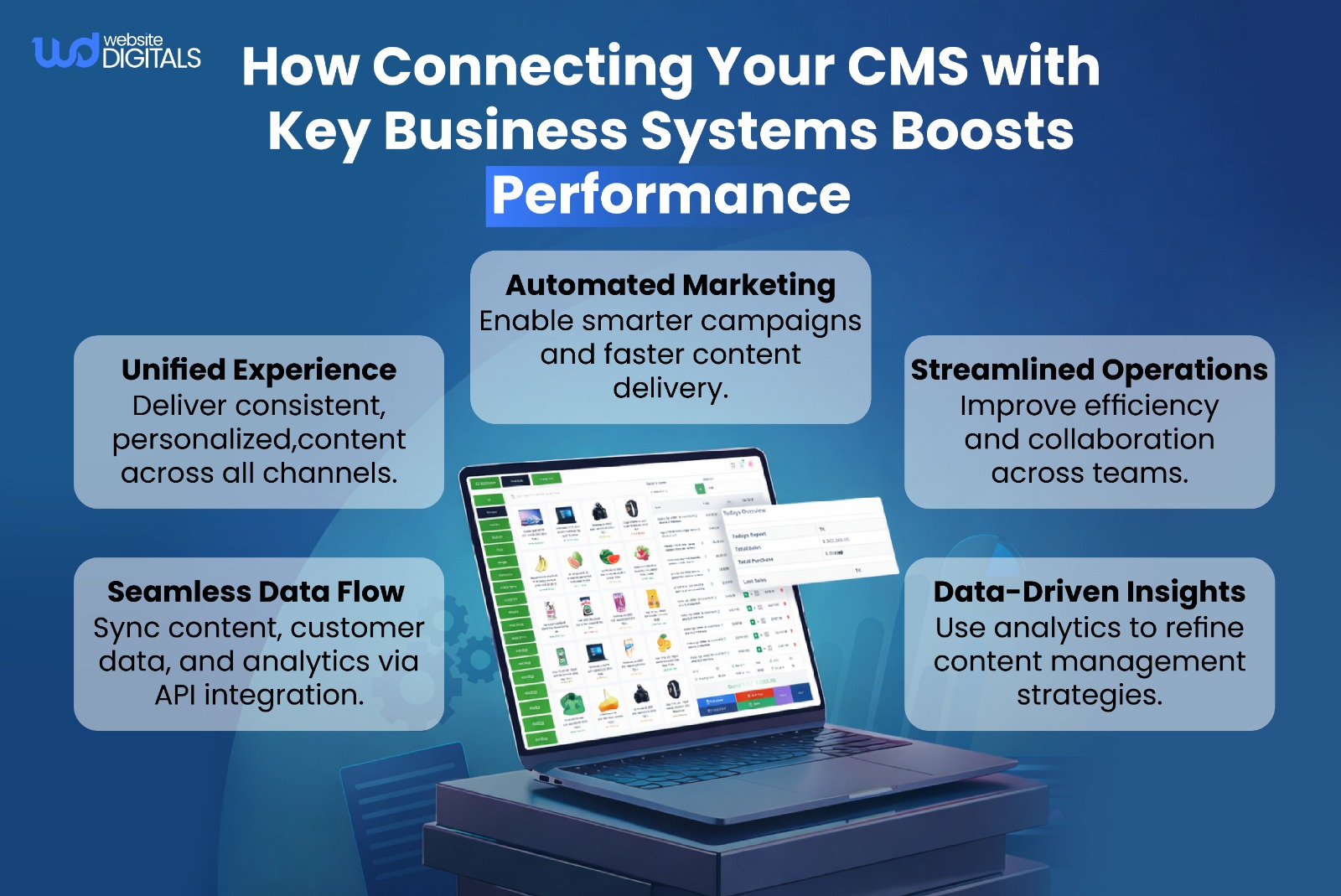
- Prioritize integration: A platform with flexible API integration prevents vendor lock-in and supports future scalability.
- Ensure mobile optimization: Strong responsive design and fast site performance keep customers engaged, an essential practice when exploring how to use content management system to improve conversions.
- Establish governance early: Define clear user roles and permissions to protect your content integrity and brand consistency.
These practical steps not only control expenses but also help ensure your CMS scales with your business, not against it.
Conclusion
Understanding what does content management system do is key to building a high-performing online store.
A strong CMS streamlines updates, manages assets, and boosts customer engagement, driving growth and efficiency.
At Website Digitals, we specialize in expert CMS development that transforms your e-commerce performance. Reach us at info@websitedigitals.com or call (646)-222-3598 to boost your online business today.
FAQ
What CMS development services does Website Digitals offer?
At Website Digitals, we specialize in custom CMS development, helping businesses design, integrate, and optimize systems that boost performance and scalability.
Why choose Website Digitals for your CMS project?
Our experts at Website Digitals deliver tailored CMS solutions that align with your goals, ensuring speed, flexibility, and long-term growth.
What does a content management system do?
A content management system lets users create, edit, organize, and publish website content without coding knowledge.
How does a content management system work?
It separates content from design, using a database to store information and templates to display it dynamically across your website.
What are the main functions of a content management system?
Its main functions include content creation, editing, publishing, workflow management, and user access control.
What is a CMS used for in business?
Businesses use a CMS to manage websites, streamline updates, and maintain consistent branding across multiple channels.
How does a CMS help digital marketing?
A CMS supports SEO, enables fast content updates, and integrates with analytics tools, improving campaign efficiency and reach.
What is the difference between a CMS and WCM?
A CMS manages all types of digital content, while a Web Content Management system focuses mainly on website content.
What is the difference between a CMS and an ECM?
A CMS handles website content, whereas Enterprise Content Management (ECM) manages broader business documents and records.
Why use a content management system?
It simplifies content operations, reduces technical workload, and allows faster publishing, making it essential for digital growth.